This article applies to the following countries
- All countries
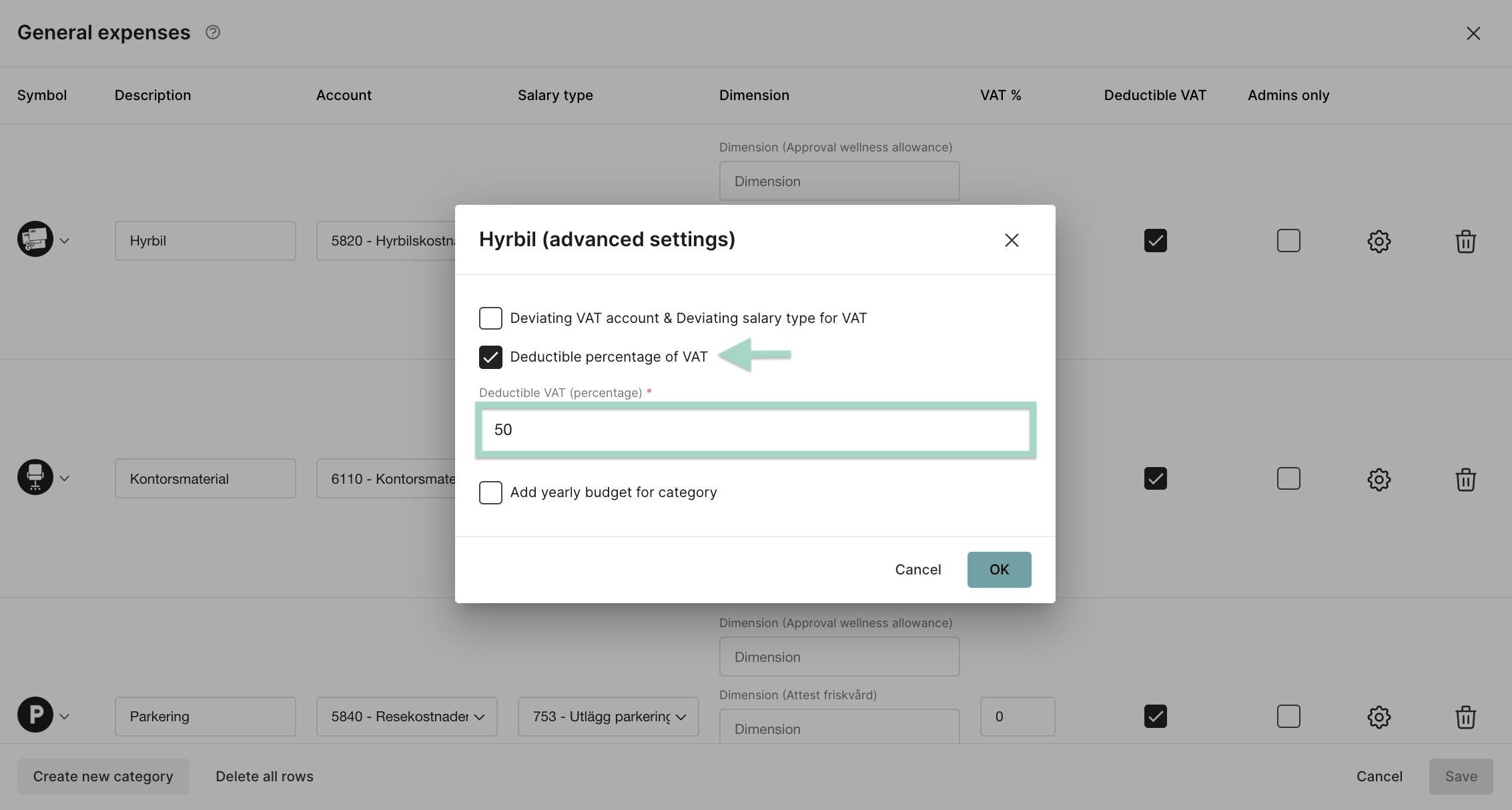
Add the settings
Go to the tab Settings - Expense management - Expense categories - General expenses.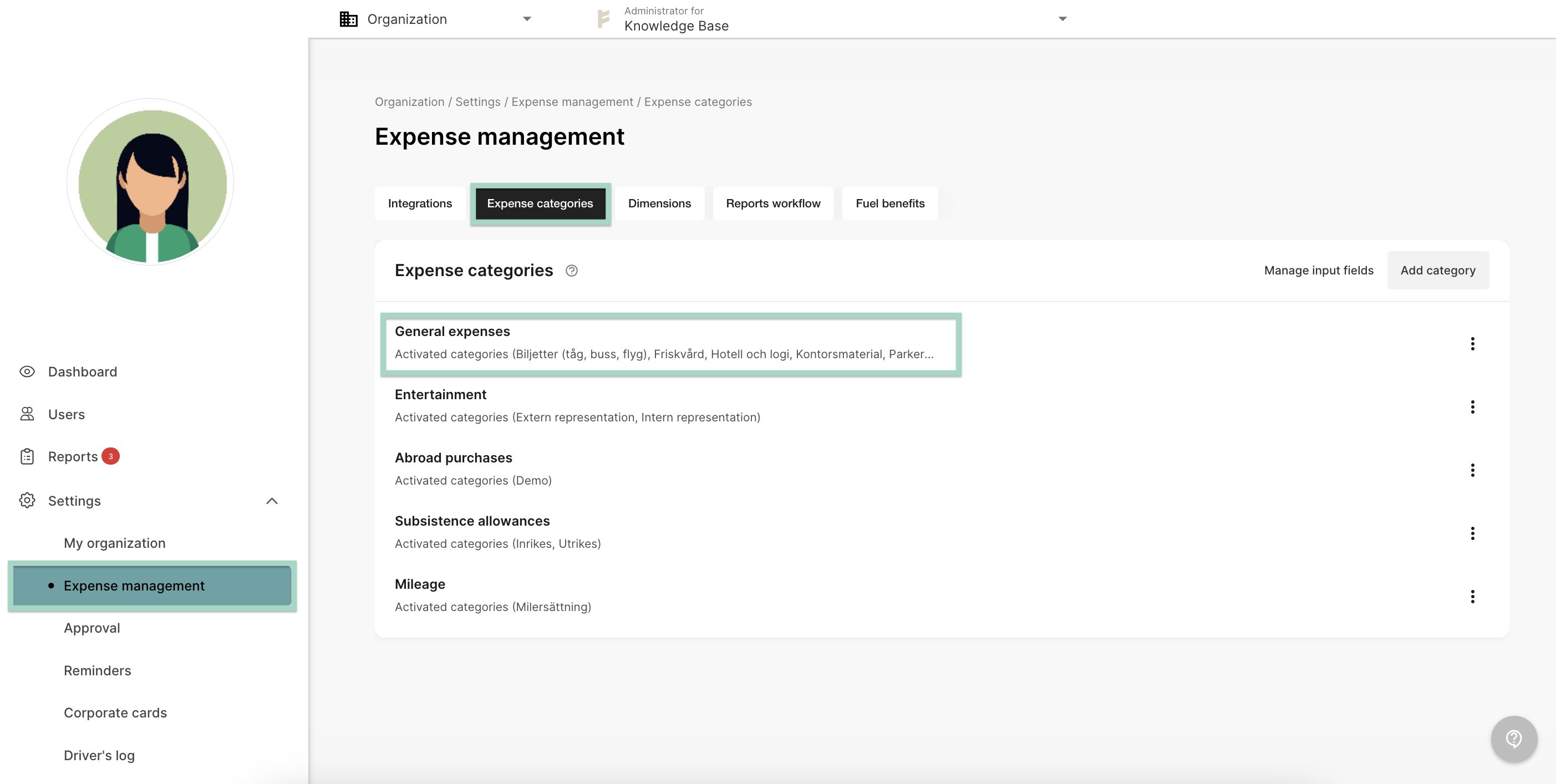
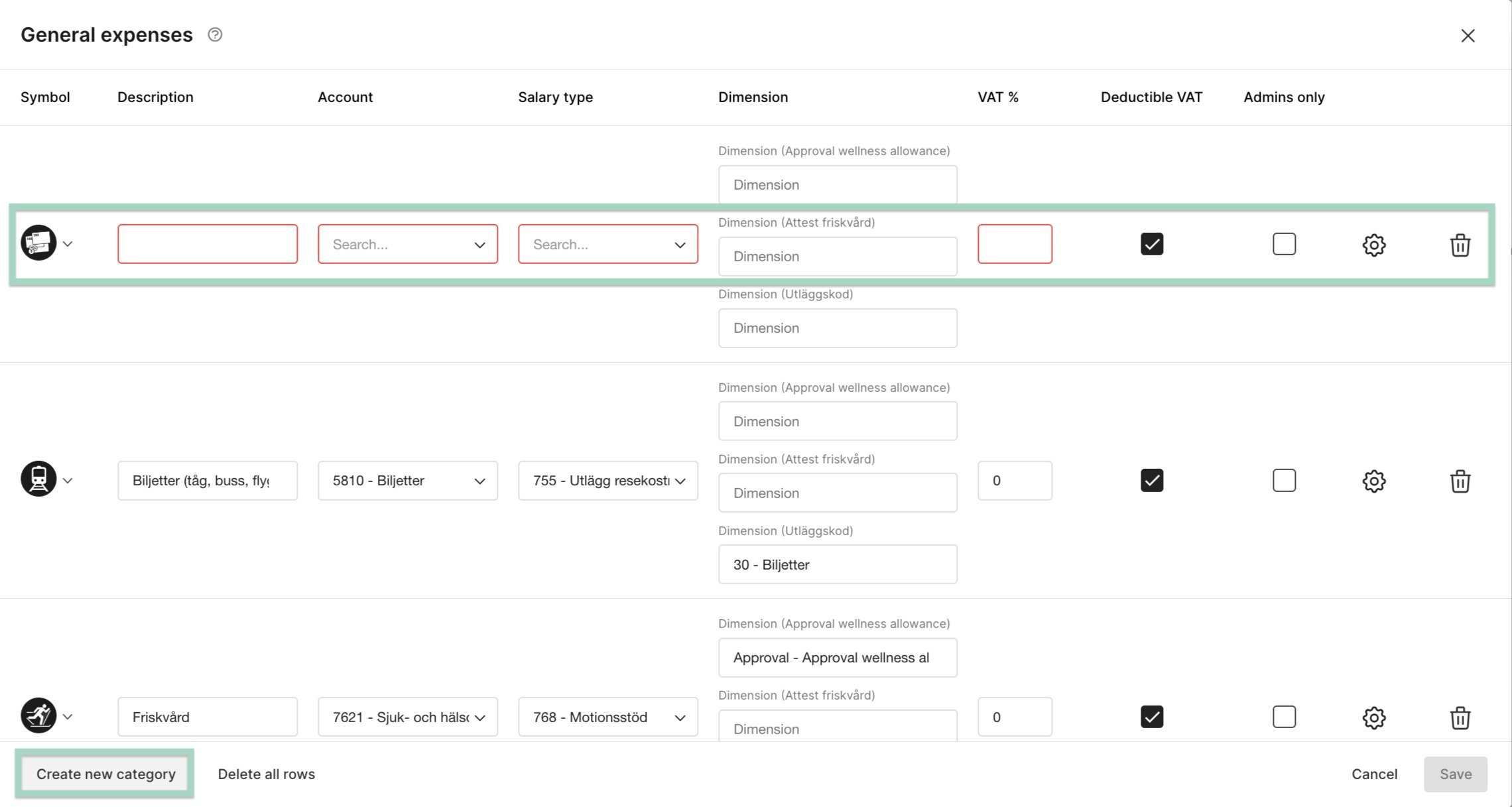
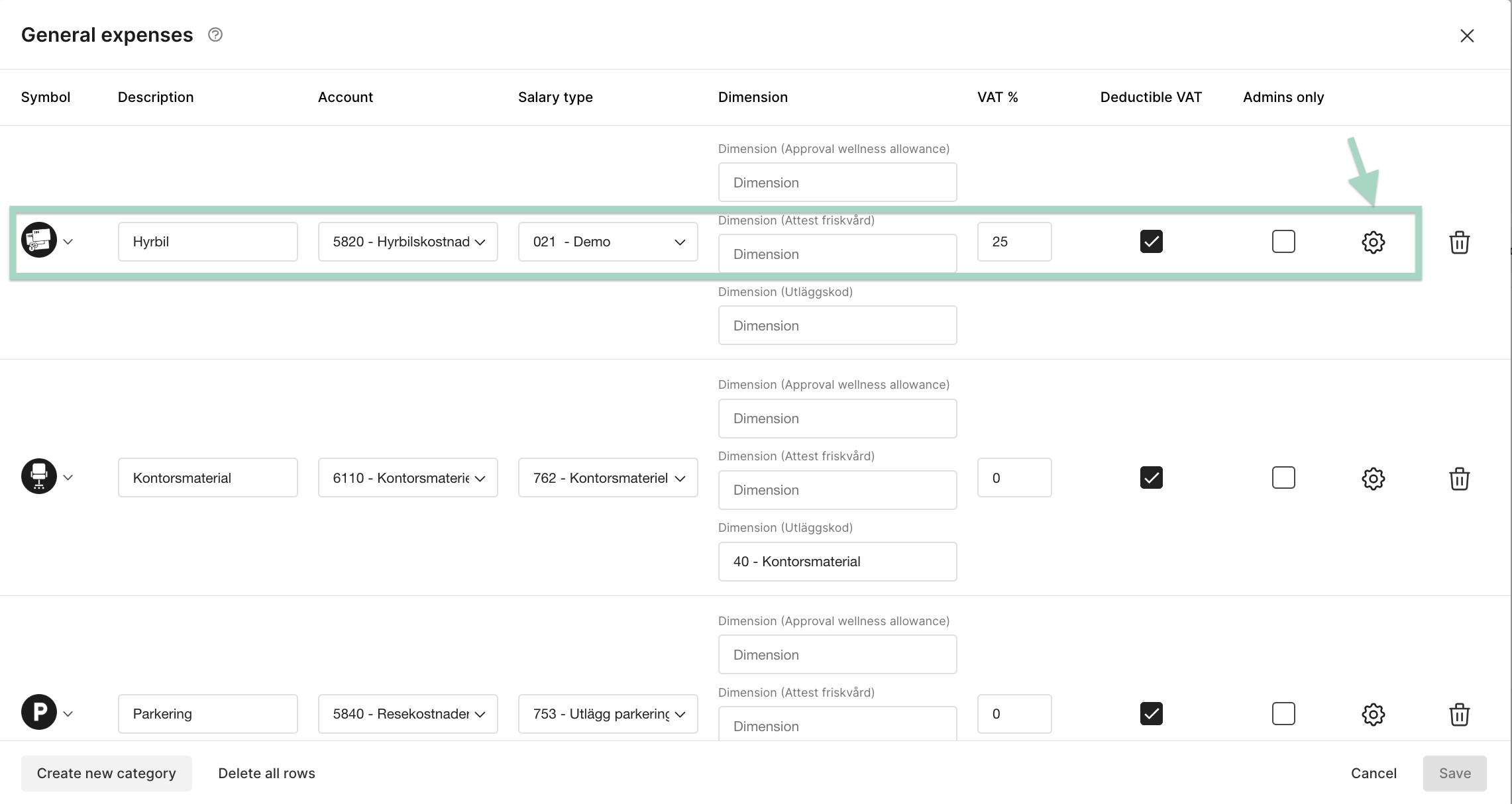
Accounting in the users report
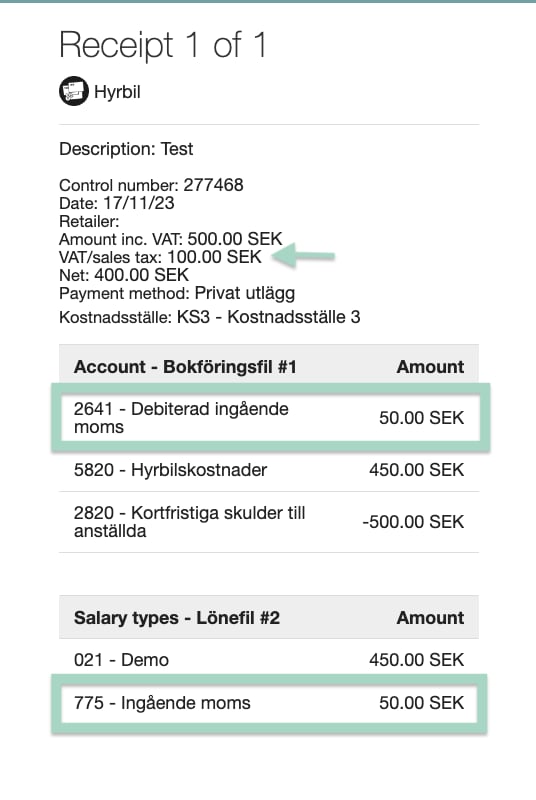
When the user create a report with the category rental car, VAT in the accounting will only be added with 50% of the total amount of VAT. In this example the user has added 100 SEK in VAT. The accounting in the report is 50 SEK VAT according to the setting we made.