This article applies to the following countries
- All countries
Settings:
When you, as a administrator add the settings for corporate cards you will be able to add settings for accounting: Debit (for personal transactions).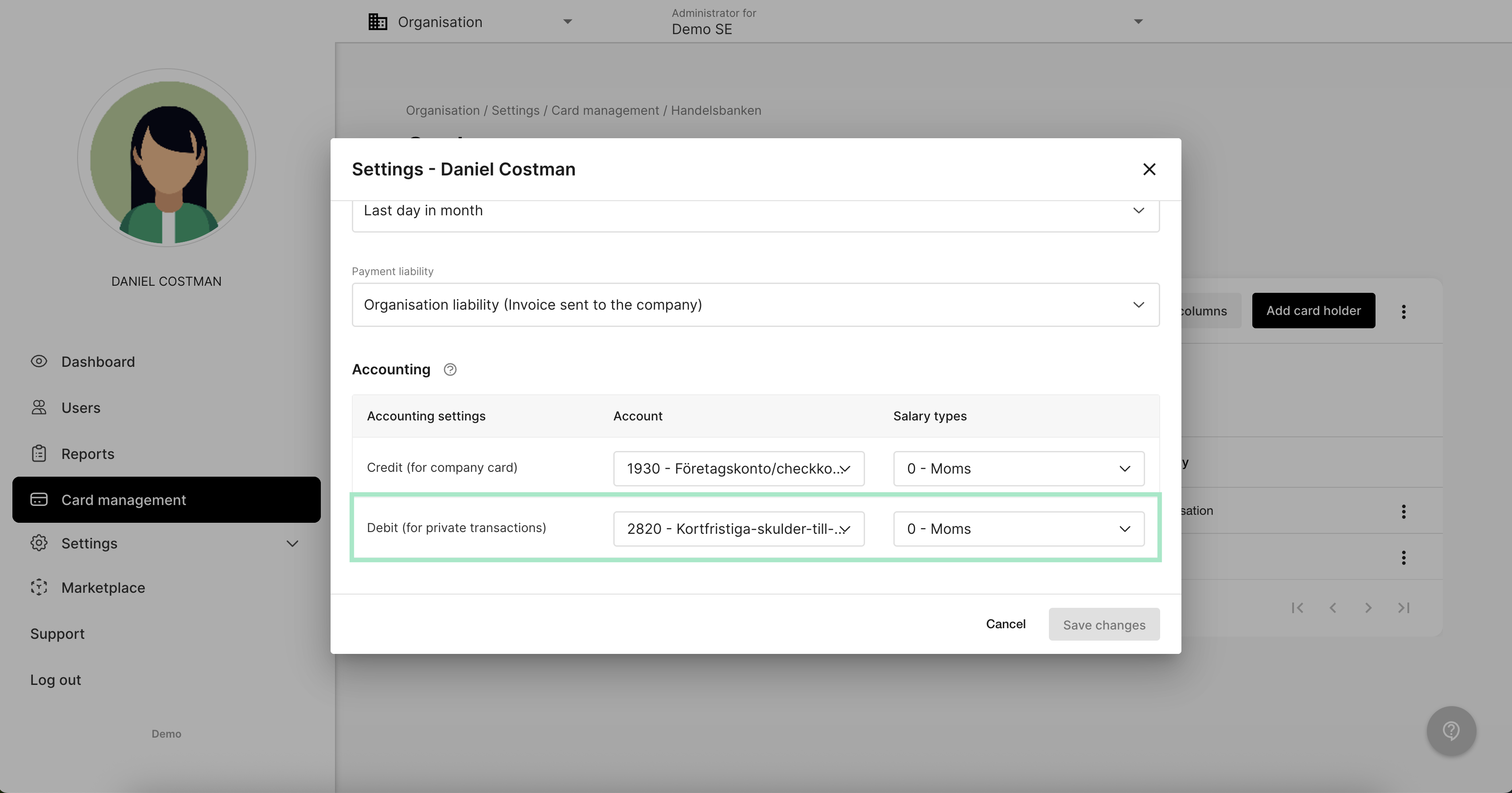
The user view:
The user will have the possibility to mark the expense as a personal purchase in the transaction. Read more in this link how the user mark the transaction as a personal purchase:When the report is submitted:
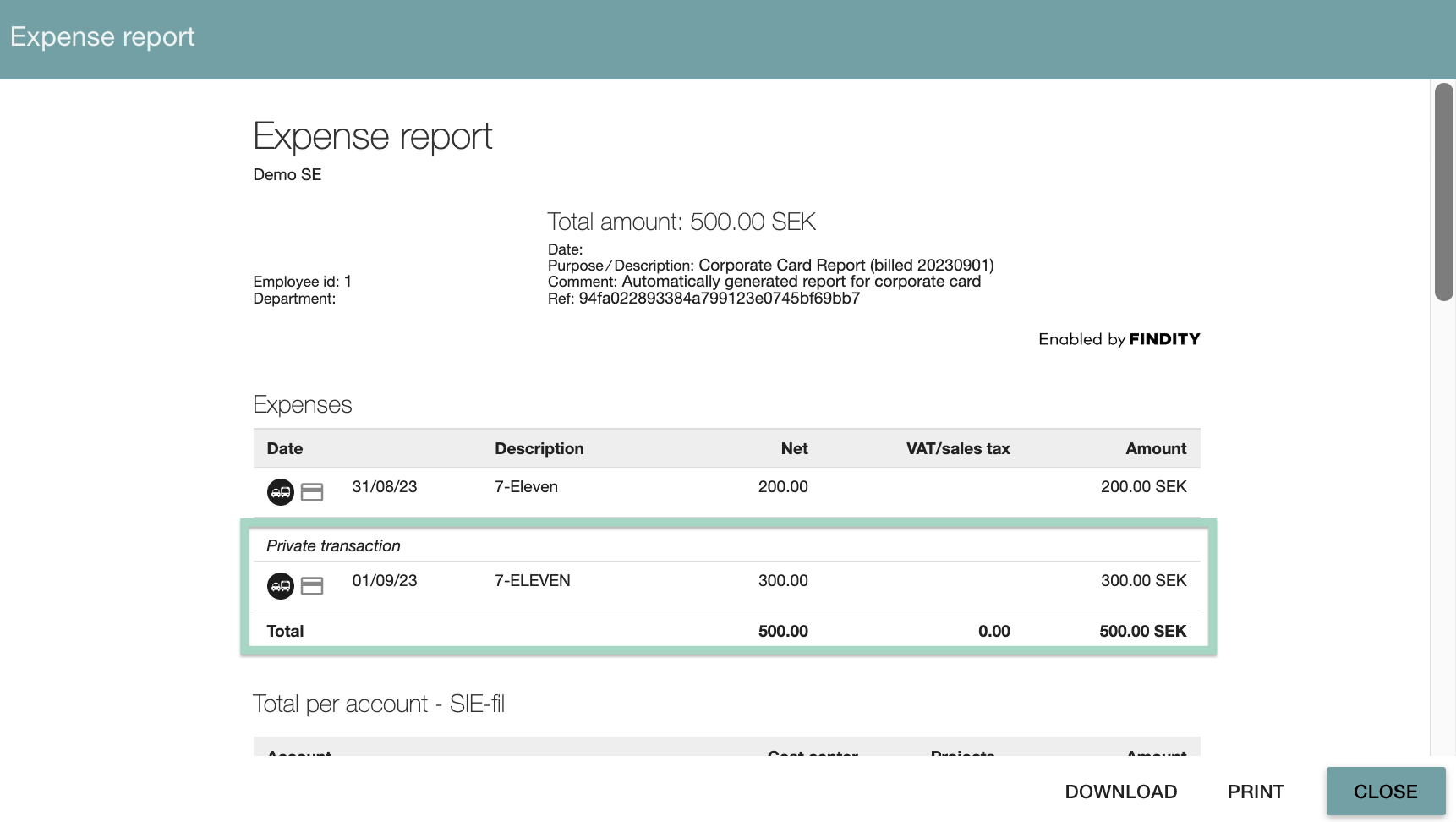
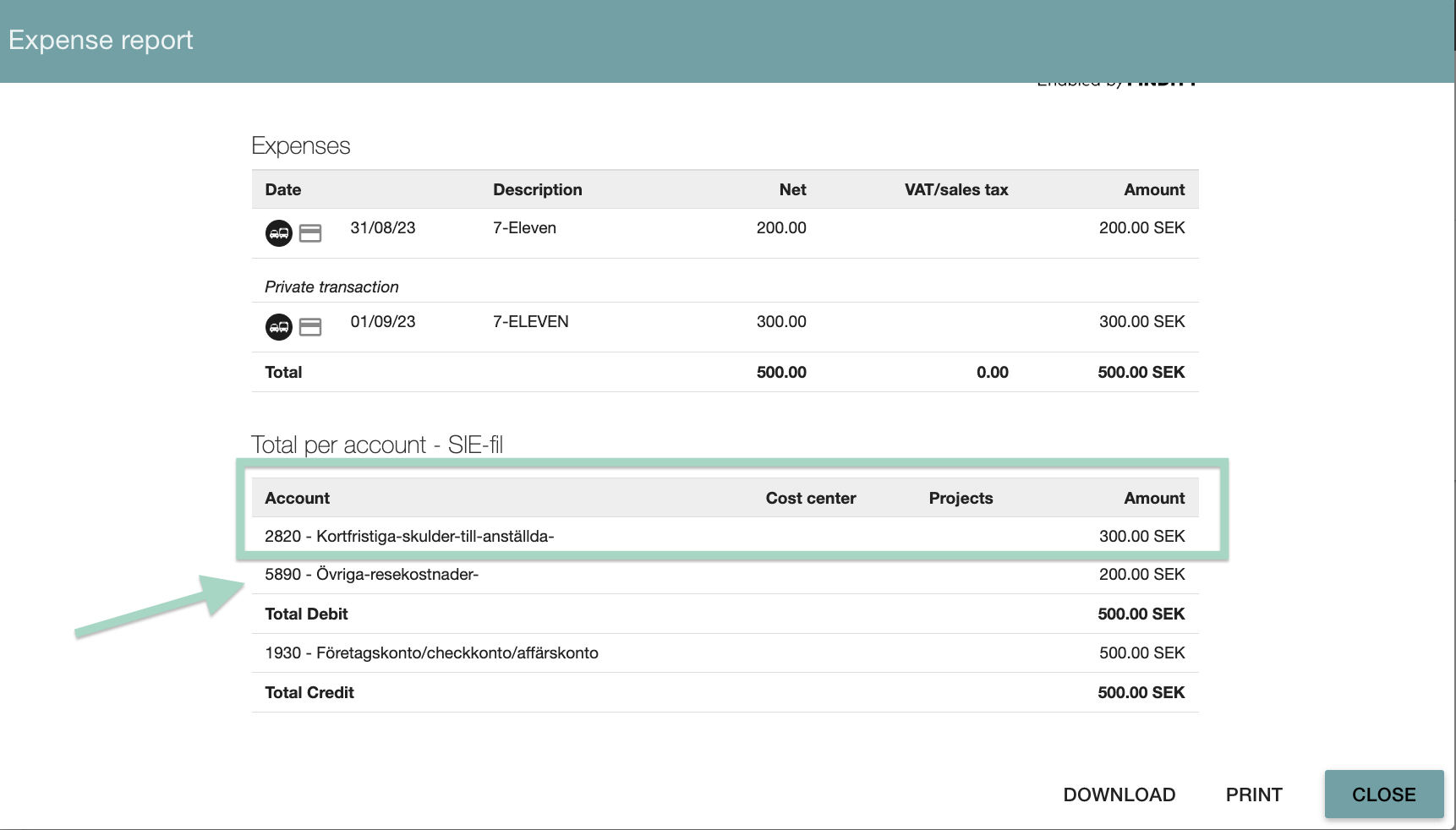
When the user has submitted a report containing a personal purchase you can preview the report to see the accounting. In this example, 300 SEK is marked as a personal transaction.