This applies to the following countries
  • All countries
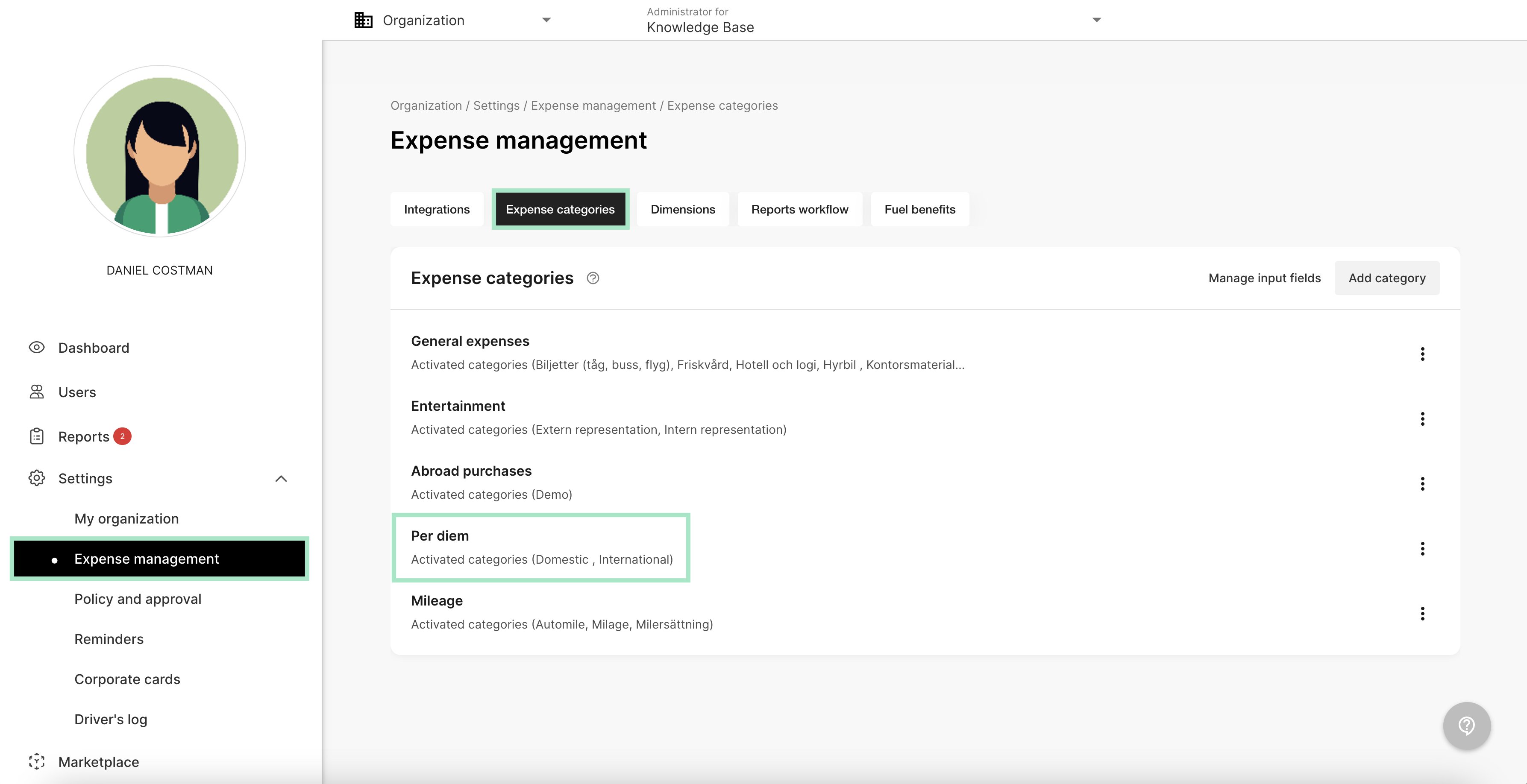
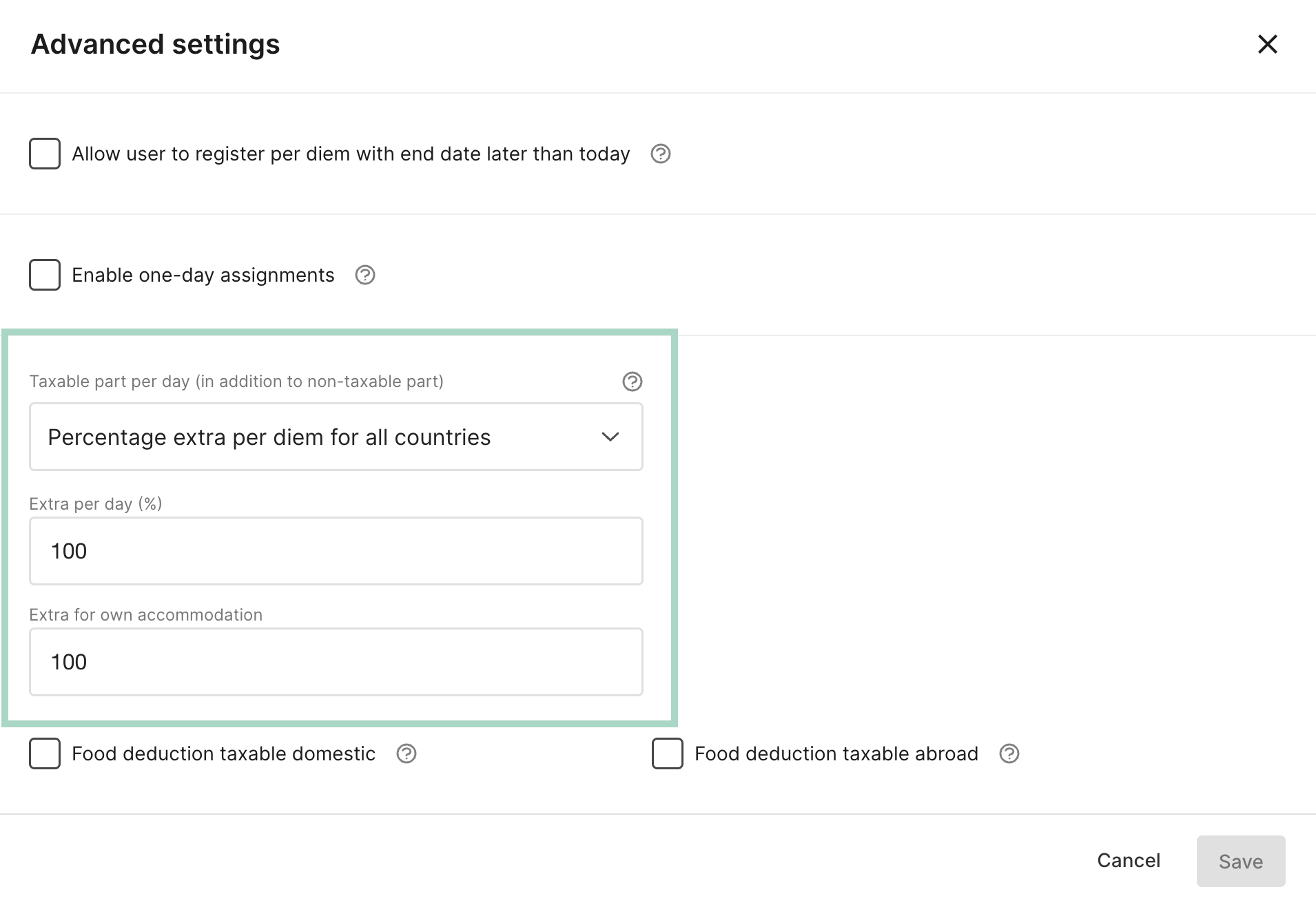
If you want your organisation to add an extra taxable part when the users submit reports containing per diem, add this setting on your company and the system will calculate it automatically based on the settings you choose. Go to the tab Settings - Expense management - Expense categories - Per diem
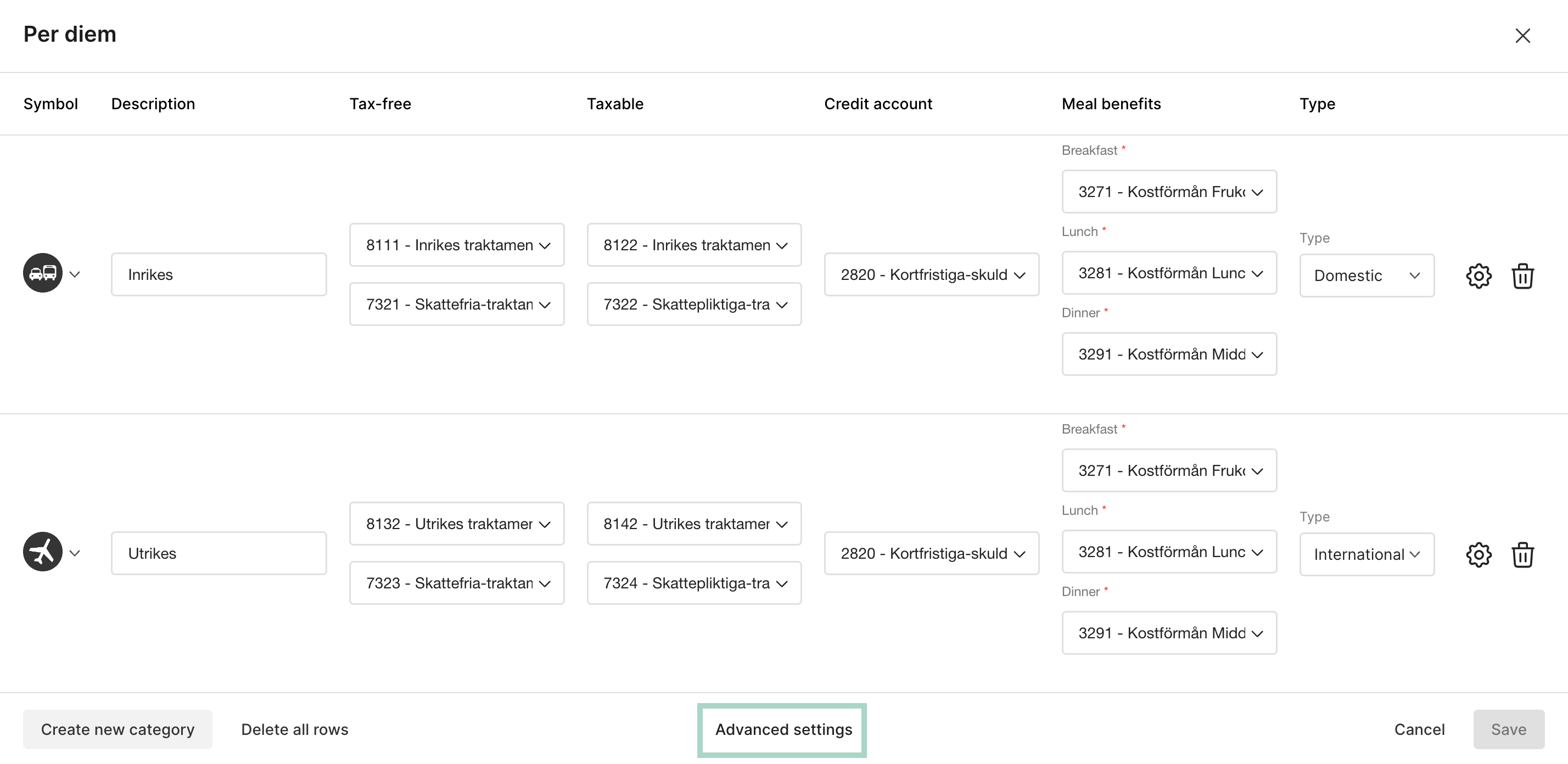
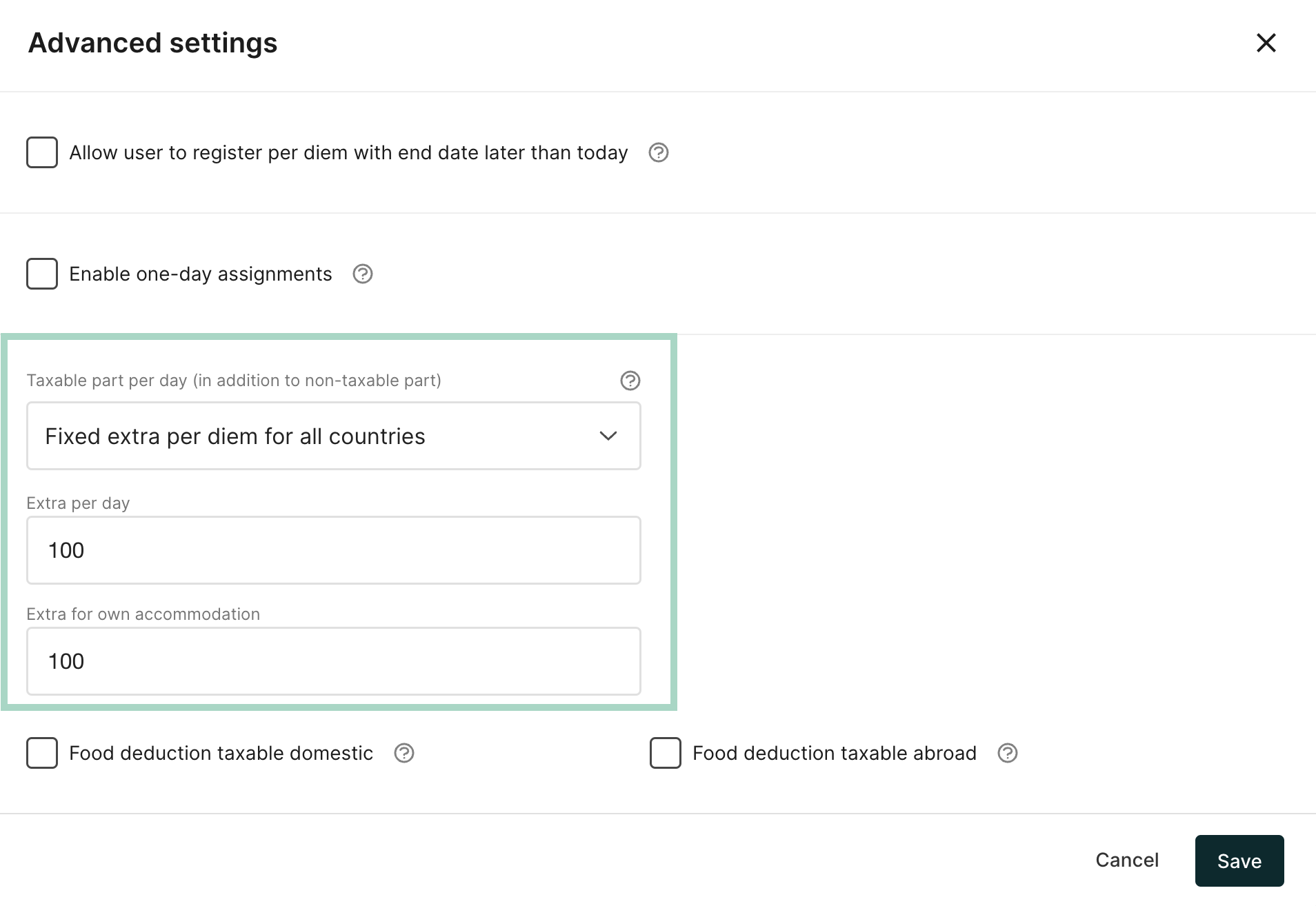
Go to Advanced settings.
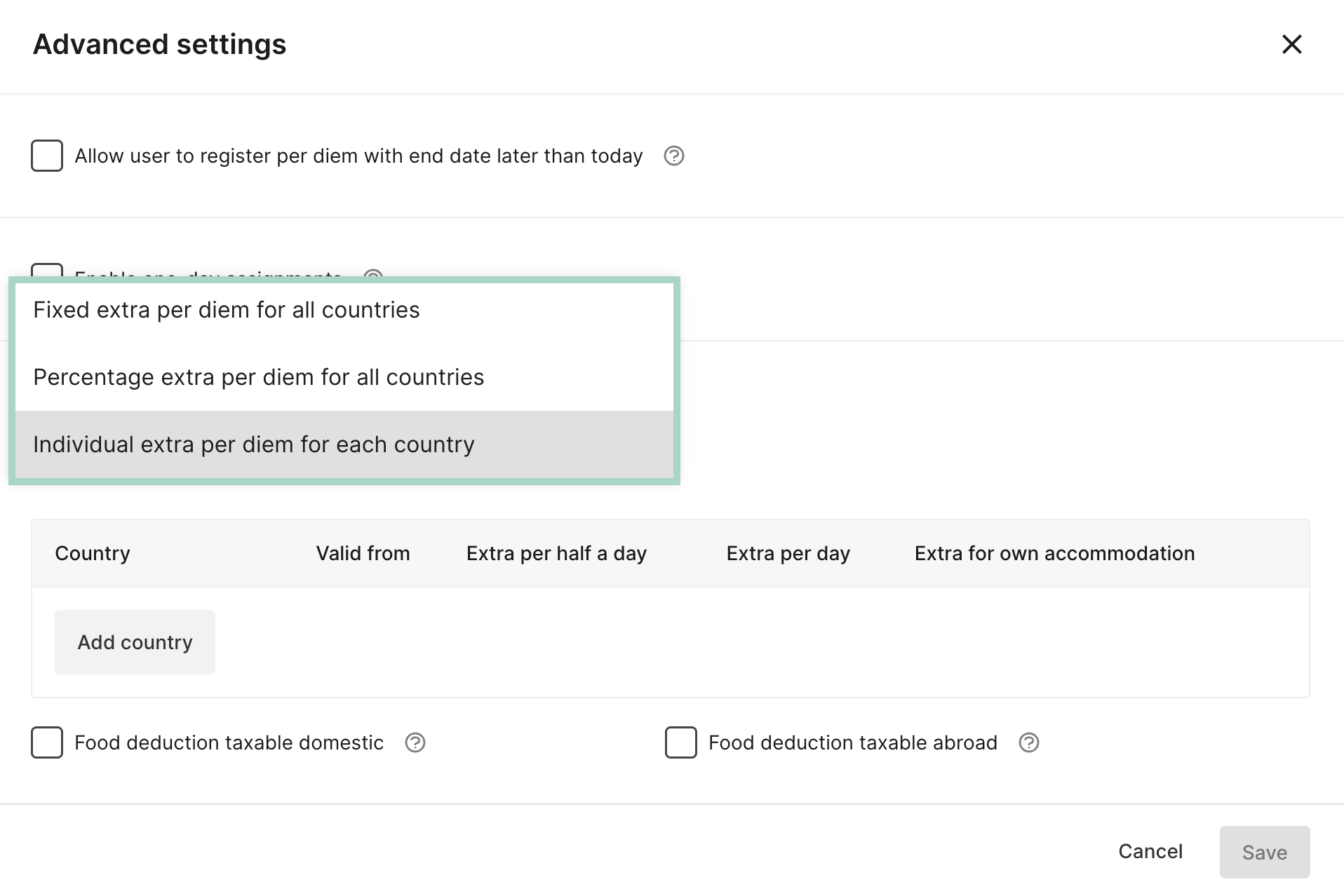
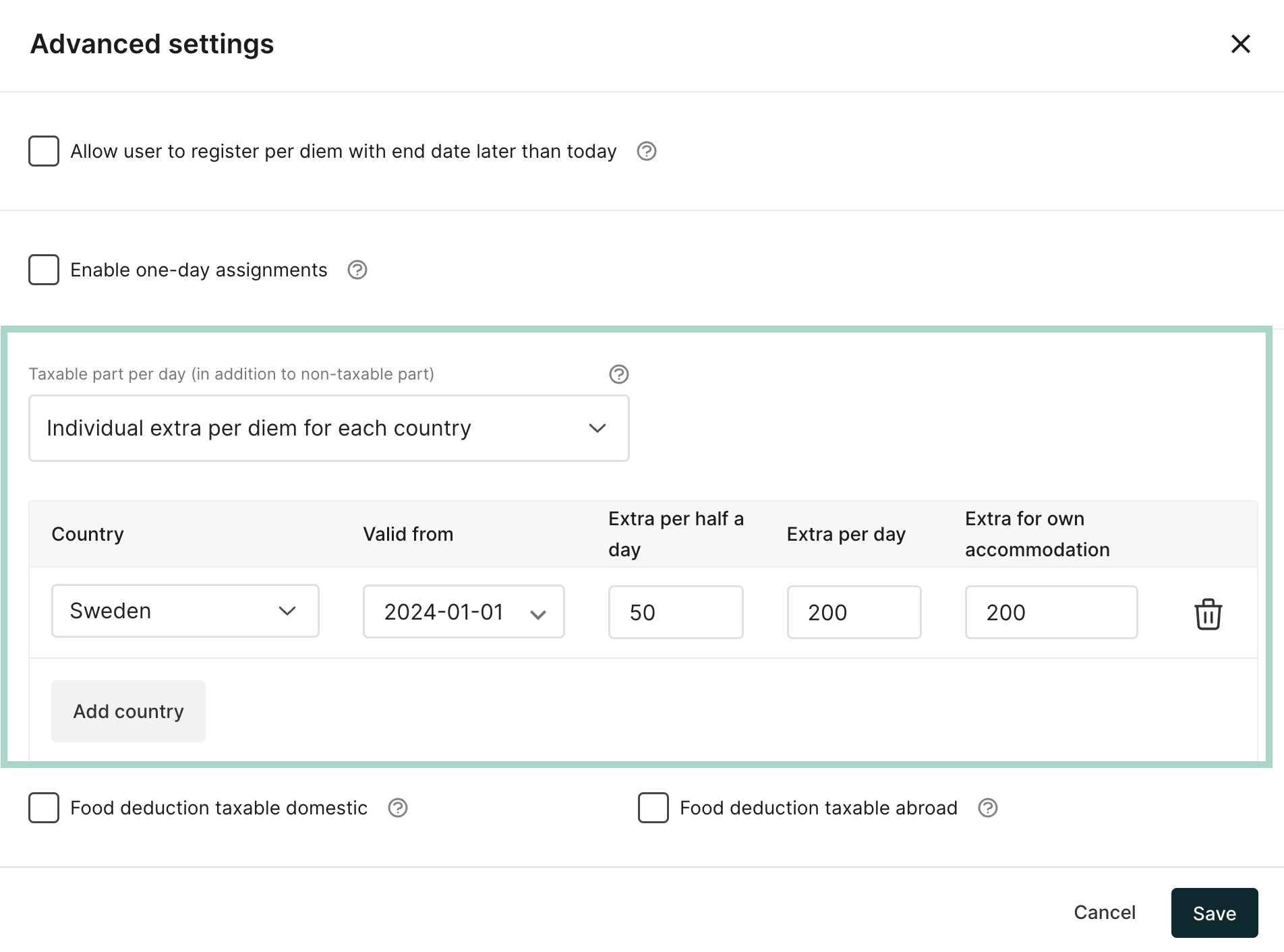
Choose the setting you want to use. We describe the different settings in the tabs below in this article.
Add the amount you want to use for Extra per day and Extra for own accommodation. Press Save when you are done.In this example we have added 100 extra per day and 100 for own accommodation.
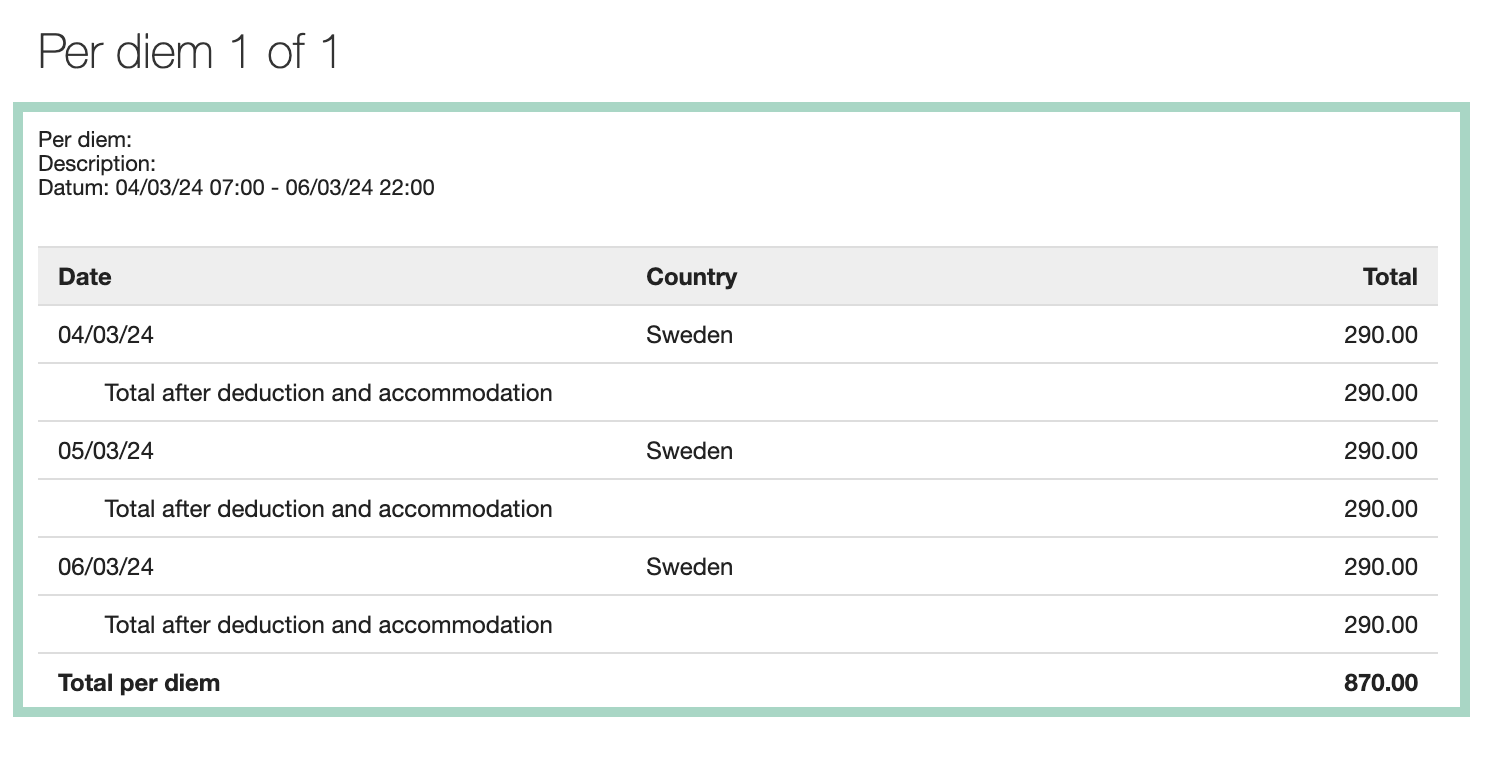
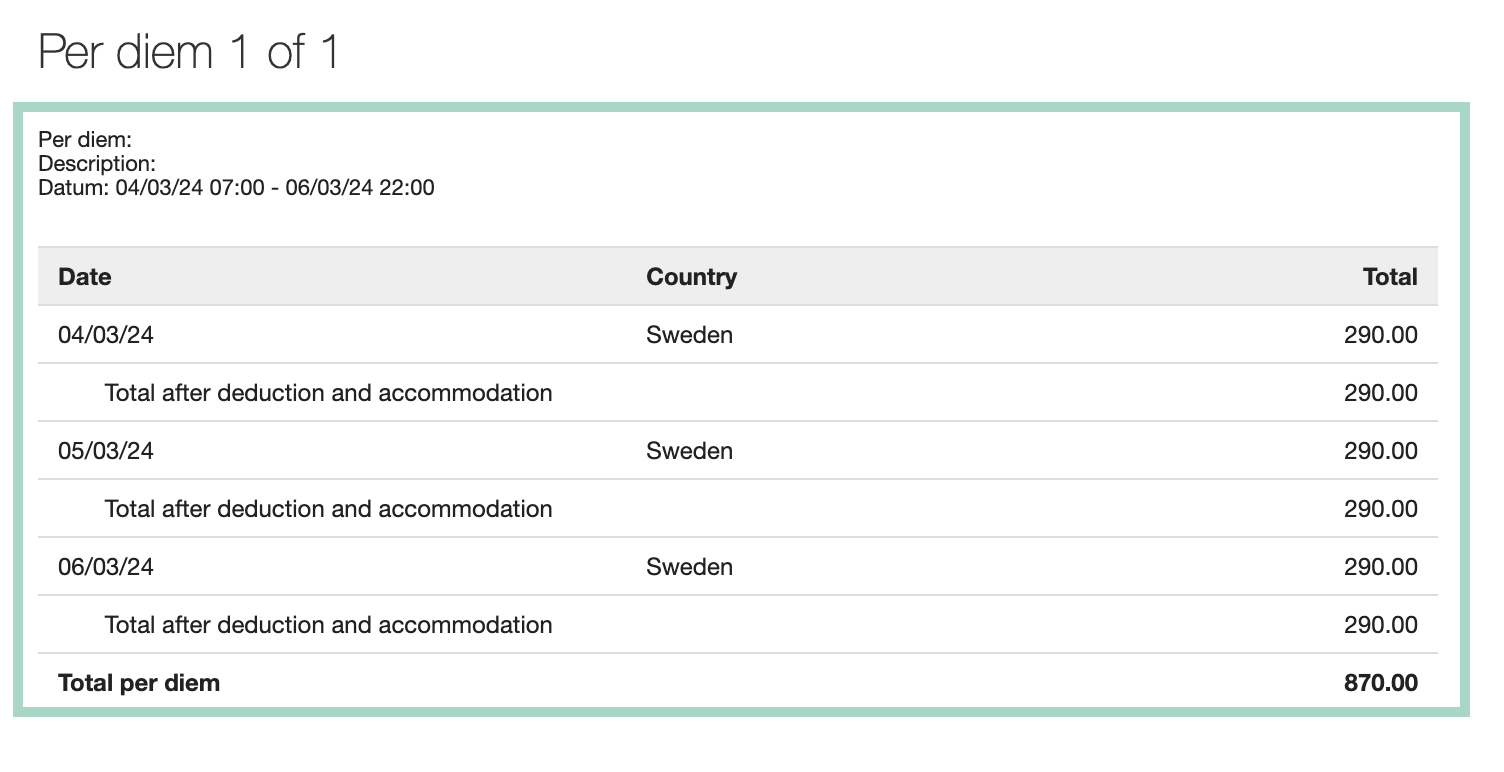
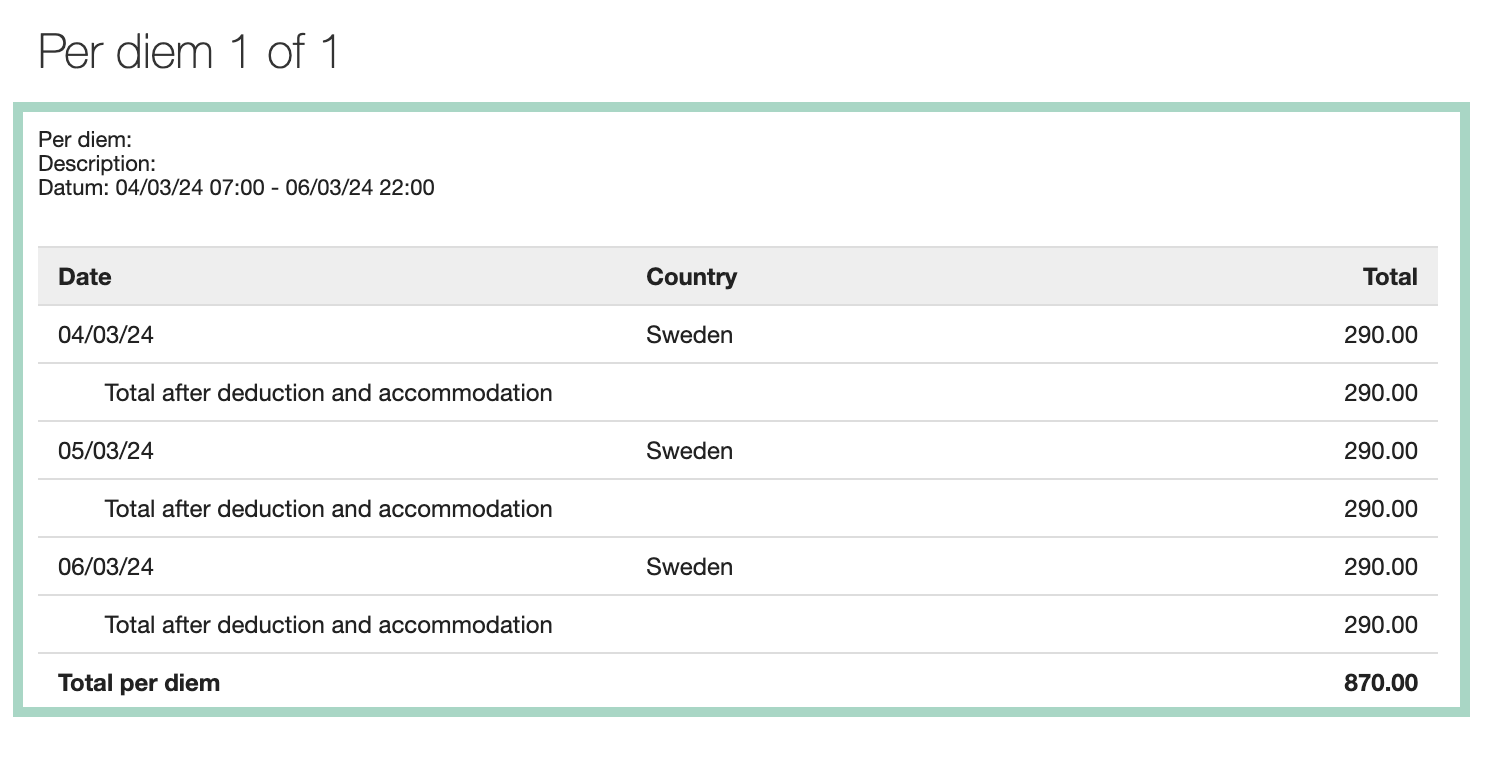
This is how the accounting in the report looked like before we did the setting. The total amount for per diem was 290 SEK per day.
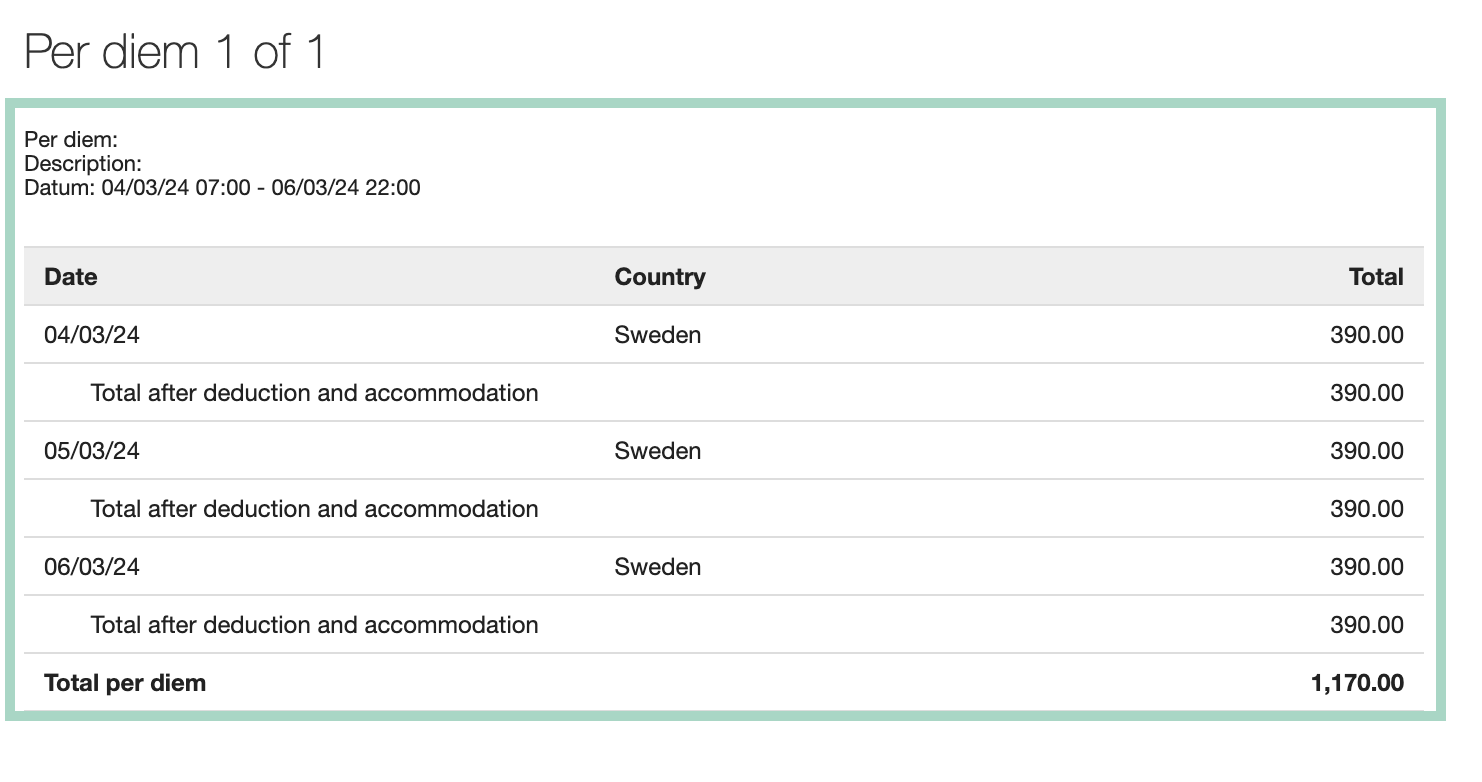
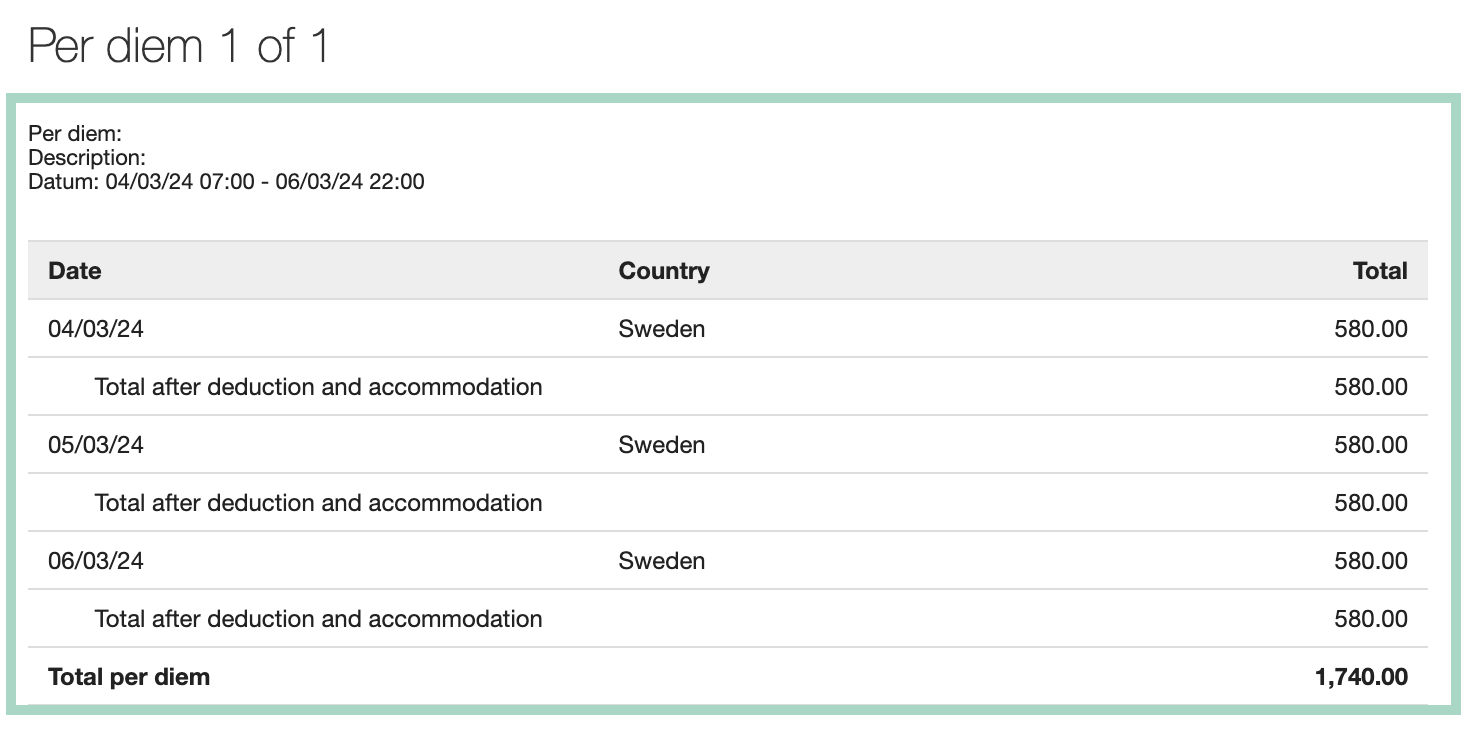
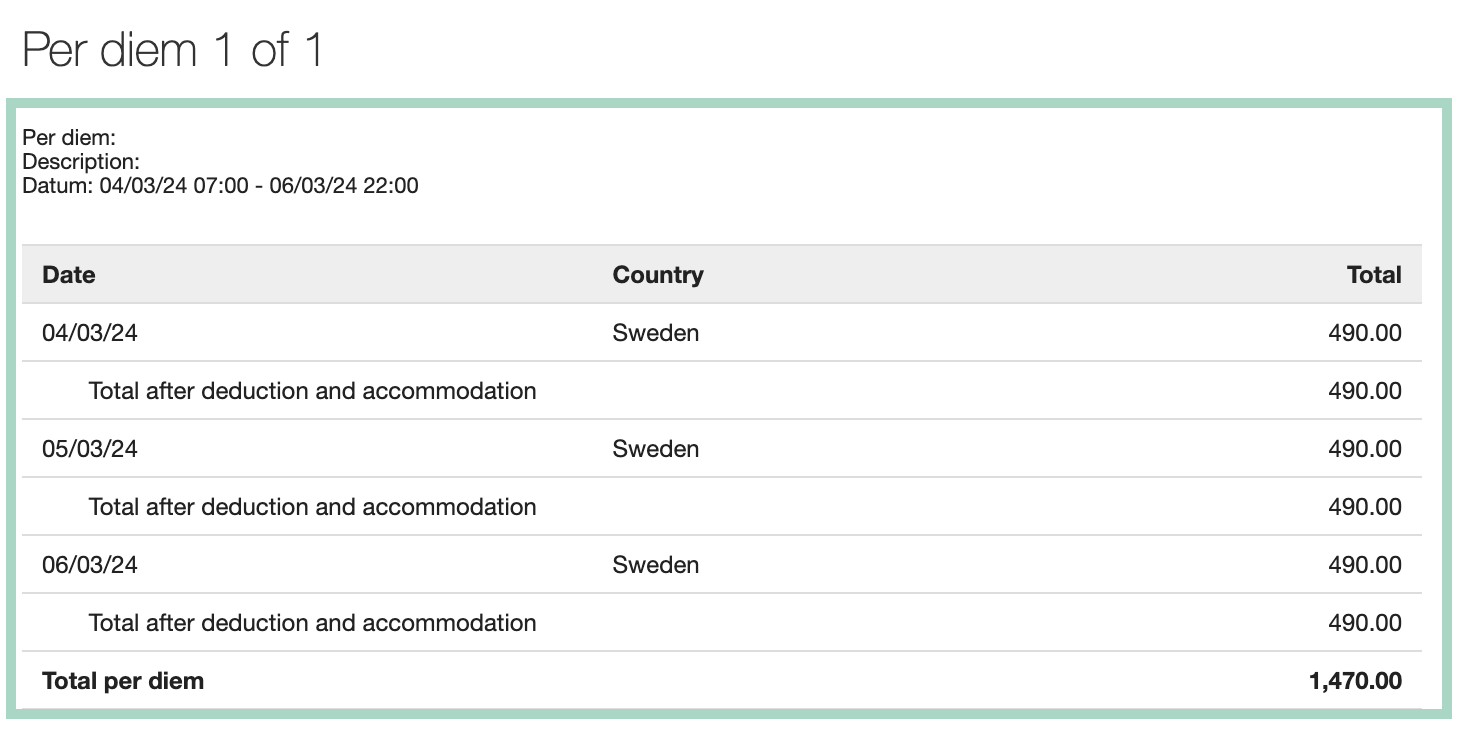
After our setting with the extra 100, the accounting in the report looks like this. The amount has been updated to 390 SEK per day.
Last modified on September 9, 2026