

This article applies to the following countries
- The Netherlands
How-To Overview - Administrate
- To be able to use the commuting, enable the setting for commuting under the cogwheel on the Mileage category. Make sure you are in an organisation with Dutch regulation.
- The organisation also needs to use Carbon Footprint to see the yearly Reporting and for the users to pick the correct Fueltype for the commuting.
Instructions for users
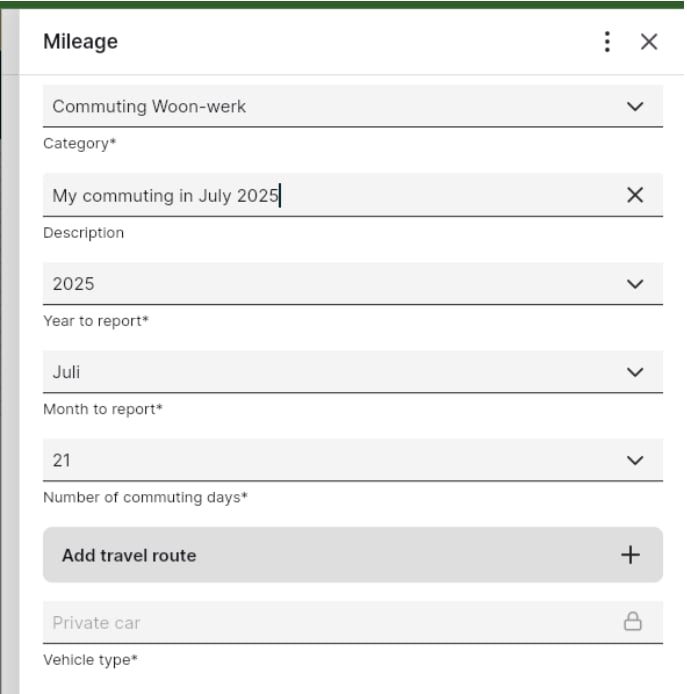
Log in as a user in the app or on the web UI and enter a Mileage with the commuting category.- You will have to add new fields “Month to report and ”Number of commuting days”
- There will be more Vihicle types to choose among and the fuel type needs to be filled in as well. These fields are used to do the emission reporting correctly for the Netherlands.
- The reporting for commuting will be found under the Travel tab in Carbon footprint.
Prepare the category - Administration
In the (Dutch) organization, enable Commuting for a mileage category: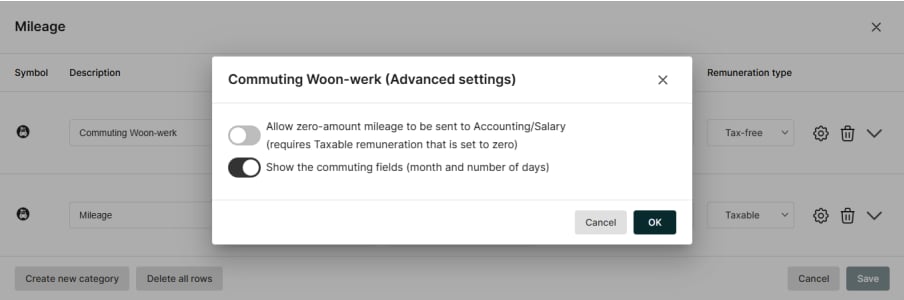
Create a report
Login as a user and create a report: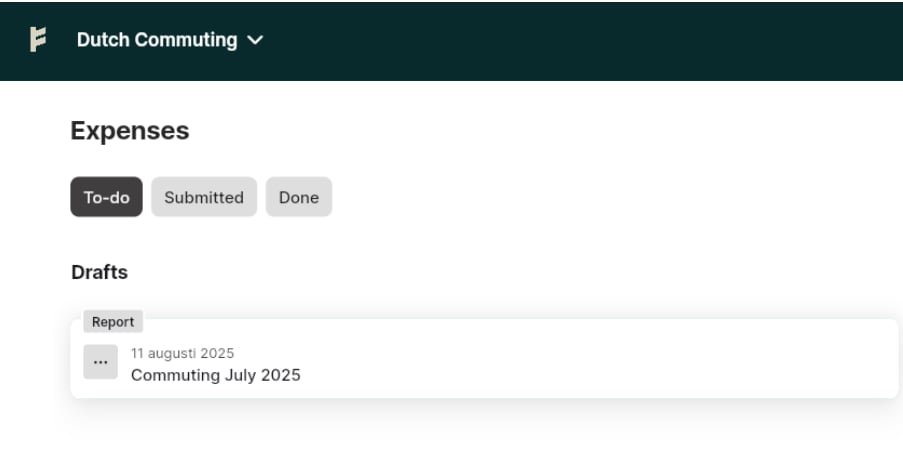
Create a commuting mileage
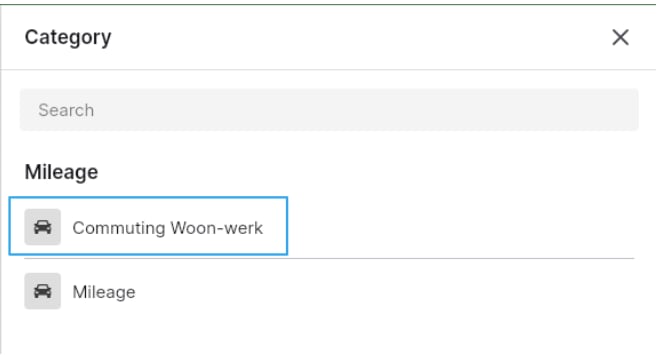
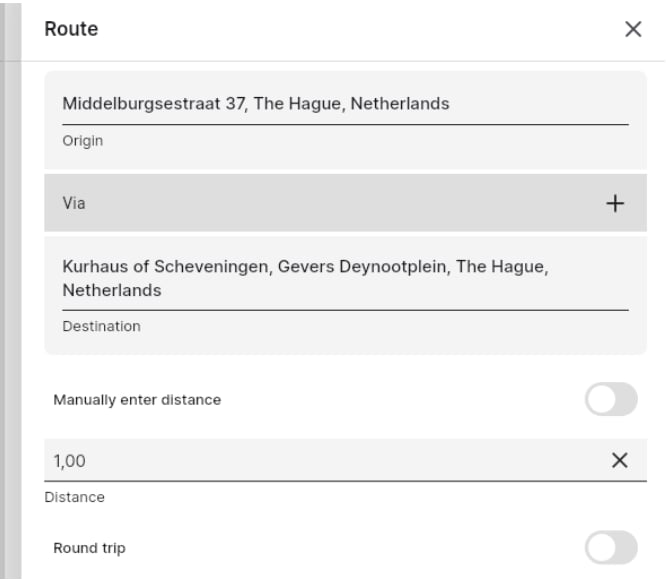
Create a mileage and make sure to use a commuting-enabled category.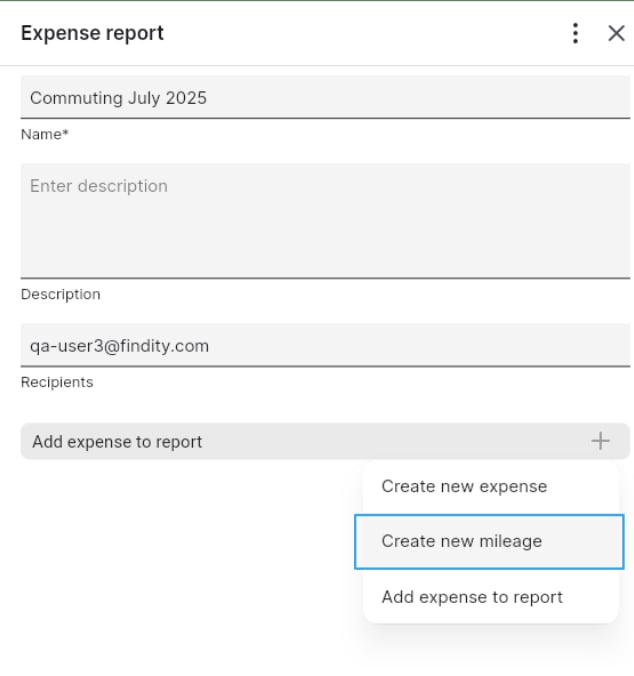
Save and submit
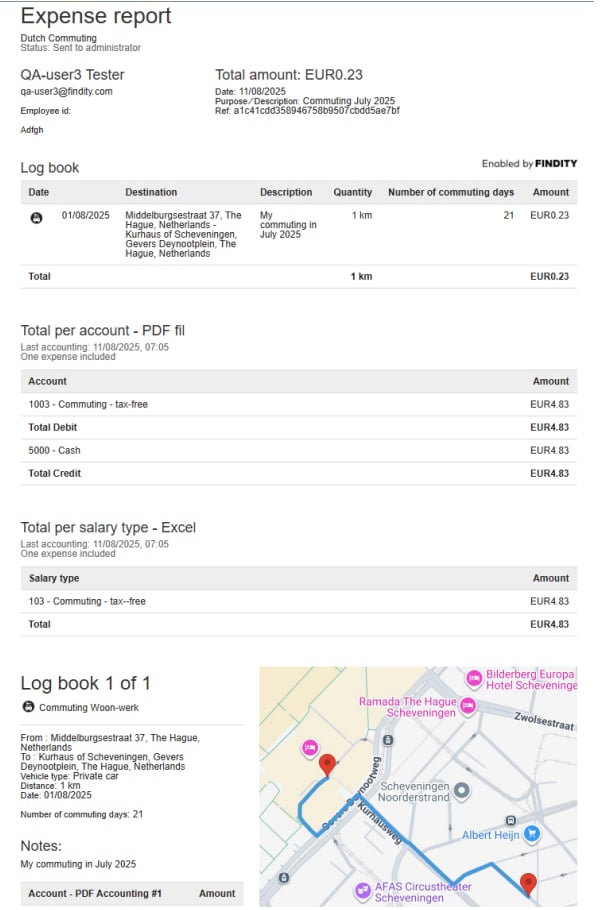
Once you have entered all details, the report total is calculated, and you can submit the report.
Related articles
- How do I add an expense?
- I made a mistake in my expense report, how can I get my report back so I can make the changes?
- I have registered my receipt in the wrong organisation, can I move that to another organisation?
- Can I email my receipts to the service?
- Can I split an expense into two separate expenses?