

This applies to the following countries
- All countries
Currency
Unfortunately, there is no way to change the Currency in a submitted report. You need to click on the three dots on the right side of the page and choose to Send back to user if you want the currency to be changed. The user can then adjust the currency in the report and submit the report again.Exchange rate
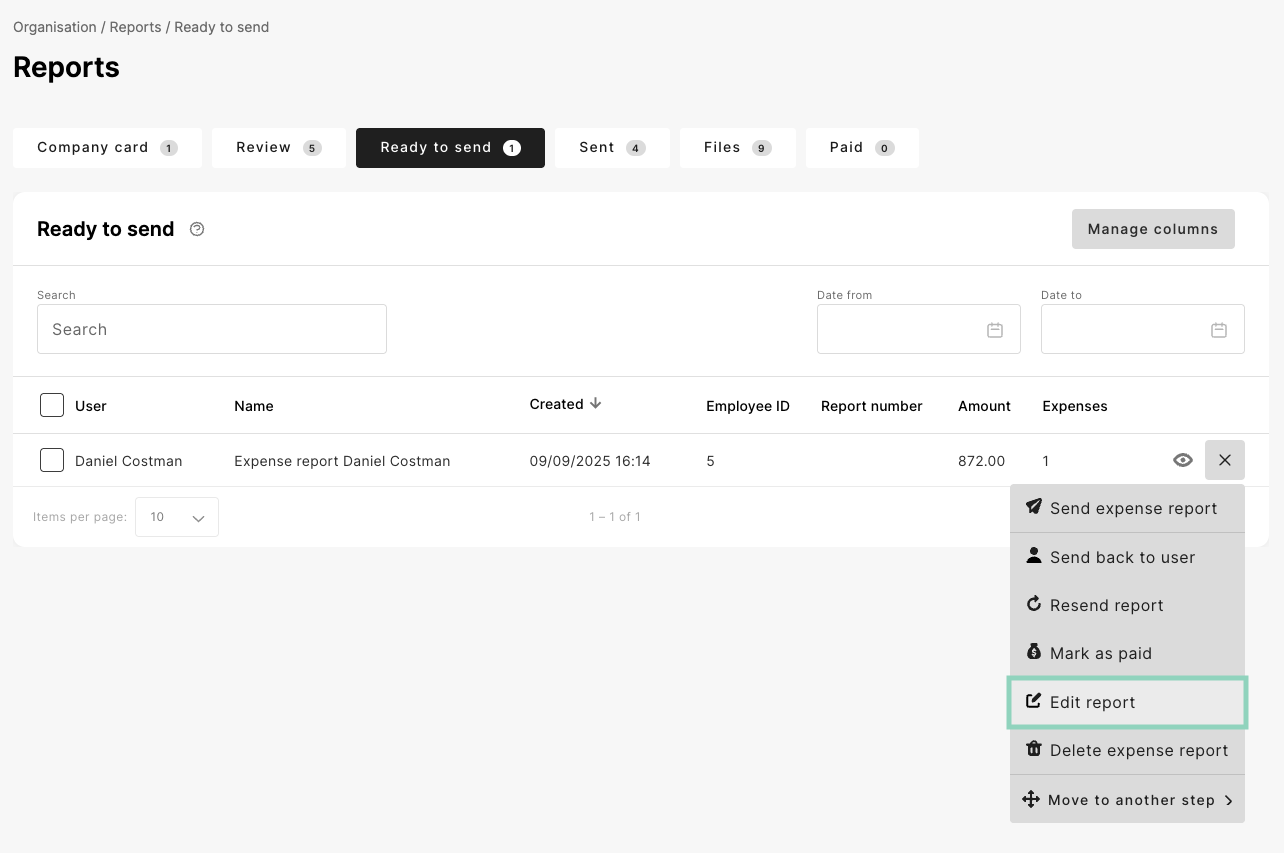
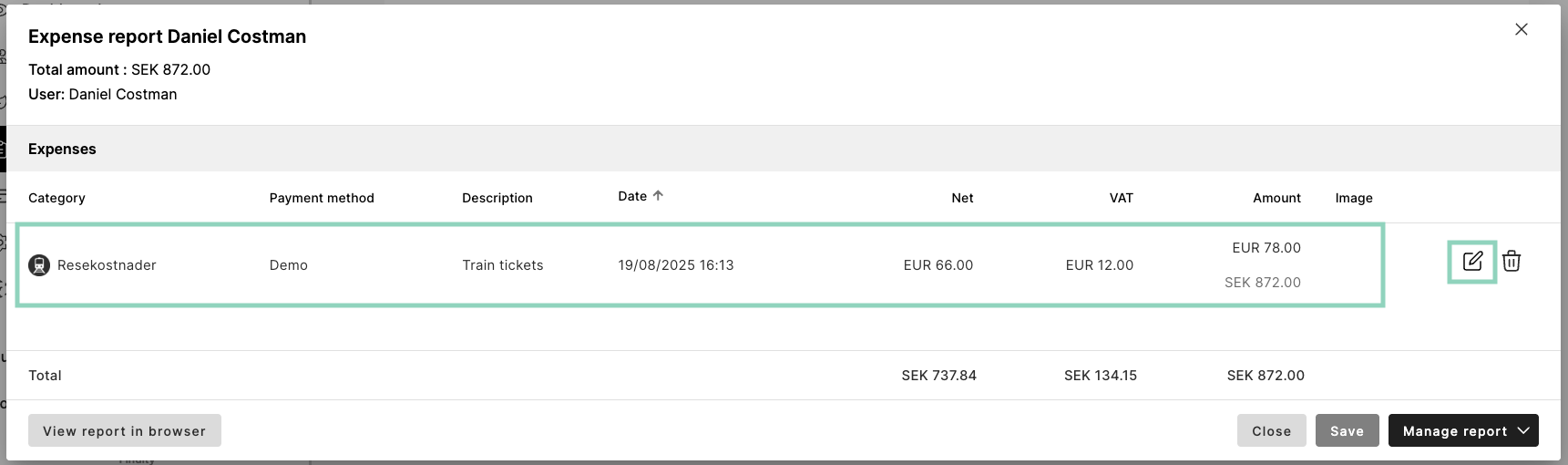
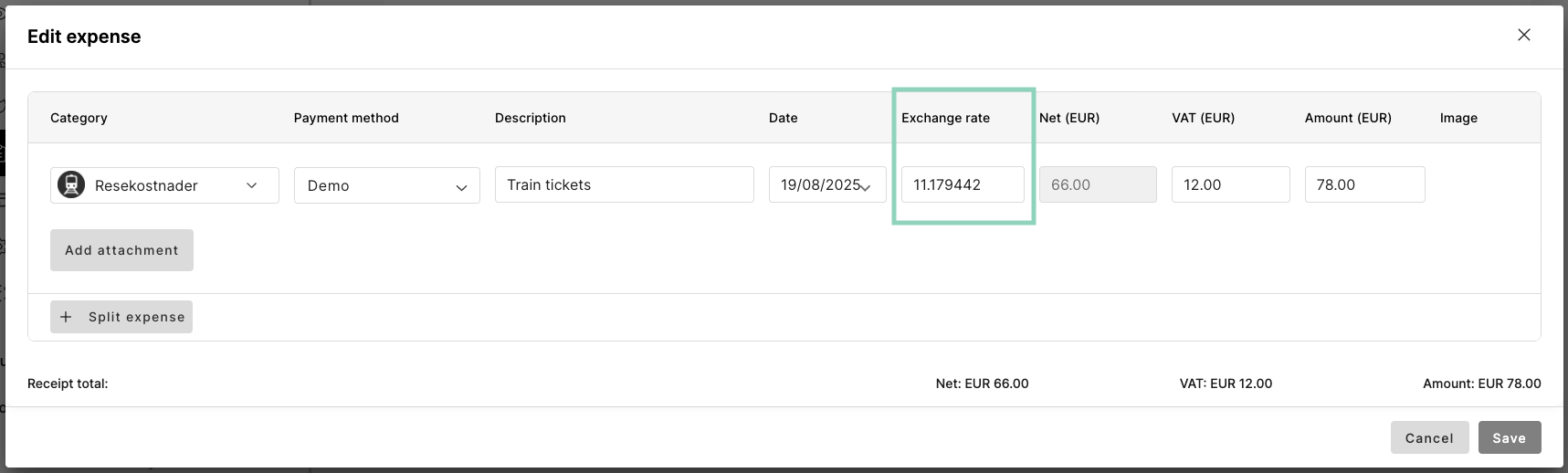
You can change the Exchange rate under the tab Reports and Ready to send. Click on the three dots on the right side of the report. Choose to Edit report.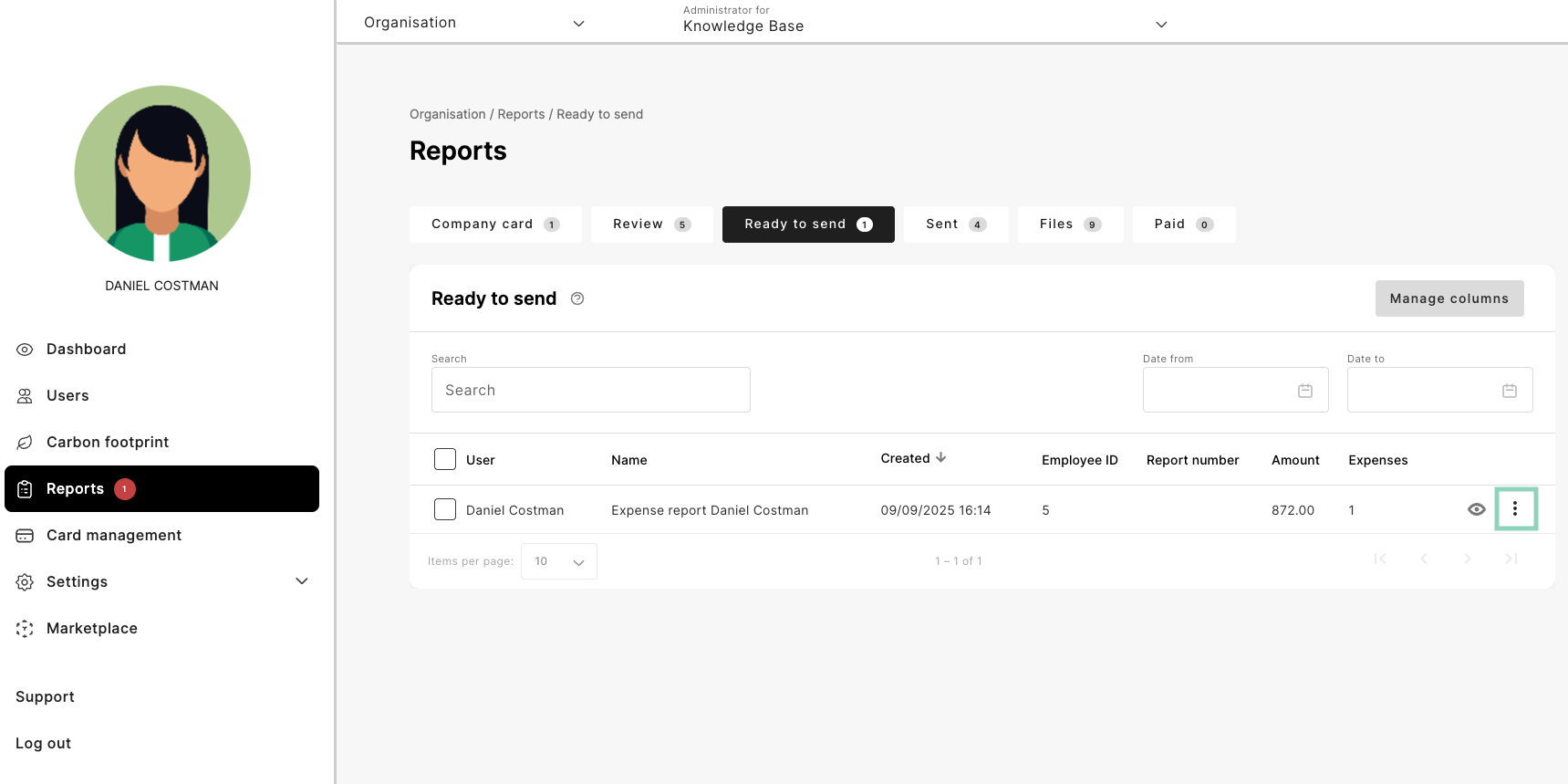
Related articles
- Will the system know if the same expense were registered more than once?
- How can I get a reminder when there is reports to handle?
- Can I add a setting with how many expenses the user can register in a report?
- Where do I add my e-mail as a recipient when reports is available to be handled at the organisation?
- How do I add the tab “Paid” under reports?