This article applies to the following countries
- All countries
Delete consultant in the system
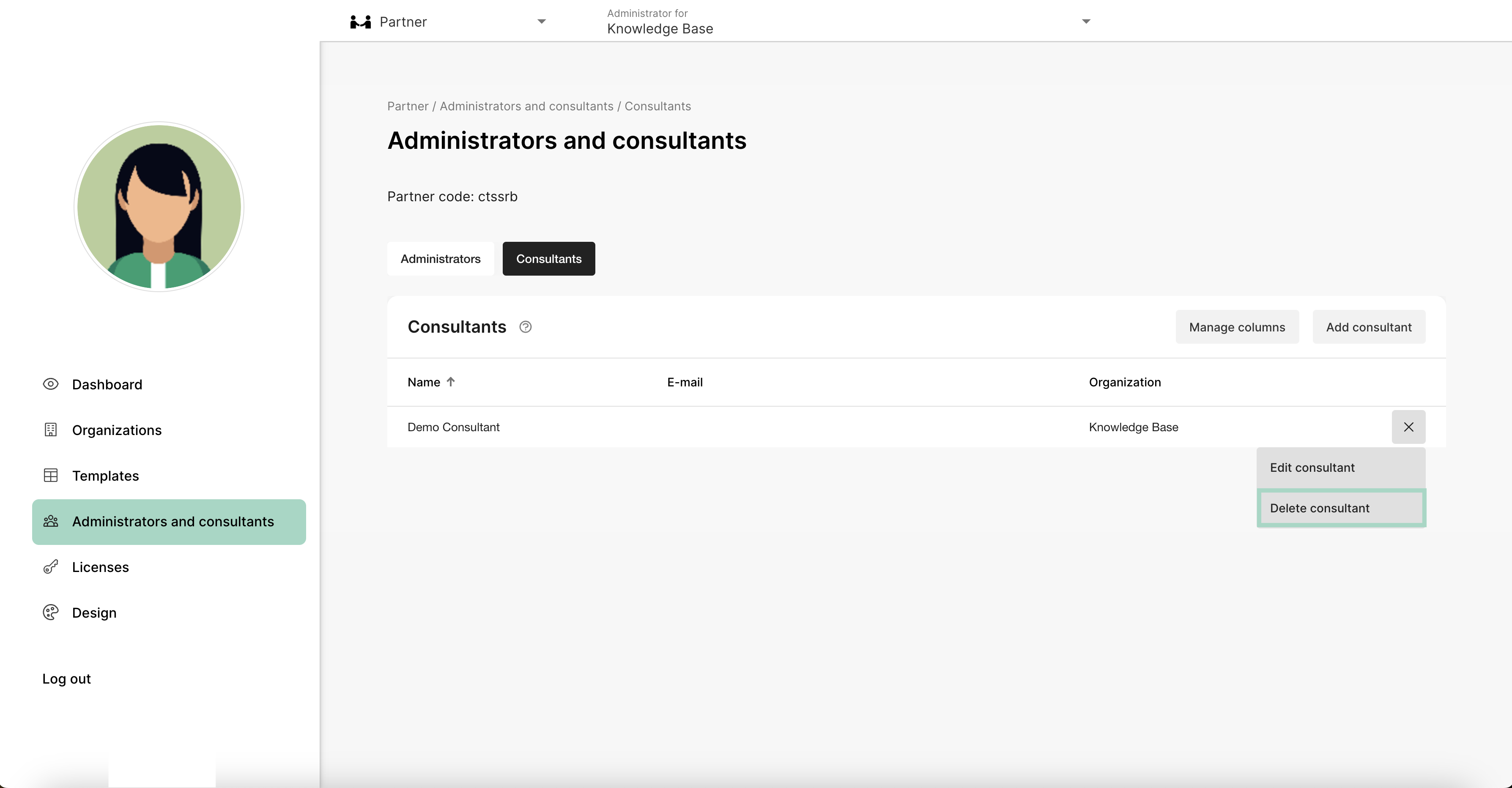
First, you need to change view to the Partner view at the top of your page. The next step is to click on the tab Administrators and consultants, choose Consultants and then click the three dots to the right.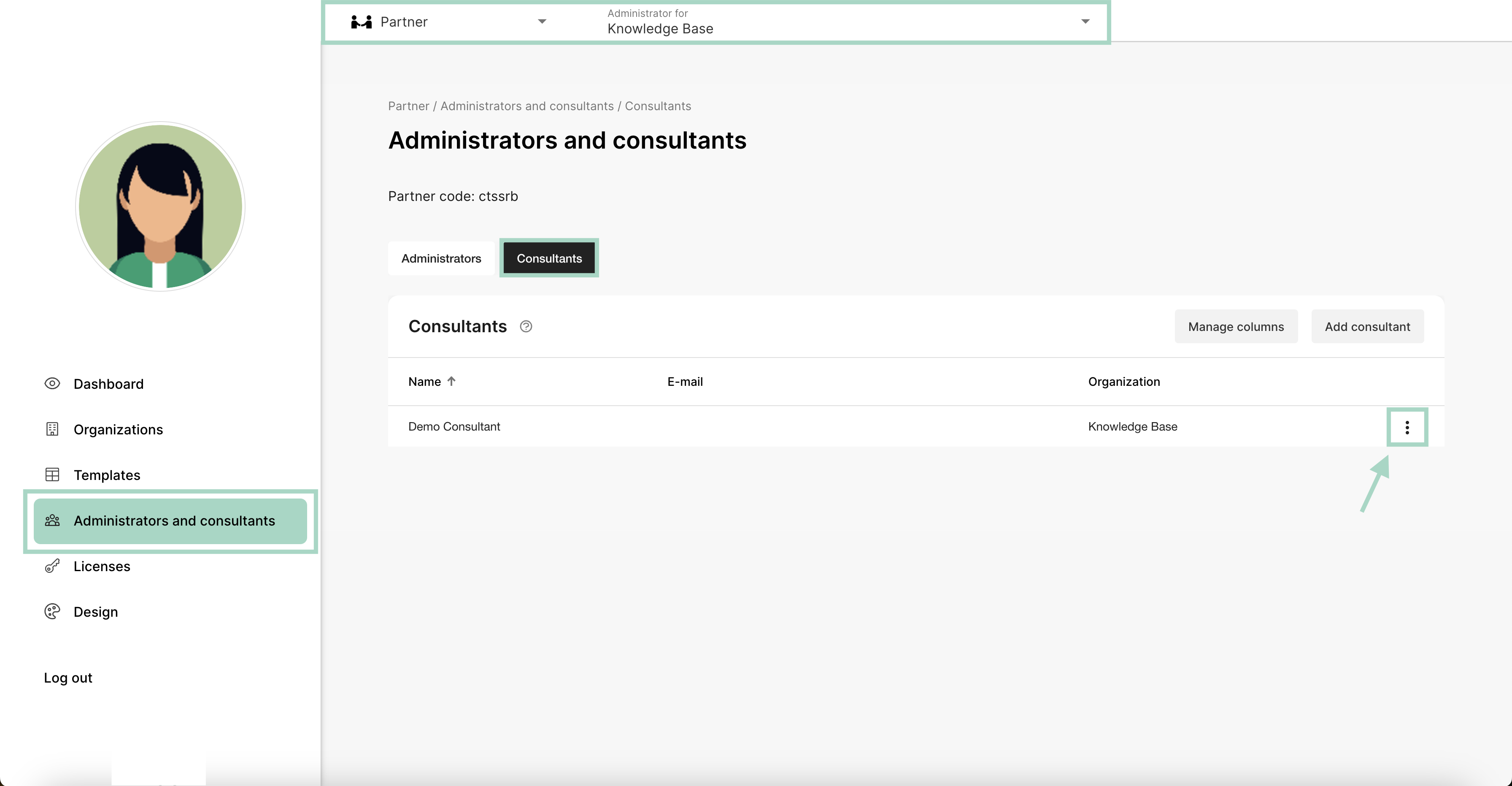
Remove consultant from one organisation
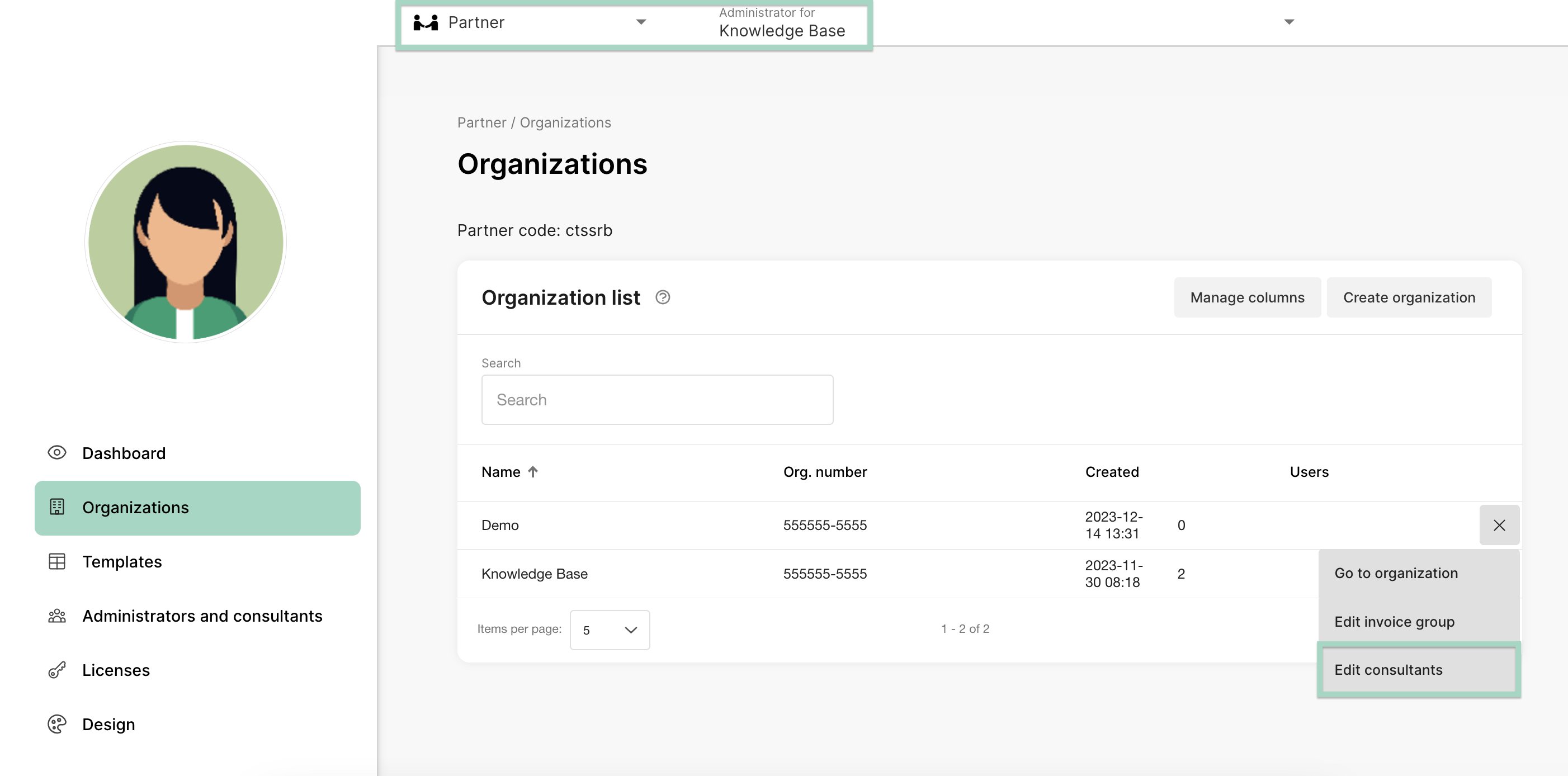
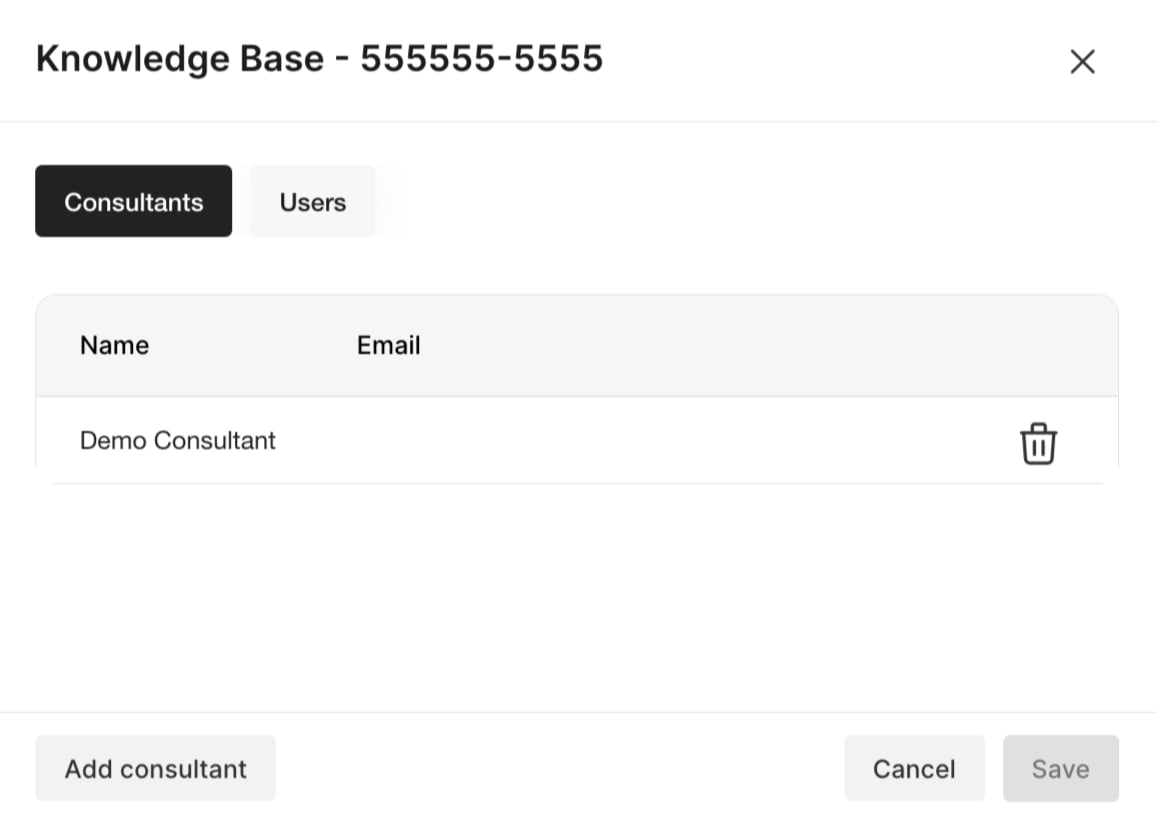
If you want to remove an consultant from just one organisation click on the tab Organisation and click on the three dots on the right side of the page. Choose to Edit consultants.