> ## Documentation Index
> Fetch the complete documentation index at: https://help.findity.com/llms.txt
> Use this file to discover all available pages before exploring further.
# What does the 'to do' list mean on my user?
**This article applies to the following countries**
* All countries
This article contains information on how the **To-do** tab works for you as a user, as well as for you as an approver.
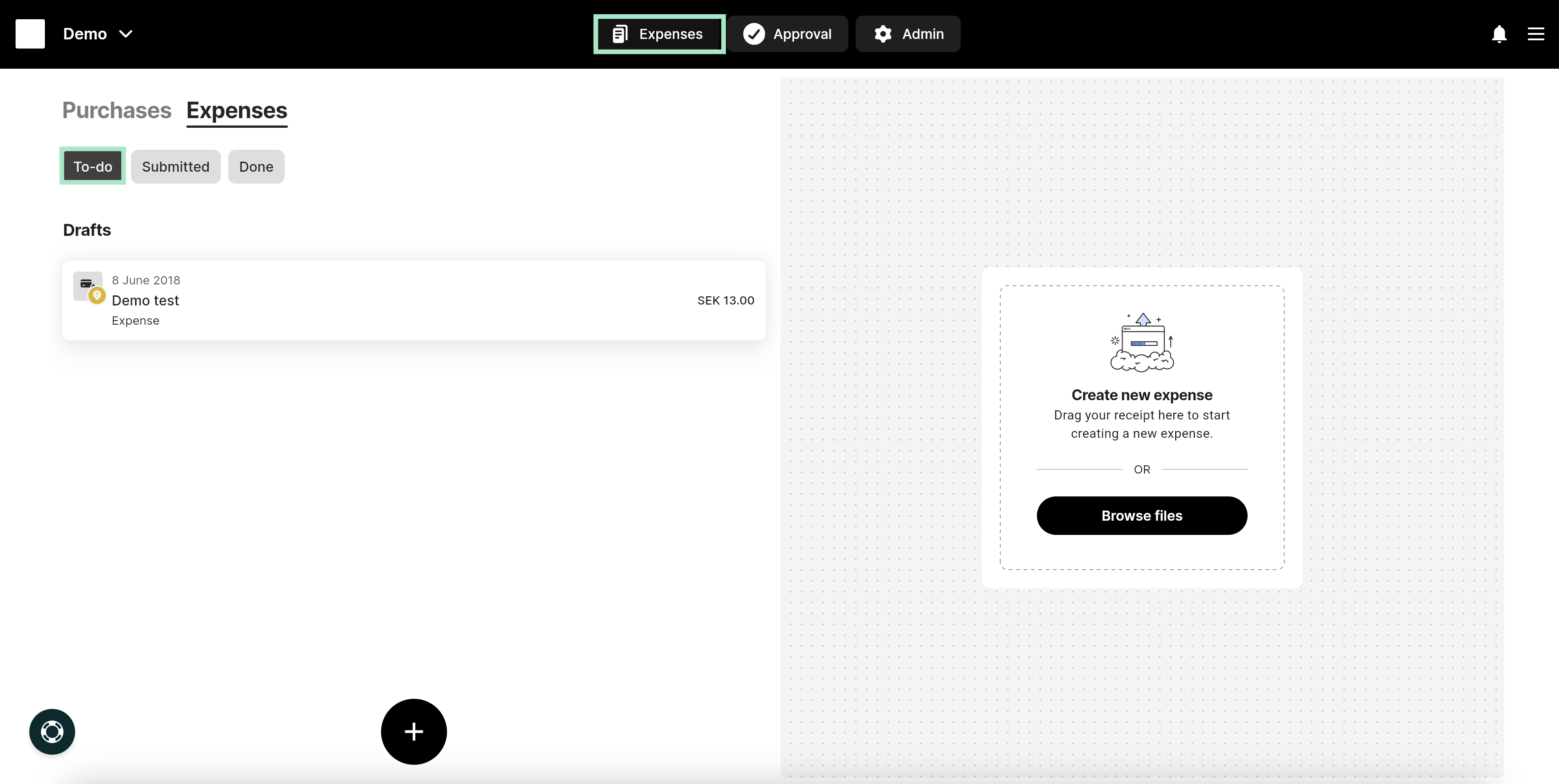
On the web, you can find the **To-do** tab under **Expenses**.
Under this tab, you will find your drafts that have not yet been submitted, as well as rejected reports.
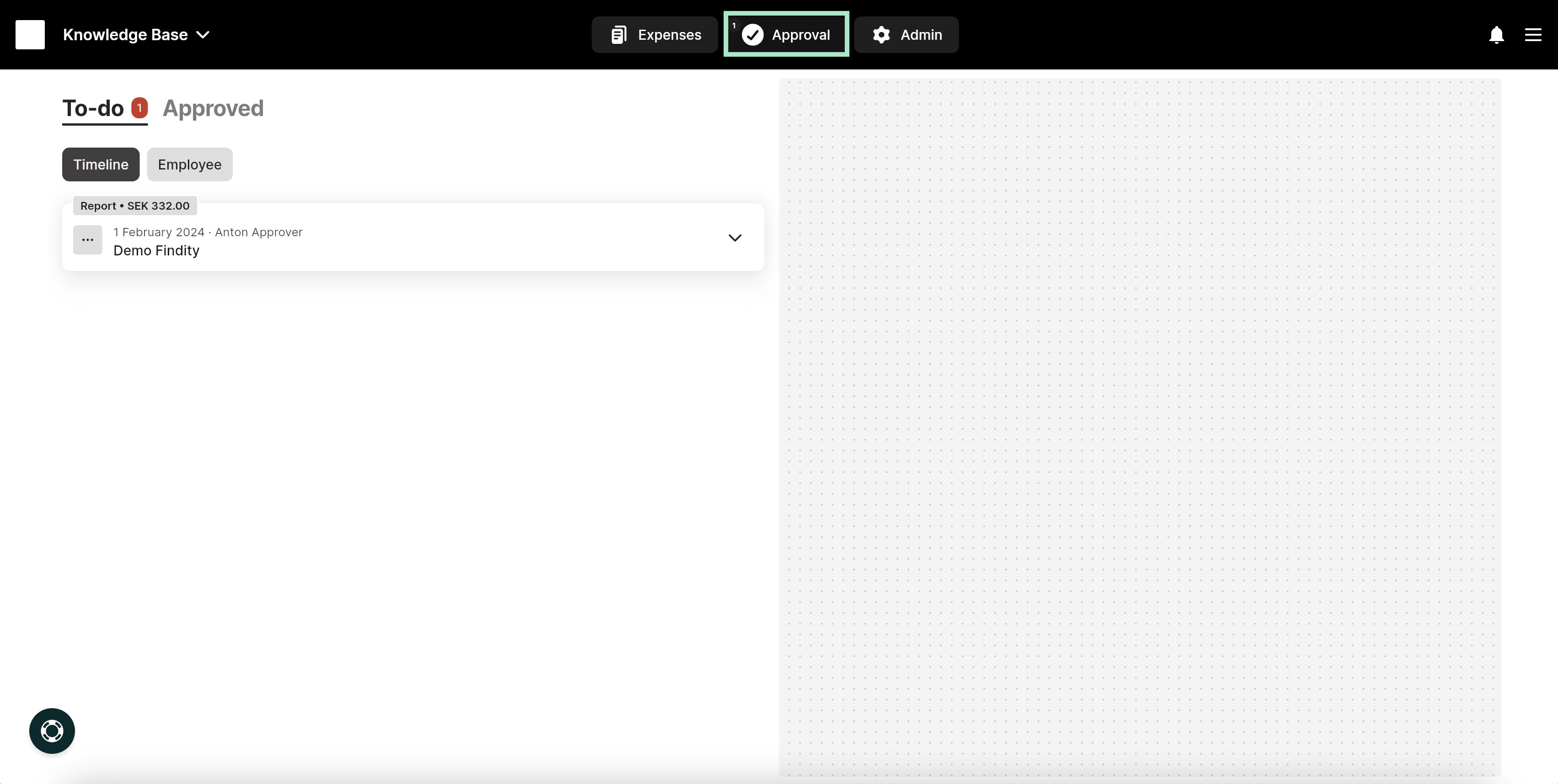
 If you are also an approver in the organization, there will be an additional **To-do** list where reports that require your approval will appear.
You can find it by clicking on **Approval** in the top menu.
Under **To-do**, you can click on a report to approve or reject it.
If you are also an approver in the organization, there will be an additional **To-do** list where reports that require your approval will appear.
You can find it by clicking on **Approval** in the top menu.
Under **To-do**, you can click on a report to approve or reject it.
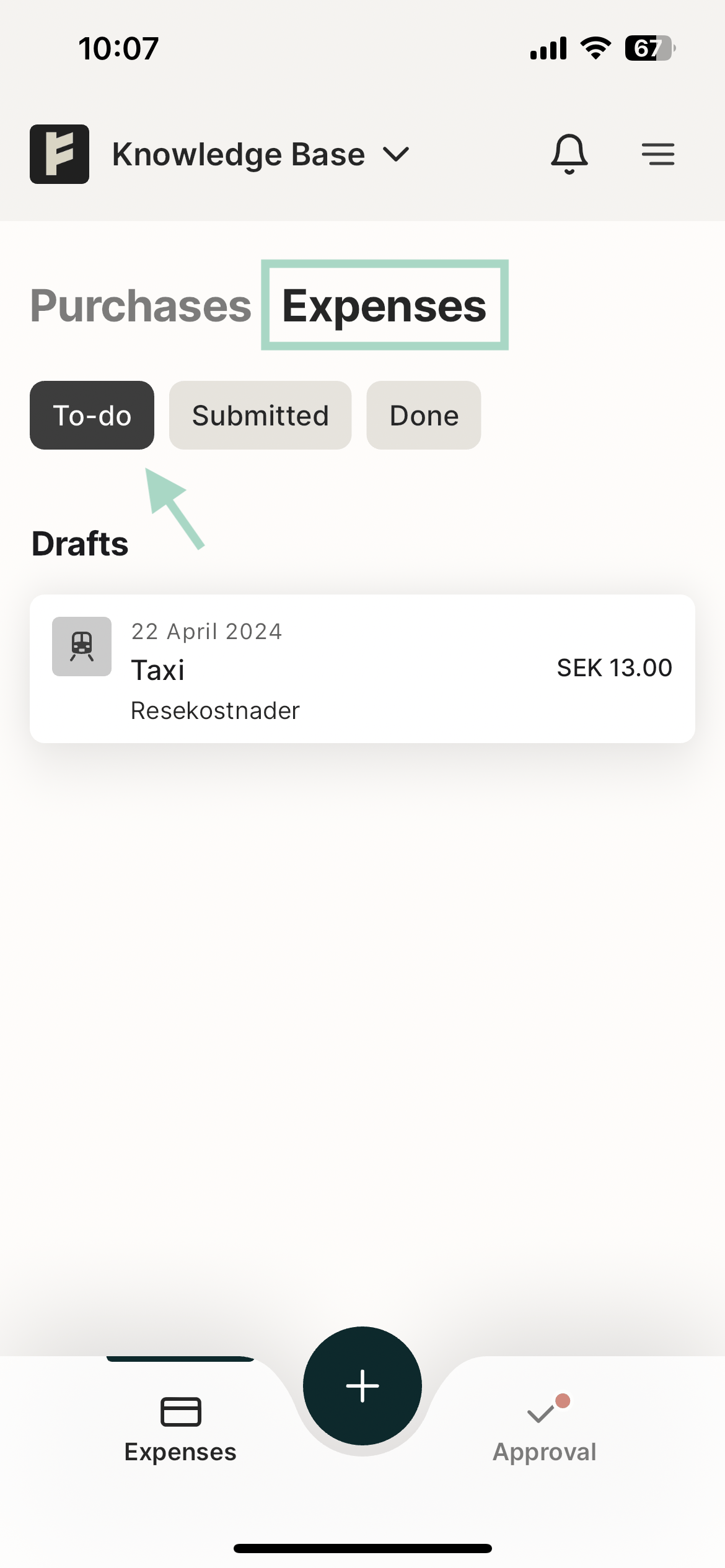
 In the app, you can find the *To Do* tab by going to the Expenses tab.
Under this tab you will find your drafts that have not yet been submitted as well as rejected reports.
In the app, you can find the *To Do* tab by going to the Expenses tab.
Under this tab you will find your drafts that have not yet been submitted as well as rejected reports.
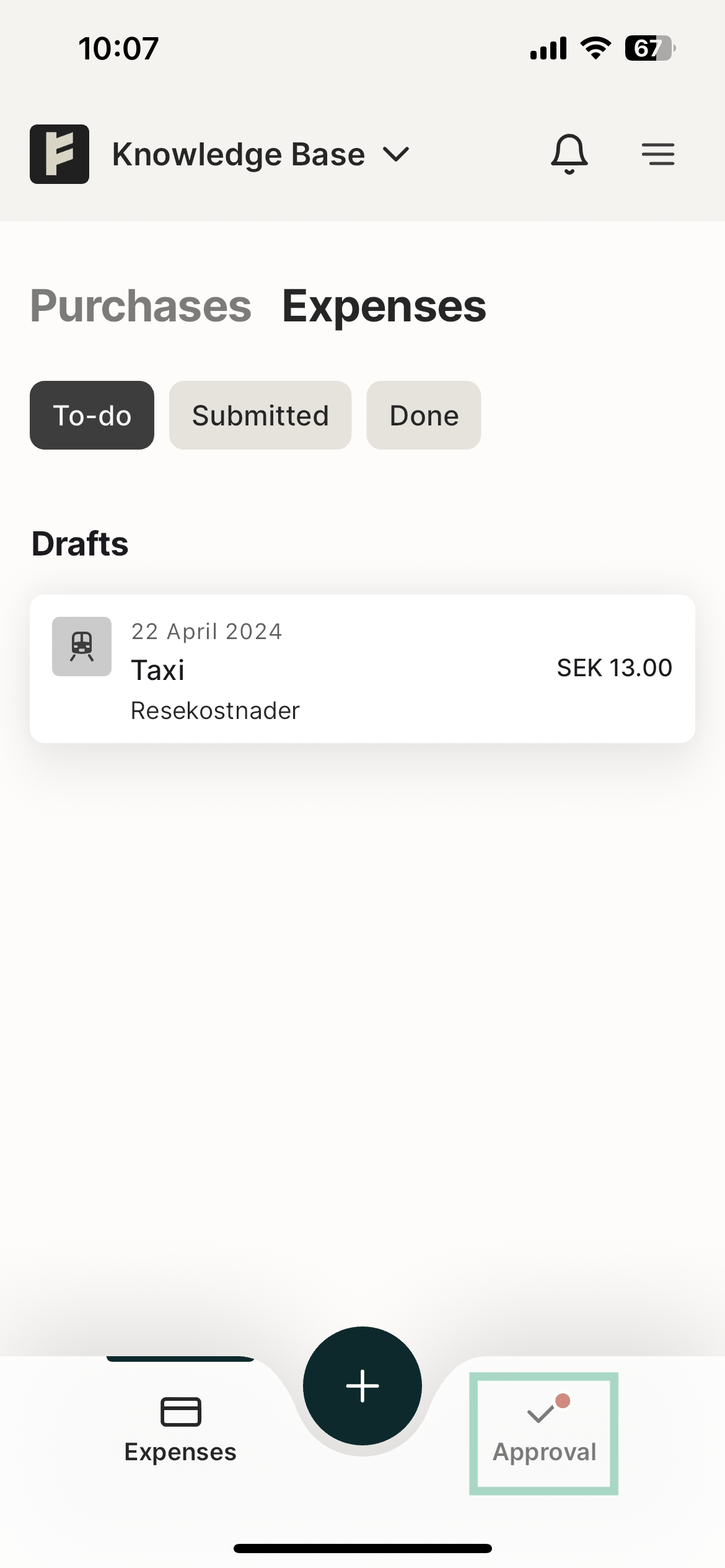
 If you are also an approver at the organisation, there will be another *To Do* list where reports waiting for approval by you will end up.
You can find it by clicking on *Approval* in the bottom right corner.
If you are also an approver at the organisation, there will be another *To Do* list where reports waiting for approval by you will end up.
You can find it by clicking on *Approval* in the bottom right corner.
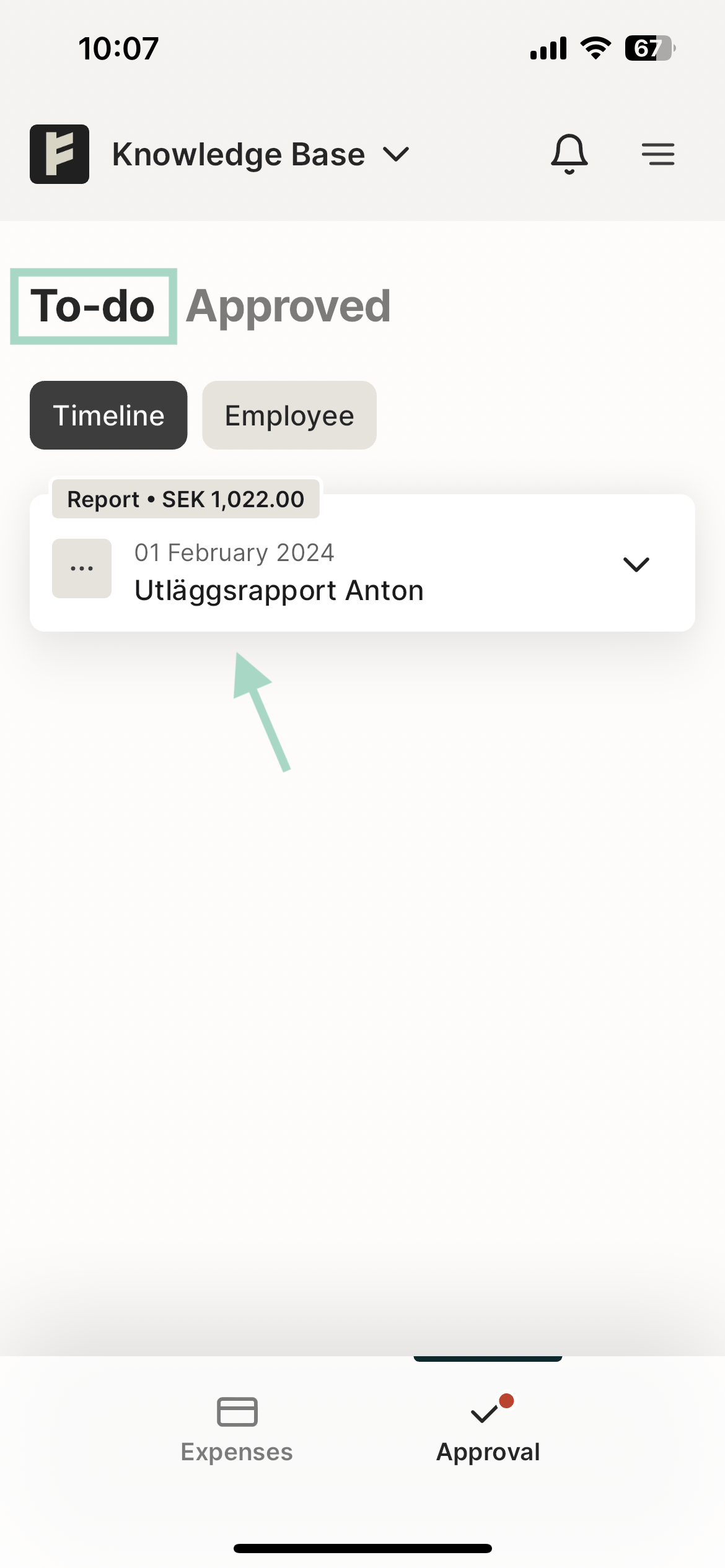
 You will then end up in this view and under the *To do* tab you will find the reports that are waiting for your approval.
You click into the report and have the option to approve or reject it.
You will then end up in this view and under the *To do* tab you will find the reports that are waiting for your approval.
You click into the report and have the option to approve or reject it.
 ## Related articles
* [Can I have the same email address linked to several different organisations?](/en/settings-users/can-i-have-the-same-email-address-linked-to-several-different-organisations)
* [Can I e-mail my receipts from several different e-mail addresses?](/en/settings-users/can-i-e-mail-my-receipts-from-several-different-e-mail-addresses)
* [How do I change my notifications preferences in the app?](/en/settings-users/how-do-i-change-my-notifications-preferences-in-the-app)
* [How can I allow access to the camera in the app?](/en/settings-users/how-can-i-allow-access-to-the-camera-in-the-app)
* [My expenses have been sent to the wrong approver. How do I change that setting?](/en/settings-users/my-expenses-have-been-sent-to-the-wrong-approver-how-do-i-change-that-setting)
## Related articles
* [Can I have the same email address linked to several different organisations?](/en/settings-users/can-i-have-the-same-email-address-linked-to-several-different-organisations)
* [Can I e-mail my receipts from several different e-mail addresses?](/en/settings-users/can-i-e-mail-my-receipts-from-several-different-e-mail-addresses)
* [How do I change my notifications preferences in the app?](/en/settings-users/how-do-i-change-my-notifications-preferences-in-the-app)
* [How can I allow access to the camera in the app?](/en/settings-users/how-can-i-allow-access-to-the-camera-in-the-app)
* [My expenses have been sent to the wrong approver. How do I change that setting?](/en/settings-users/my-expenses-have-been-sent-to-the-wrong-approver-how-do-i-change-that-setting)