> ## Documentation Index
> Fetch the complete documentation index at: https://help.findity.com/llms.txt
> Use this file to discover all available pages before exploring further.
# How do I change my e-mail address?
**This article applies to the following countries**
* All countries
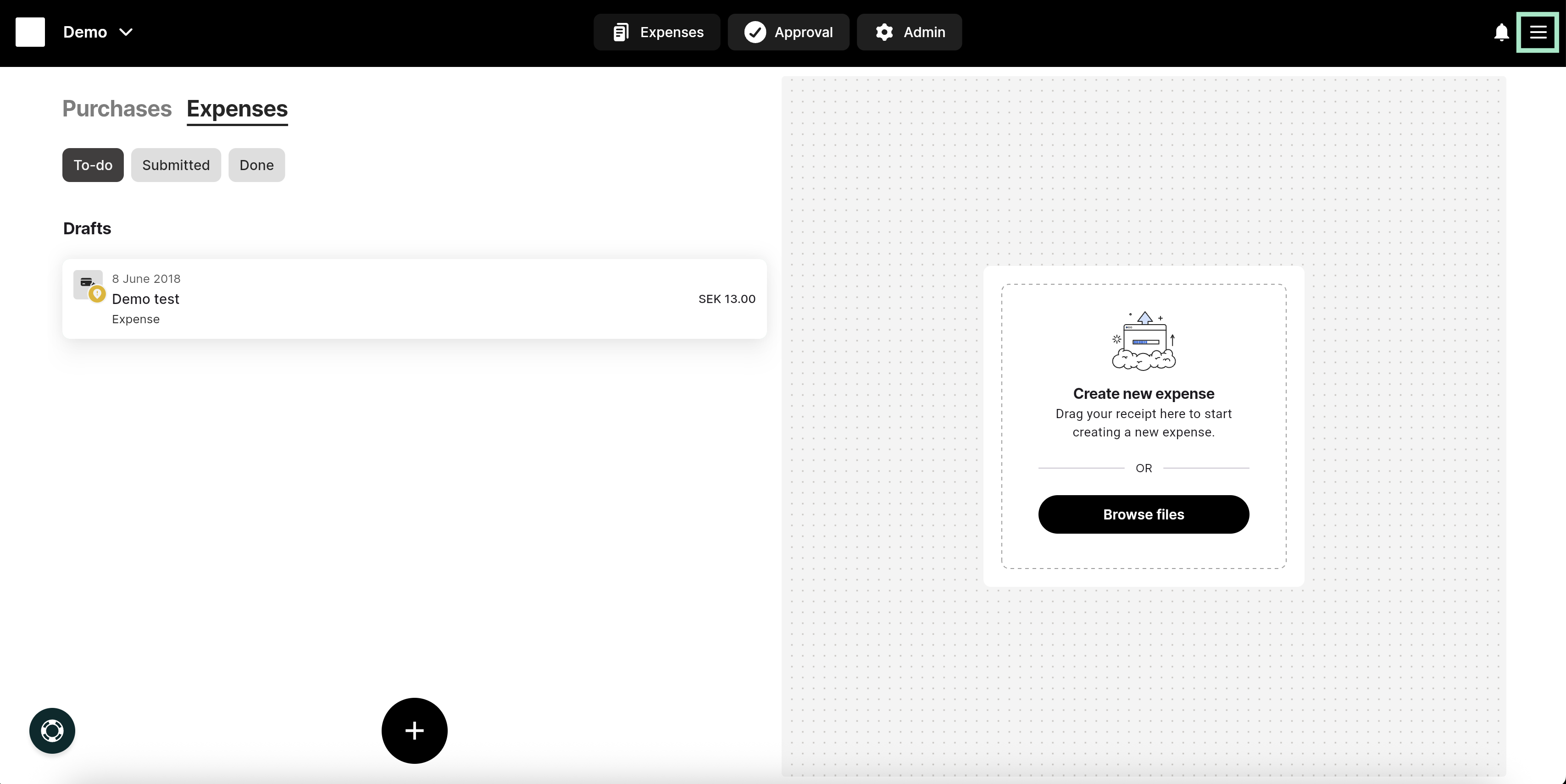
To change your email address in the service, click on the three lines at the top right.
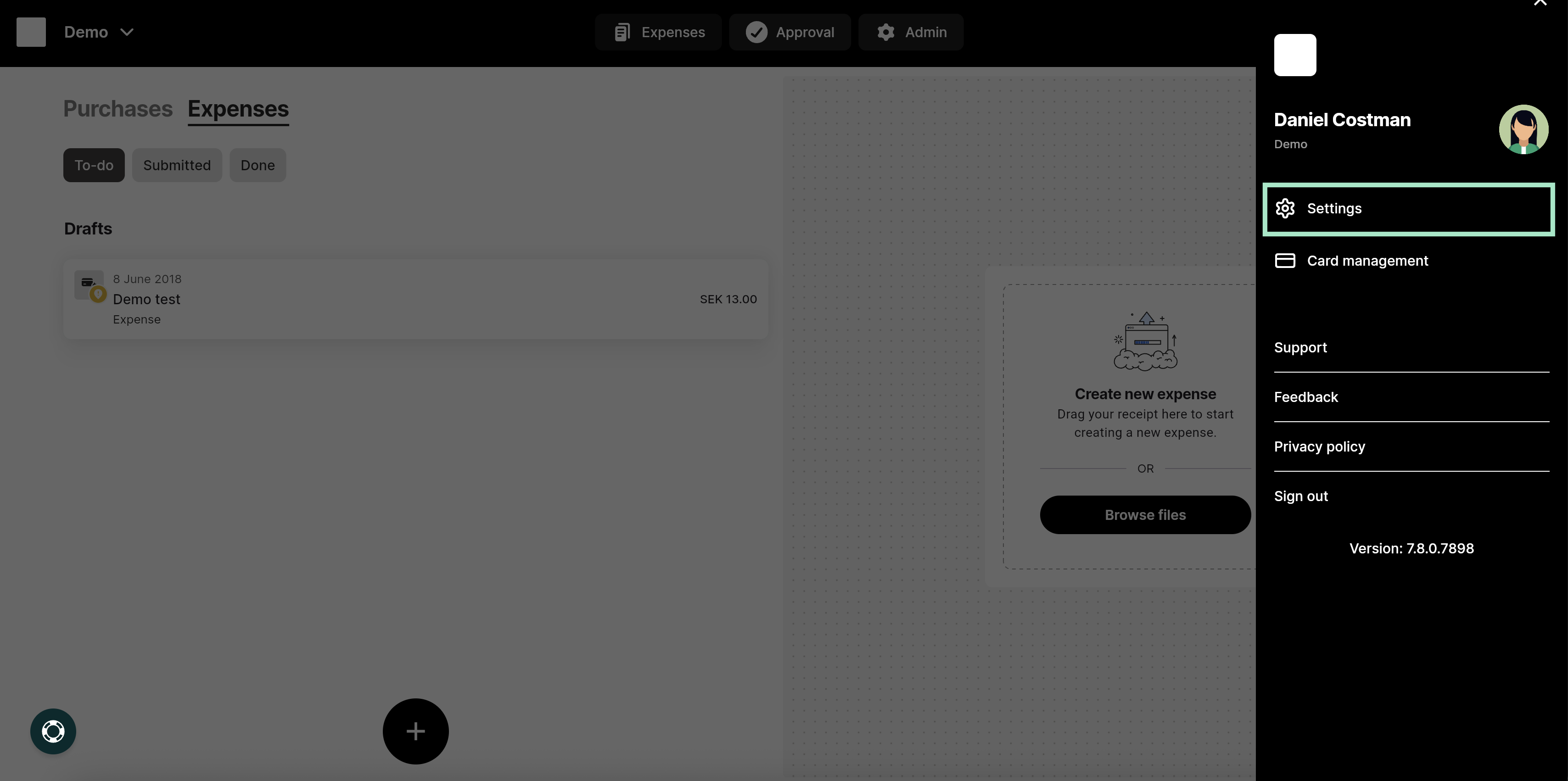
 Then go to the **Settings** tab.
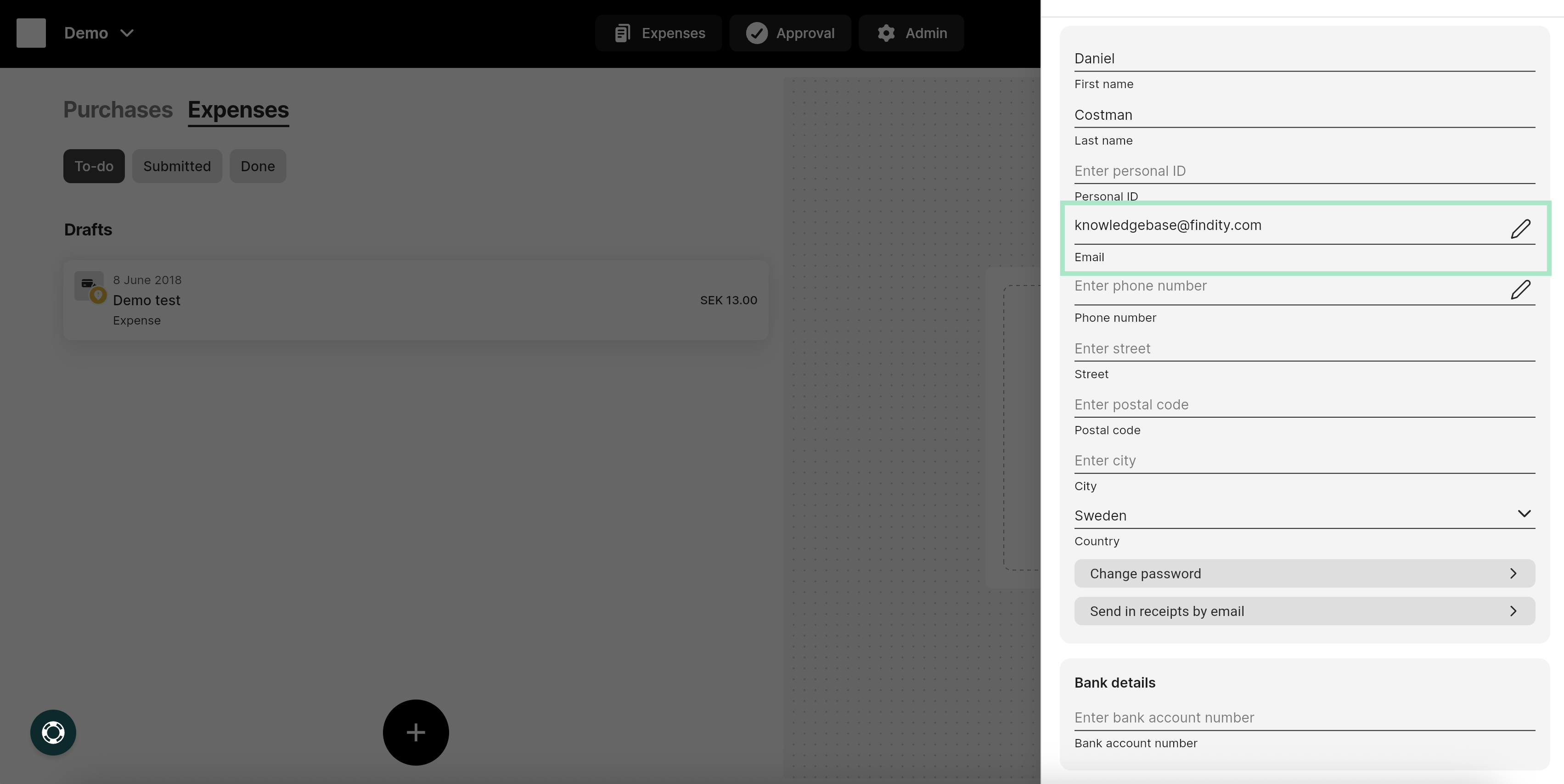
 Under **Settings**, you will find a field with your email address, click on the row to change it.
 ## Related articles
* [Can I have the same email address linked to several different organisations?](/en/settings-users/can-i-have-the-same-email-address-linked-to-several-different-organisations)
* [Can I e-mail my receipts from several different e-mail addresses?](/en/settings-users/can-i-e-mail-my-receipts-from-several-different-e-mail-addresses)
* [How do I change my notifications preferences in the app?](/en/settings-users/how-do-i-change-my-notifications-preferences-in-the-app)
* [How can I allow access to the camera in the app?](/en/settings-users/how-can-i-allow-access-to-the-camera-in-the-app)
* [My expenses have been sent to the wrong approver. How do I change that setting?](/en/settings-users/my-expenses-have-been-sent-to-the-wrong-approver-how-do-i-change-that-setting)
## Related articles
* [Can I have the same email address linked to several different organisations?](/en/settings-users/can-i-have-the-same-email-address-linked-to-several-different-organisations)
* [Can I e-mail my receipts from several different e-mail addresses?](/en/settings-users/can-i-e-mail-my-receipts-from-several-different-e-mail-addresses)
* [How do I change my notifications preferences in the app?](/en/settings-users/how-do-i-change-my-notifications-preferences-in-the-app)
* [How can I allow access to the camera in the app?](/en/settings-users/how-can-i-allow-access-to-the-camera-in-the-app)
* [My expenses have been sent to the wrong approver. How do I change that setting?](/en/settings-users/my-expenses-have-been-sent-to-the-wrong-approver-how-do-i-change-that-setting)