> ## Documentation Index
> Fetch the complete documentation index at: https://help.findity.com/llms.txt
> Use this file to discover all available pages before exploring further.
# How do we add a deductible part of VAT for example rental car?
**This article applies to the following countries**
* All countries
### Add the settings
Go to the tab *Settings - Expense management - Expense categories - General expenses.*
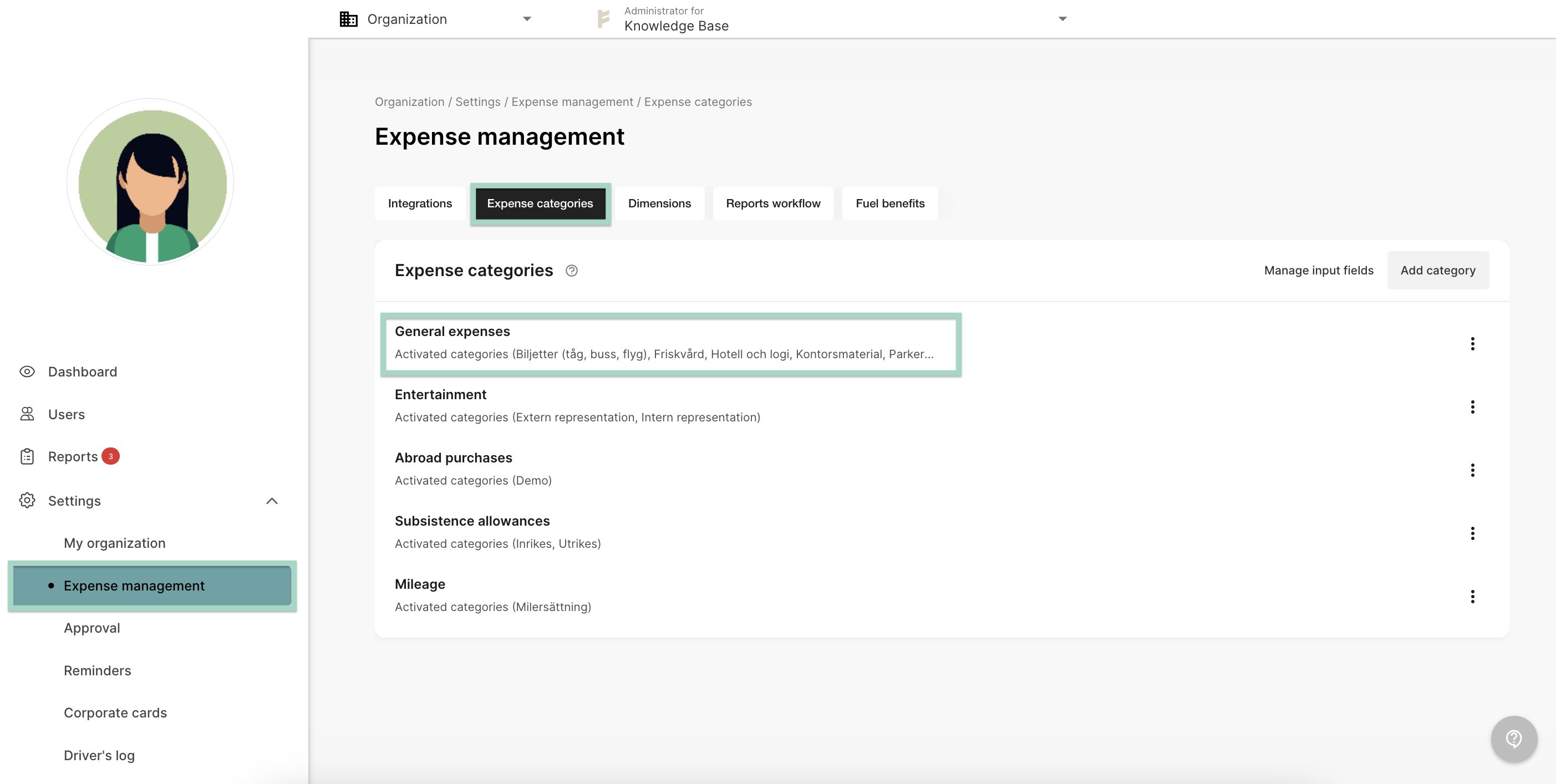 Choose to Create new categoryand fill in the information in the line.
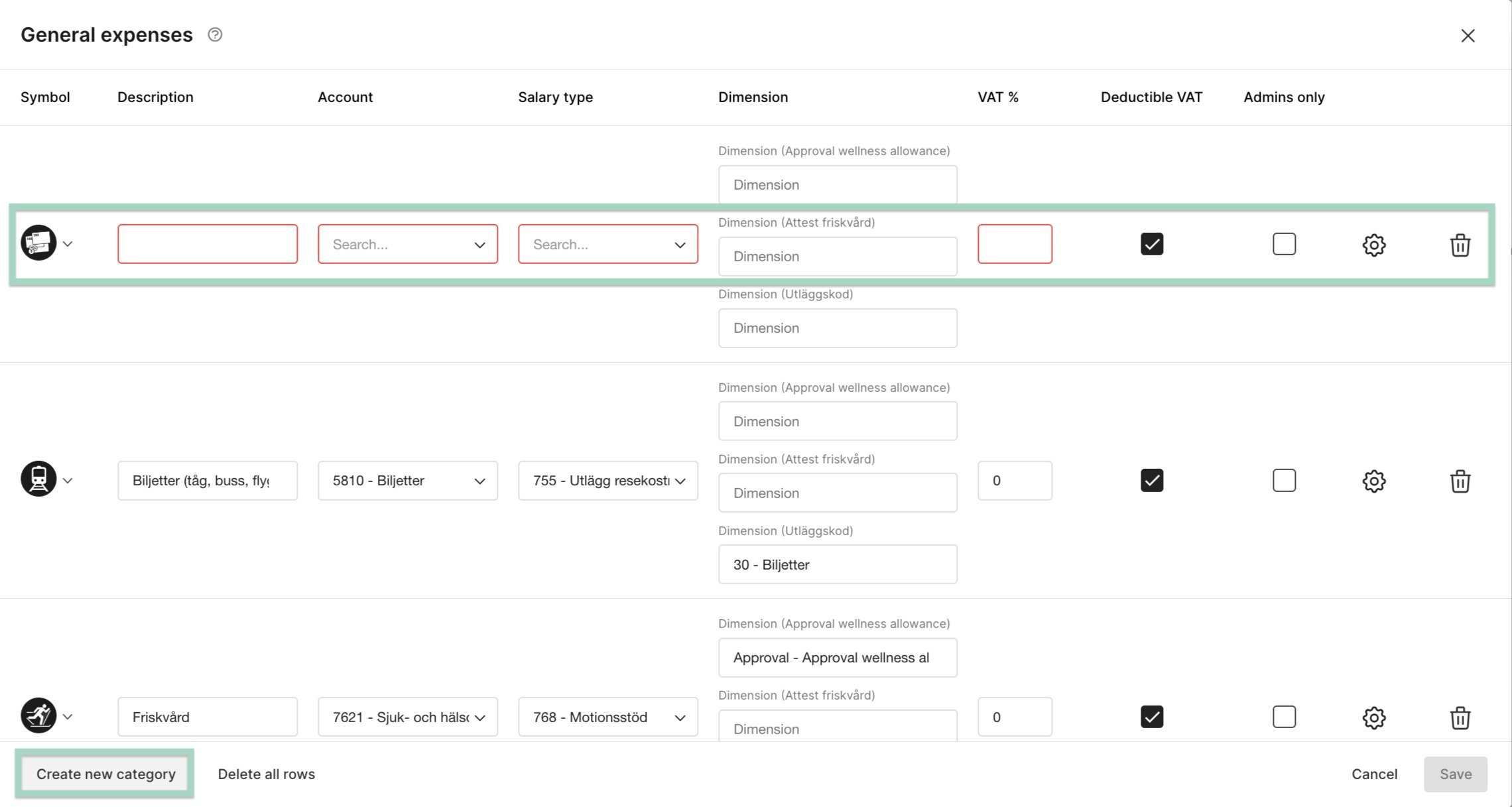 In this example we have added a category for Rental car.
Click on the cogwheel on the category.
In this example we have added a category for Rental car.
Click on the cogwheel on the category.
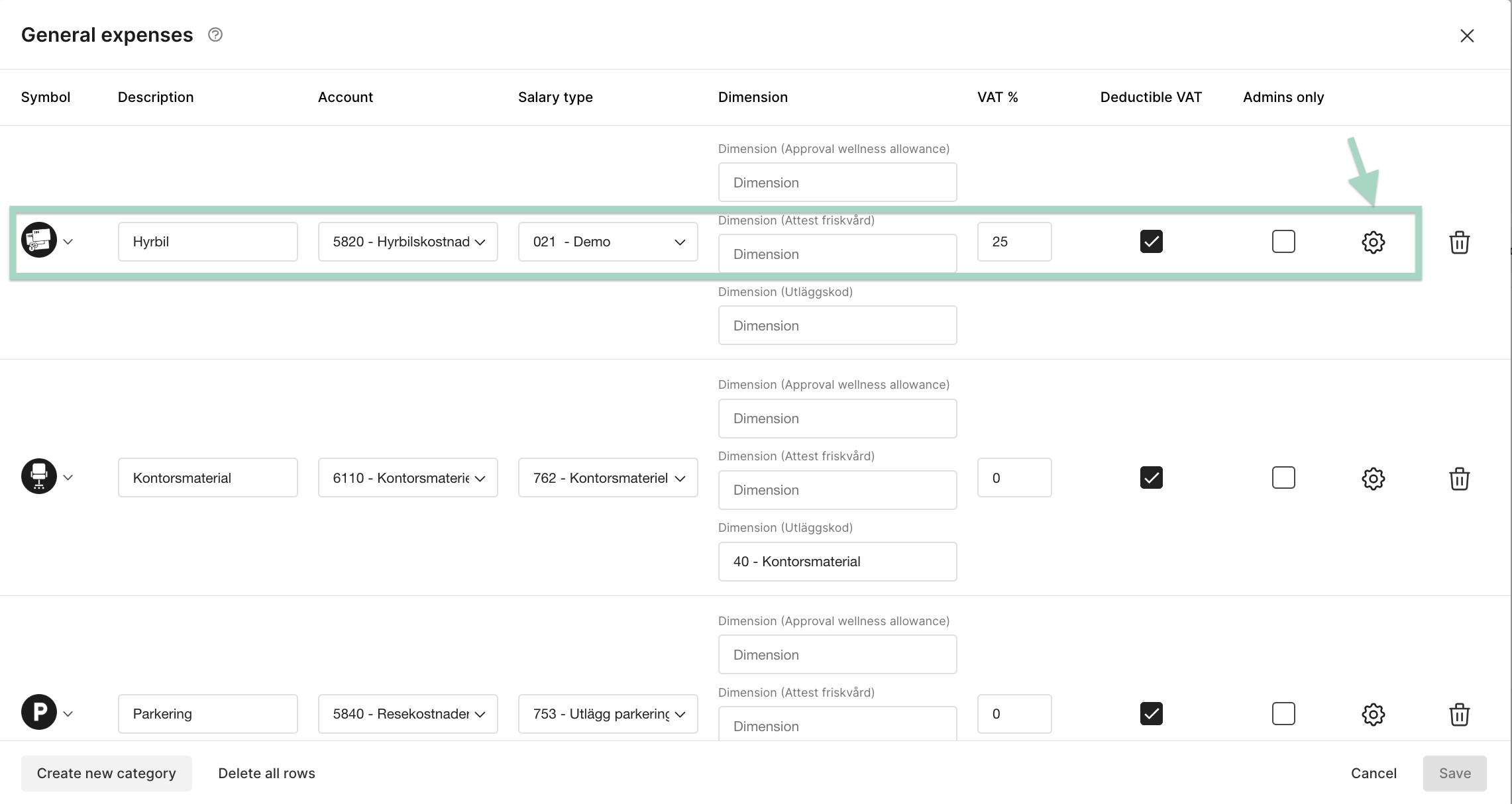 Mark the box next to Deducible percentage of VATand add the percentage VAT. In this example have we added 50% in the setting for deductible VAT percentage.
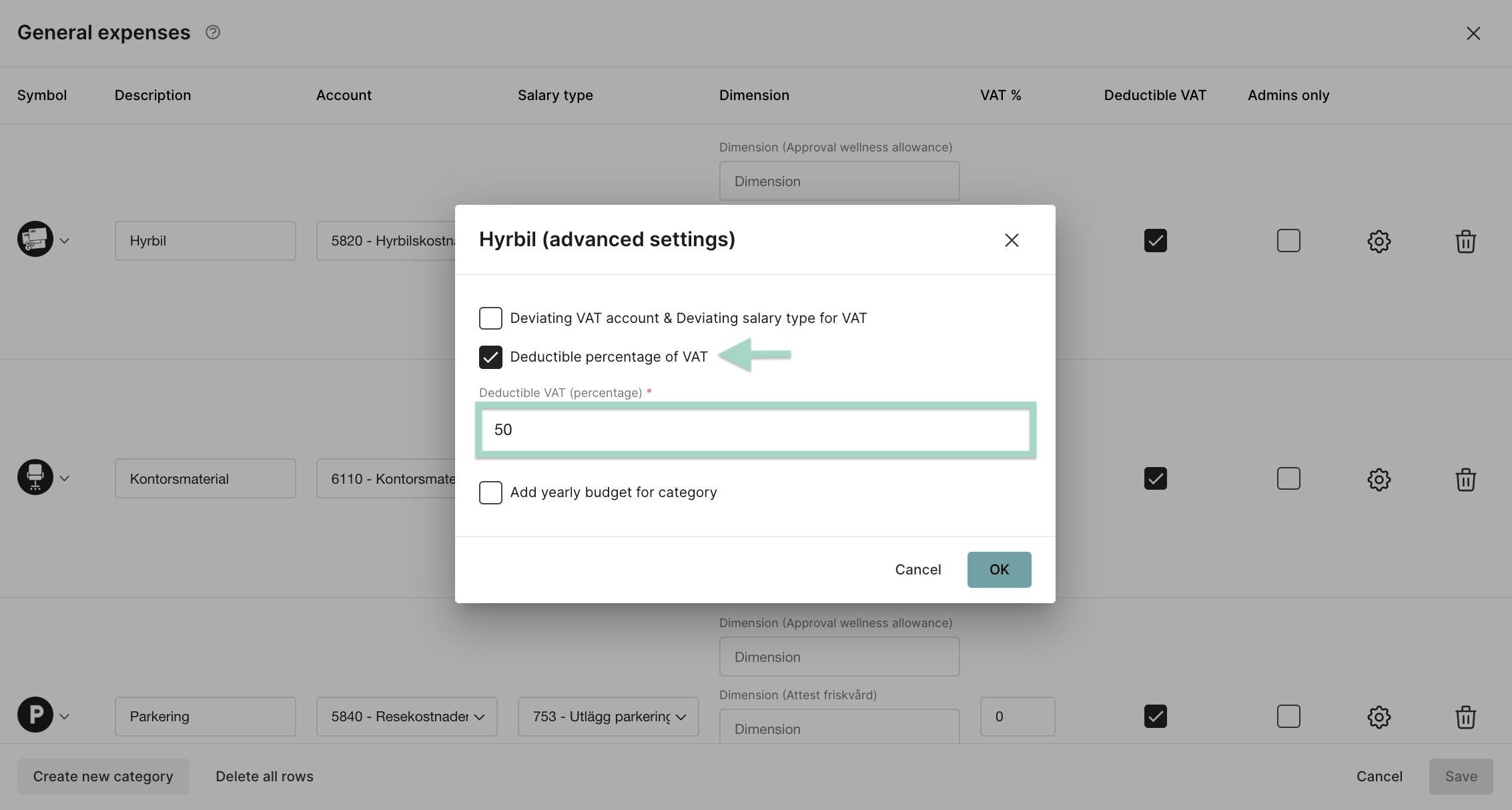 Press *OK* when you are done with the settings.
### Accounting in the users report
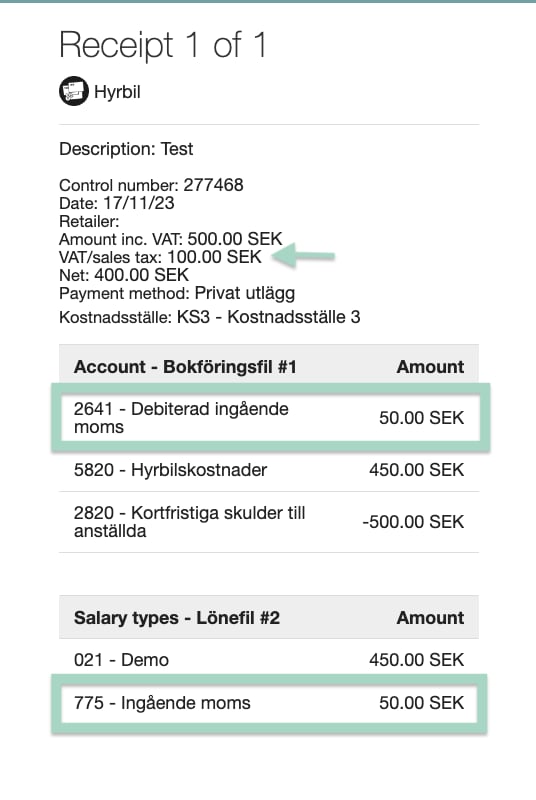
When the user create a report with the category rental car, VAT in the accounting will only be added with 50% of the total amount of VAT. In this example the user has added 100 SEK in VAT. The accounting in the report is 50 SEK VAT according to the setting we made.
Press *OK* when you are done with the settings.
### Accounting in the users report
When the user create a report with the category rental car, VAT in the accounting will only be added with 50% of the total amount of VAT. In this example the user has added 100 SEK in VAT. The accounting in the report is 50 SEK VAT according to the setting we made.
 ## Related articles
* ["Manage input fields" - settings for categories, dimensions and validations](/en/settings-administrator/manage-input-fields-settings-for-categories-dimensions-and-validations)
* [How do I add yearly budget for a category?](/en/settings-administrator/how-do-i-add-yearly-budget-for-a-category)
* [I'm an administrator. How do we get started with the service?](/en/get-started-administrator/i-m-an-administrator-how-do-we-get-started-with-the-service)
* [Can I choose what should be mandatory for the user to add in the expense?](/en/settings-administrator/can-i-choose-what-should-be-mandatory-for-the-user-to-add-in-the-expense)
## Related articles
* ["Manage input fields" - settings for categories, dimensions and validations](/en/settings-administrator/manage-input-fields-settings-for-categories-dimensions-and-validations)
* [How do I add yearly budget for a category?](/en/settings-administrator/how-do-i-add-yearly-budget-for-a-category)
* [I'm an administrator. How do we get started with the service?](/en/get-started-administrator/i-m-an-administrator-how-do-we-get-started-with-the-service)
* [Can I choose what should be mandatory for the user to add in the expense?](/en/settings-administrator/can-i-choose-what-should-be-mandatory-for-the-user-to-add-in-the-expense)