> ## Documentation Index
> Fetch the complete documentation index at: https://help.findity.com/llms.txt
> Use this file to discover all available pages before exploring further.
# Can I download a list of the accounts that are available on our organisation?
**This applies to the following countries**
* All countries
### Export all accounts
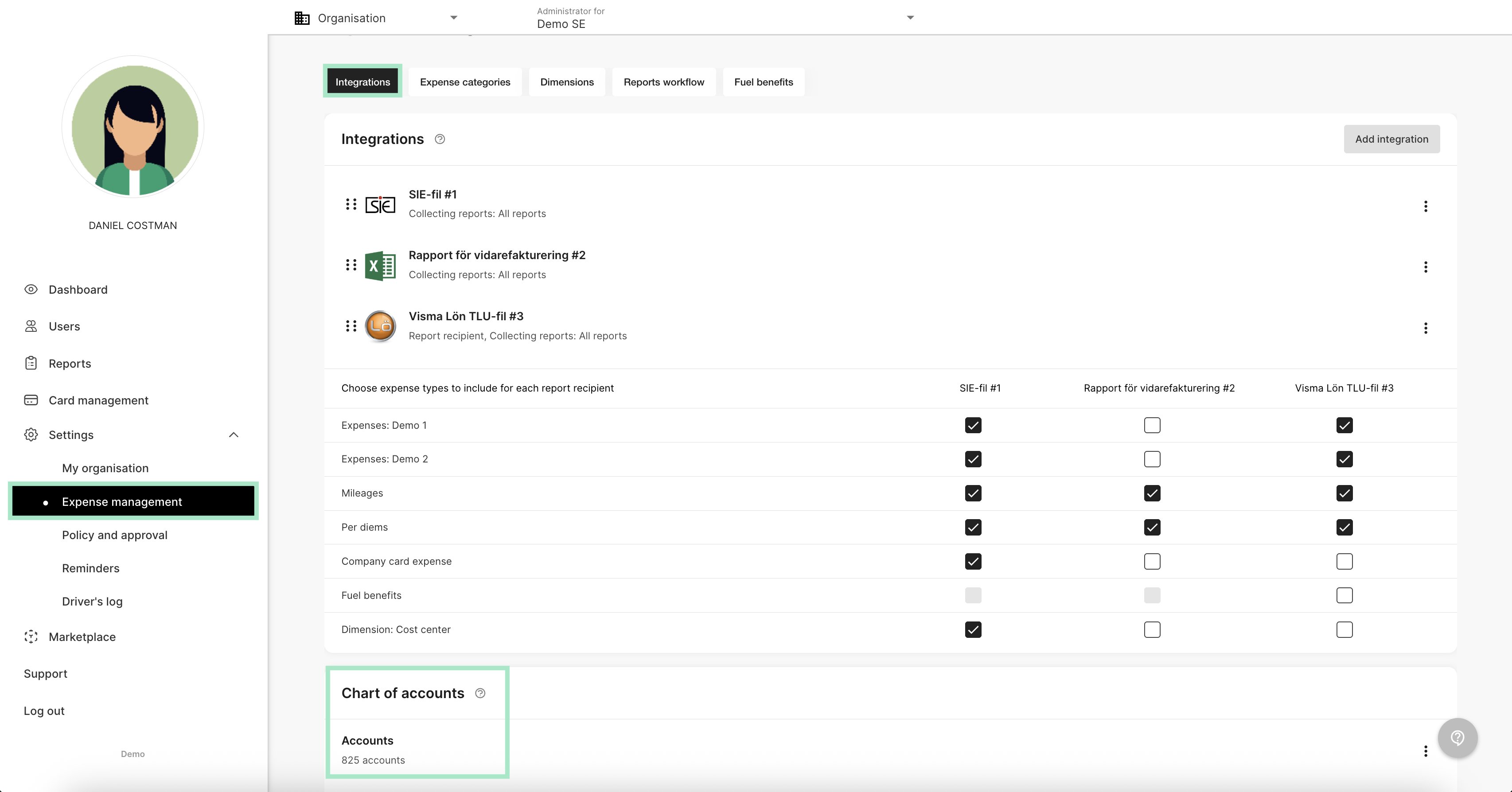
Click on the tab *Settings - Expense management - Integrations - Chart of accounts.*
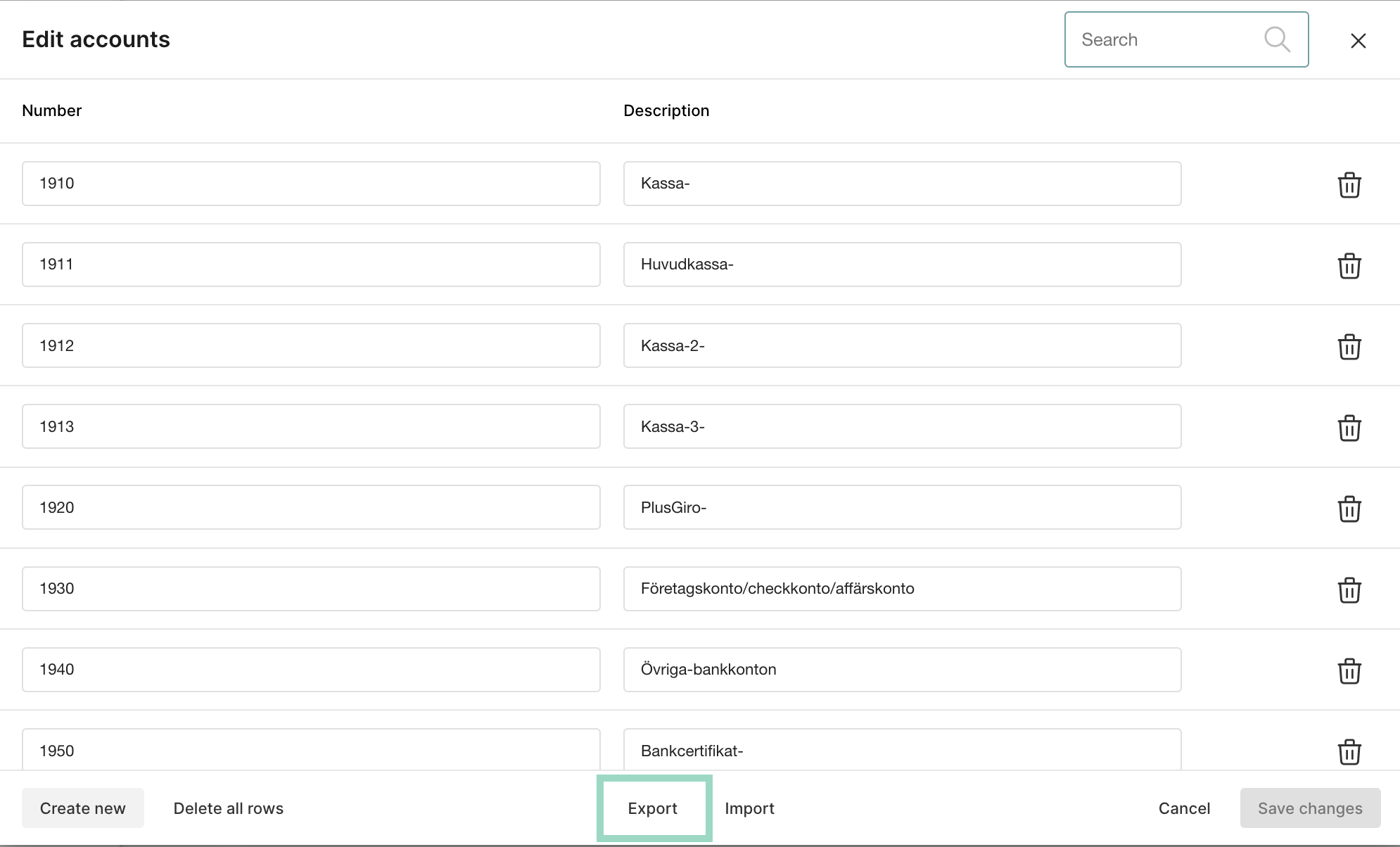
 You have now the option to *Export* all accounts. When you click on the export box an Excel-file will start to download in your browser.
 ### Import new account
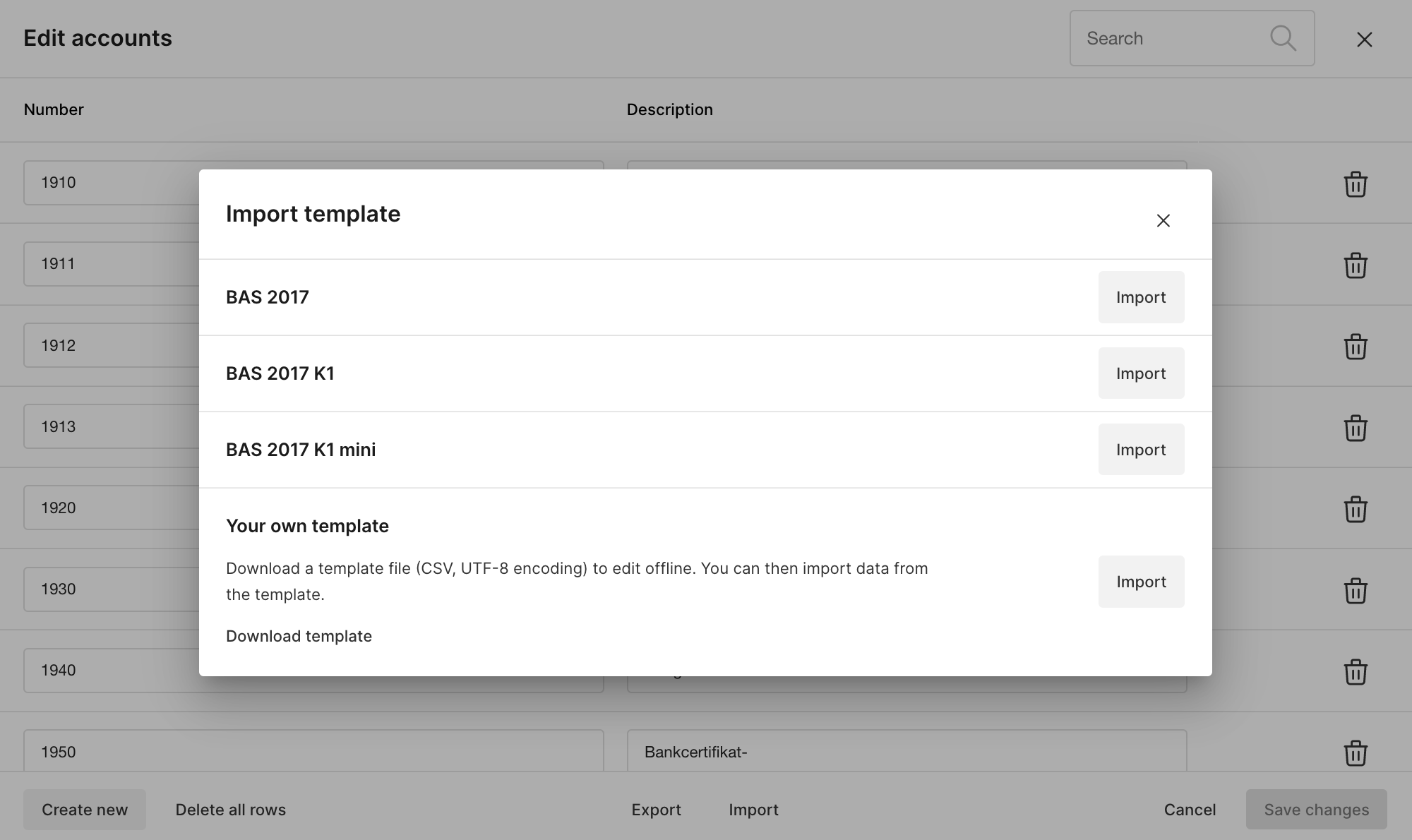
If you want to import new accounts, click on the *Import* box and choose how you want to import.
### Import new account
If you want to import new accounts, click on the *Import* box and choose how you want to import.
 ## Related articles
* [How do I make changes in the organisation structure?](/en/settings-administrator/how-do-i-make-changes-in-the-organisation-structure)
* [Temporary approver](/en/settings-administrator/temporary-approver)
* [How do I set up approvers?](/en/settings-administrator/how-do-i-set-up-approvers)
* [How do I set up the organisation structure?](/en/settings-administrator/how-do-i-set-up-the-organisation-structure)
* [How do I change the voucher series?](/en/settings-administrator/how-do-i-change-the-voucher-series)
## Related articles
* [How do I make changes in the organisation structure?](/en/settings-administrator/how-do-i-make-changes-in-the-organisation-structure)
* [Temporary approver](/en/settings-administrator/temporary-approver)
* [How do I set up approvers?](/en/settings-administrator/how-do-i-set-up-approvers)
* [How do I set up the organisation structure?](/en/settings-administrator/how-do-i-set-up-the-organisation-structure)
* [How do I change the voucher series?](/en/settings-administrator/how-do-i-change-the-voucher-series)