> ## Documentation Index
> Fetch the complete documentation index at: https://help.findity.com/llms.txt
> Use this file to discover all available pages before exploring further.
# How do I switch and act as a proxy for another user in the service?
**This article applies to the following countries**
* All countries
This feature is useful for example if you want to add receipt images, submit another user’s reports or to approve other people’s reports as this user.
If your organisation has granted you permission to act as proxy for another user in the service, you can easily switch to that user by following the steps below. The feature works both in the app and on the web.
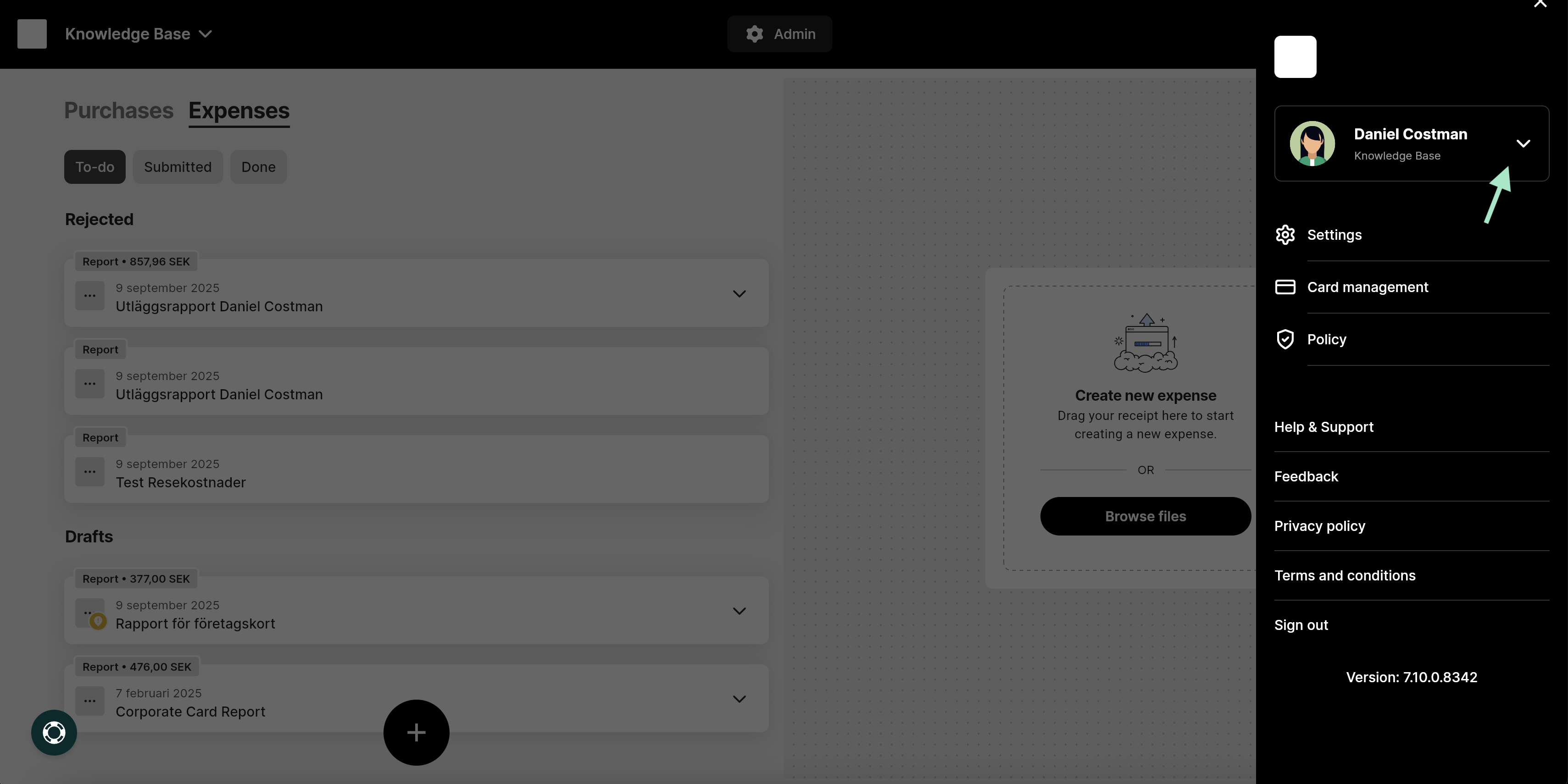
Click the three lines in the top right corner of the view, then click the down arrow next to your name.
 Select the user you want to act as by clicking on the user in the list. A search field is also available if you have multiple users to choose from.
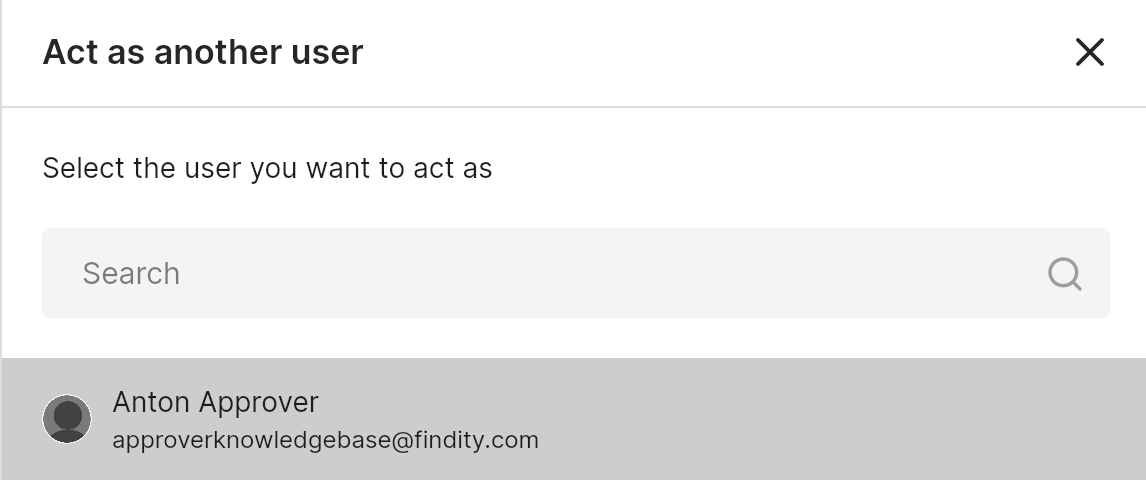 Click on the user and select **Apply**.
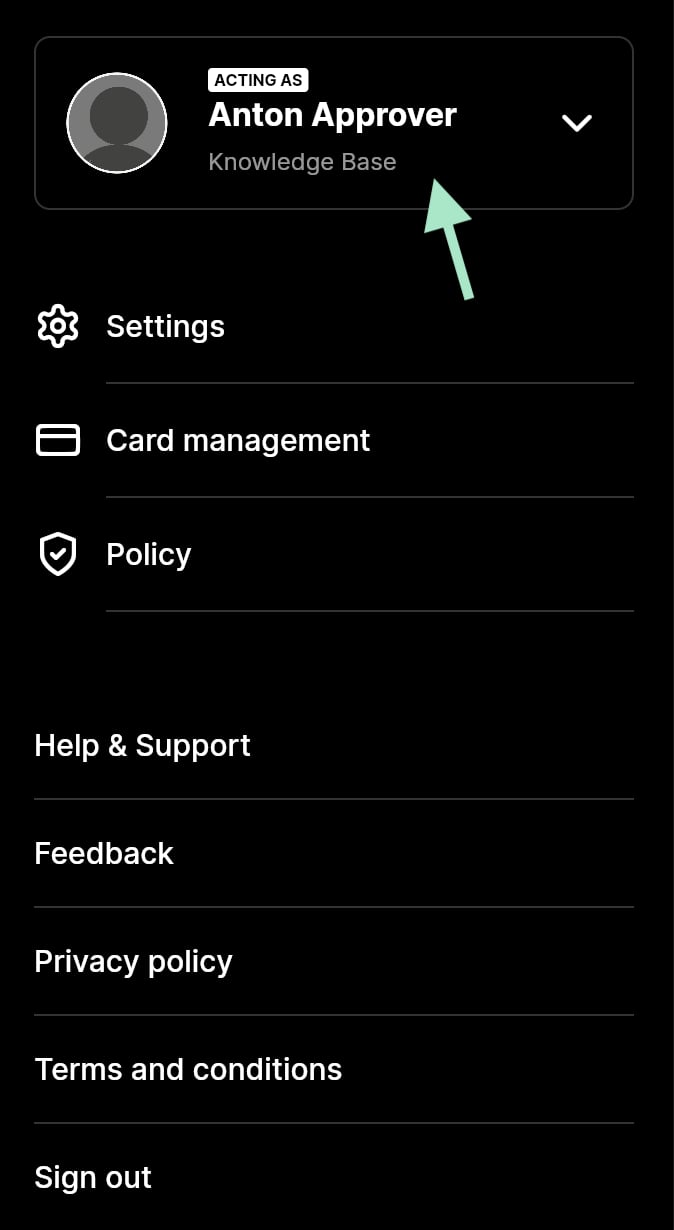
The menu will now show which user you are acting as, and you can start working on their behalf.
Click on the user and select **Apply**.
The menu will now show which user you are acting as, and you can start working on their behalf.
 ## Related articles
* [Where is the currency collected from?](/en/other-users/where-is-the-currency-collected-from)
* [I can't choose a specific project in the app that I know that I should be able to choose. What do I do?](/en/other-users/i-can-t-choose-a-specific-project-in-the-app-that-i-know-that-i-should-be-able-to-choose-what-do-i-do)
* [I chose "Forgotten password" at the login window, but I haven't received an e-mail with a link to reset it. What do I do?](/en/other-users/i-chose-forgotten-password-at-the-login-window-but-i-haven-t-received-an-e-mail-with-a-link-to-reset-it-what-do-i-do)
* [When will the reimbursement come?](/en/other-users/when-will-the-reimbursement-come)
* [What should I do with my physical receipts?](/en/other-users/what-should-i-do-with-my-physical-receipts)
## Related articles
* [Where is the currency collected from?](/en/other-users/where-is-the-currency-collected-from)
* [I can't choose a specific project in the app that I know that I should be able to choose. What do I do?](/en/other-users/i-can-t-choose-a-specific-project-in-the-app-that-i-know-that-i-should-be-able-to-choose-what-do-i-do)
* [I chose "Forgotten password" at the login window, but I haven't received an e-mail with a link to reset it. What do I do?](/en/other-users/i-chose-forgotten-password-at-the-login-window-but-i-haven-t-received-an-e-mail-with-a-link-to-reset-it-what-do-i-do)
* [When will the reimbursement come?](/en/other-users/when-will-the-reimbursement-come)
* [What should I do with my physical receipts?](/en/other-users/what-should-i-do-with-my-physical-receipts)