> ## Documentation Index
> Fetch the complete documentation index at: https://help.findity.com/llms.txt
> Use this file to discover all available pages before exploring further.
# How do I change the logo and background image?
**This applies to the following countries**
* All countries
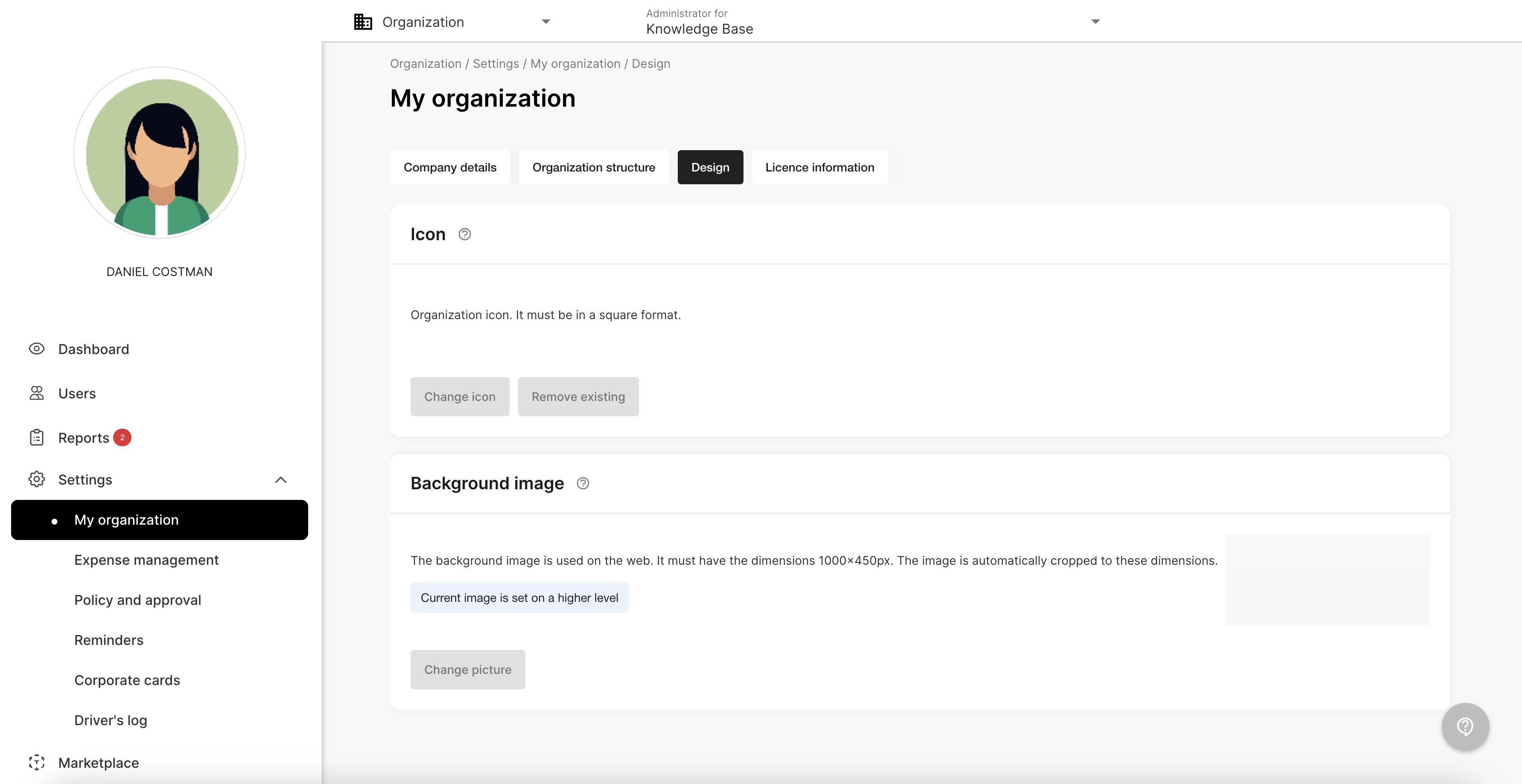
Go to the tab *Settings* - *My organisation - Design.* Press *Change icon* and *Change picture* to change the settings.
Press *Save* when you are done.
 ## Related articles
* [How do I switch between private mode and organisation?](/en/other-administrator/how-do-i-switch-between-private-mode-and-organisation)
* [How do I delete our organisation in the service?](/en/other-administrator/how-do-i-delete-our-organisation-in-the-service)
* [How can I connect our organisation with Kivra Kvitton](/en/other-administrator/how-can-i-connect-our-organisation-with-kivra-kvitton)
* [What happens to the history if I delete a user?](/en/other-administrator/what-happens-to-the-history-if-i-delete-a-user)
* [Under the tab dashboard there is a overview with different columns of information. What do these mean?](/en/other-administrator/under-the-tab-dashboard-there-is-a-overview-with-different-columns-of-information-what-do-these-mean)
## Related articles
* [How do I switch between private mode and organisation?](/en/other-administrator/how-do-i-switch-between-private-mode-and-organisation)
* [How do I delete our organisation in the service?](/en/other-administrator/how-do-i-delete-our-organisation-in-the-service)
* [How can I connect our organisation with Kivra Kvitton](/en/other-administrator/how-can-i-connect-our-organisation-with-kivra-kvitton)
* [What happens to the history if I delete a user?](/en/other-administrator/what-happens-to-the-history-if-i-delete-a-user)
* [Under the tab dashboard there is a overview with different columns of information. What do these mean?](/en/other-administrator/under-the-tab-dashboard-there-is-a-overview-with-different-columns-of-information-what-do-these-mean)