> ## Documentation Index
> Fetch the complete documentation index at: https://help.findity.com/llms.txt
> Use this file to discover all available pages before exploring further.
# I got my report returned to me by my approver/administrator. Where can I see who returned the report?
**This article applies to the following countries**
* All countries
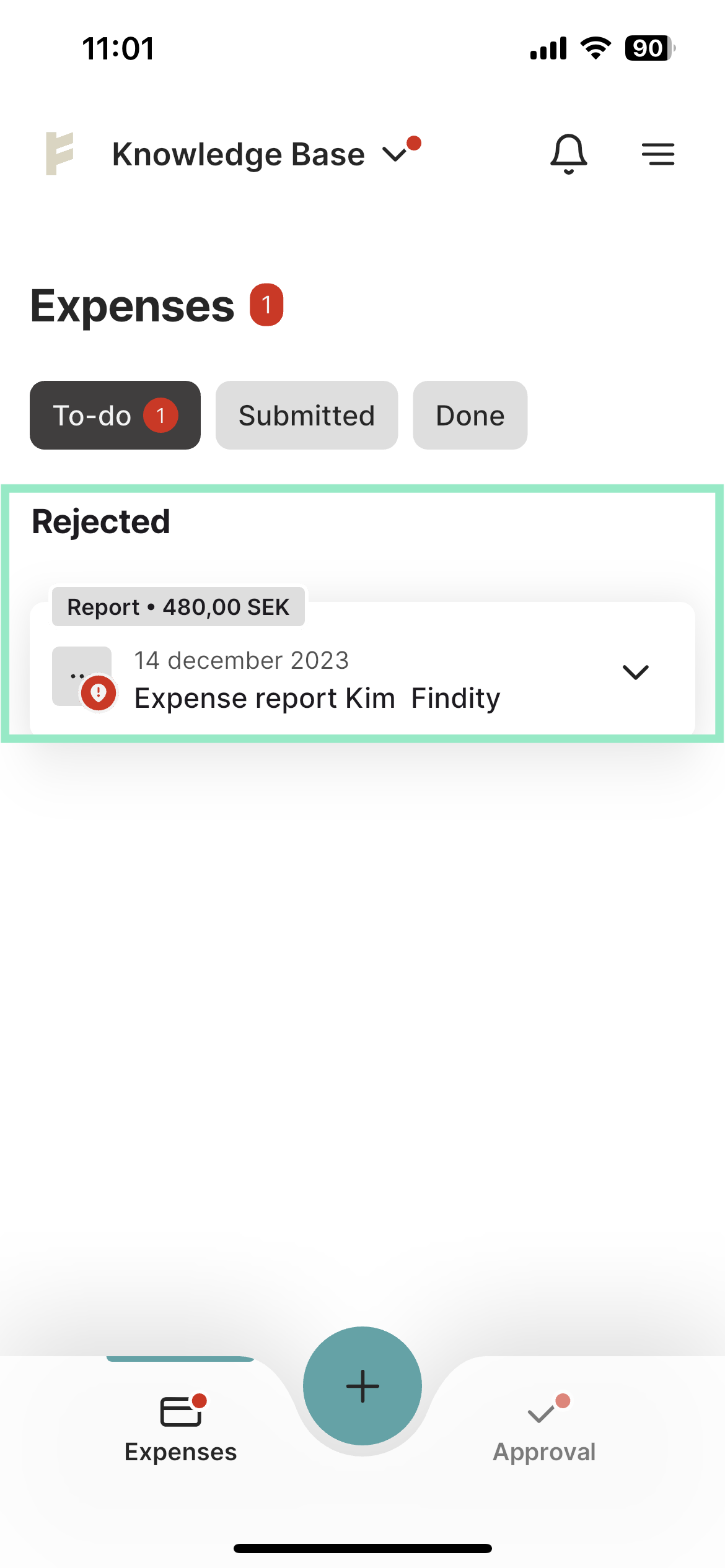
When the approver has returned your report, it will appear under the **To-do** tab and under **Rejected**.
Click on the report to view more details.
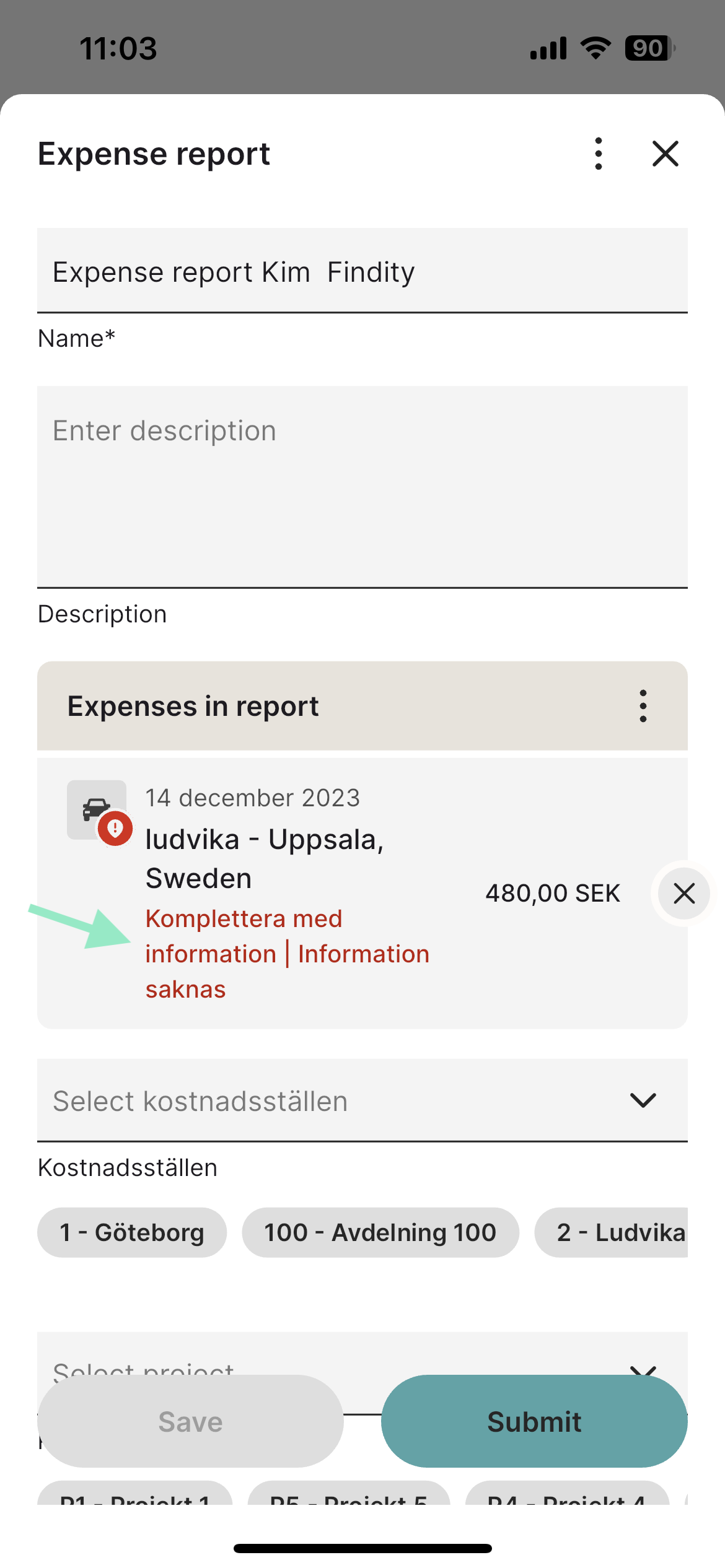
 The red text is a message from the person who rejected your report.
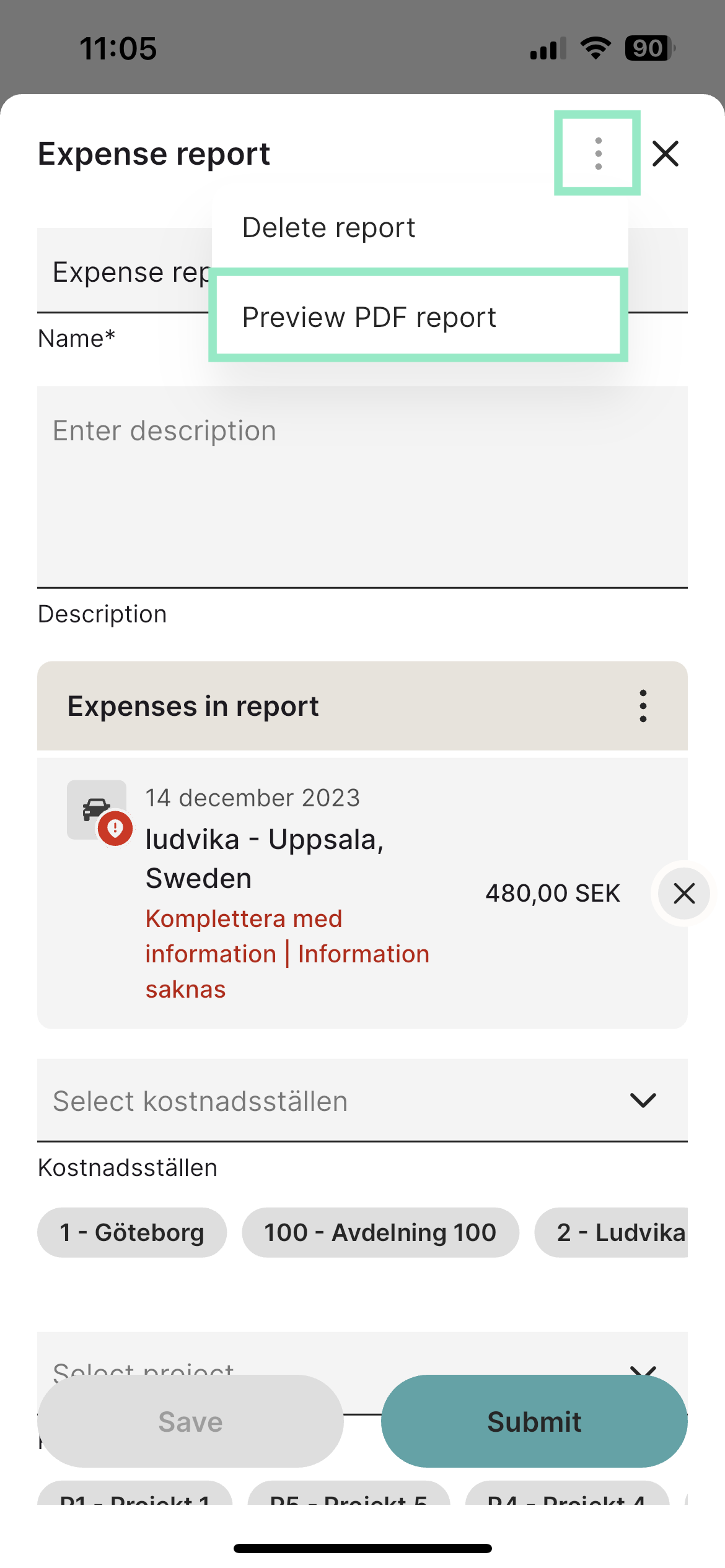
 To see who returned your report, click on the three dots in the top right corner and then select **Preview PDF report**.
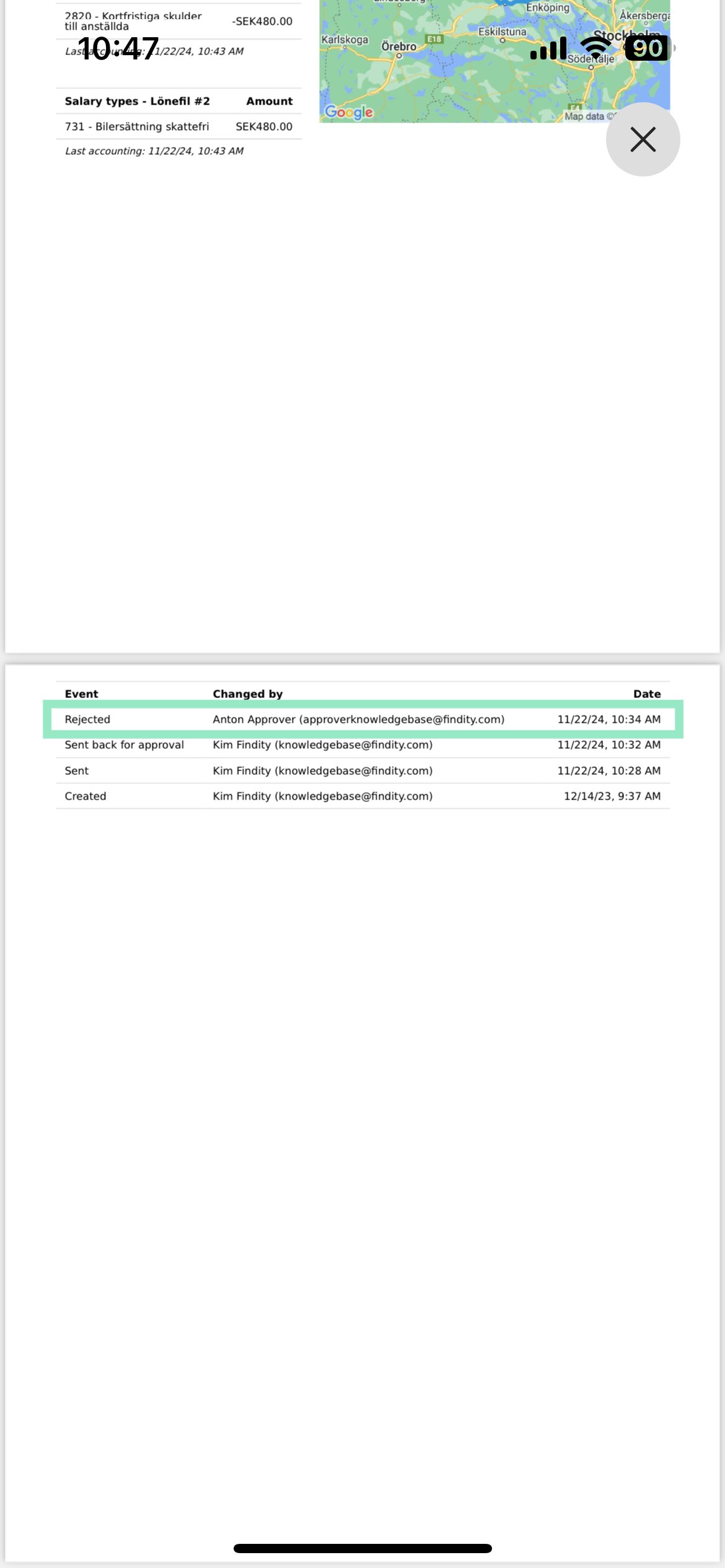
 In the overview that opens, scroll to the bottom to see who returned your report.
 ## Related articles
* [How do I add an expense?](/en/expense-and-reports-users/how-do-i-add-an-expense)
* [I made a mistake in my expense report, how can I get my report back so I can make the changes?](/en/expense-and-reports-users/i-made-a-mistake-in-my-expense-report-how-can-i-get-my-report-back-so-i-can-make-the-changes)
* [I have registered my receipt in the wrong organisation, can I move that to another organisation?](/en/expense-and-reports-users/i-have-registered-my-receipt-in-the-wrong-organisation-can-i-move-that-to-another-organisation)
* [Can I email my receipts to the service?](/en/expense-and-reports-users/can-i-email-my-receipts-to-the-service)
* [Can I split an expense into two separate expenses?](/en/expense-and-reports-users/can-i-split-an-expense-into-two-separate-expenses)
## Related articles
* [How do I add an expense?](/en/expense-and-reports-users/how-do-i-add-an-expense)
* [I made a mistake in my expense report, how can I get my report back so I can make the changes?](/en/expense-and-reports-users/i-made-a-mistake-in-my-expense-report-how-can-i-get-my-report-back-so-i-can-make-the-changes)
* [I have registered my receipt in the wrong organisation, can I move that to another organisation?](/en/expense-and-reports-users/i-have-registered-my-receipt-in-the-wrong-organisation-can-i-move-that-to-another-organisation)
* [Can I email my receipts to the service?](/en/expense-and-reports-users/can-i-email-my-receipts-to-the-service)
* [Can I split an expense into two separate expenses?](/en/expense-and-reports-users/can-i-split-an-expense-into-two-separate-expenses)