> ## Documentation Index
> Fetch the complete documentation index at: https://help.findity.com/llms.txt
> Use this file to discover all available pages before exploring further.
# How do I register an entertainment?
**This article applies to the following countries**
* All countries
An entertainment is registered as an expense by the user, but a category that is specifically set up for entertainment is selected. Please note that the name of the category may differ for your organization.
When registering an entertainment, you need to add or attach a participant list and also specify the type of entertainment.
See the instructions below on how to register an entertainment:
When you have taken a photo of the receipt, there are three things you need to do (apart from making sure that all details match the receipt).
1. Make sure that the category is an entertainment category. Once you have photographed the receipt, the system will automatically analyze it. If the category has been analyzed incorrectly, you can click on the category line and select the correct one from the list.
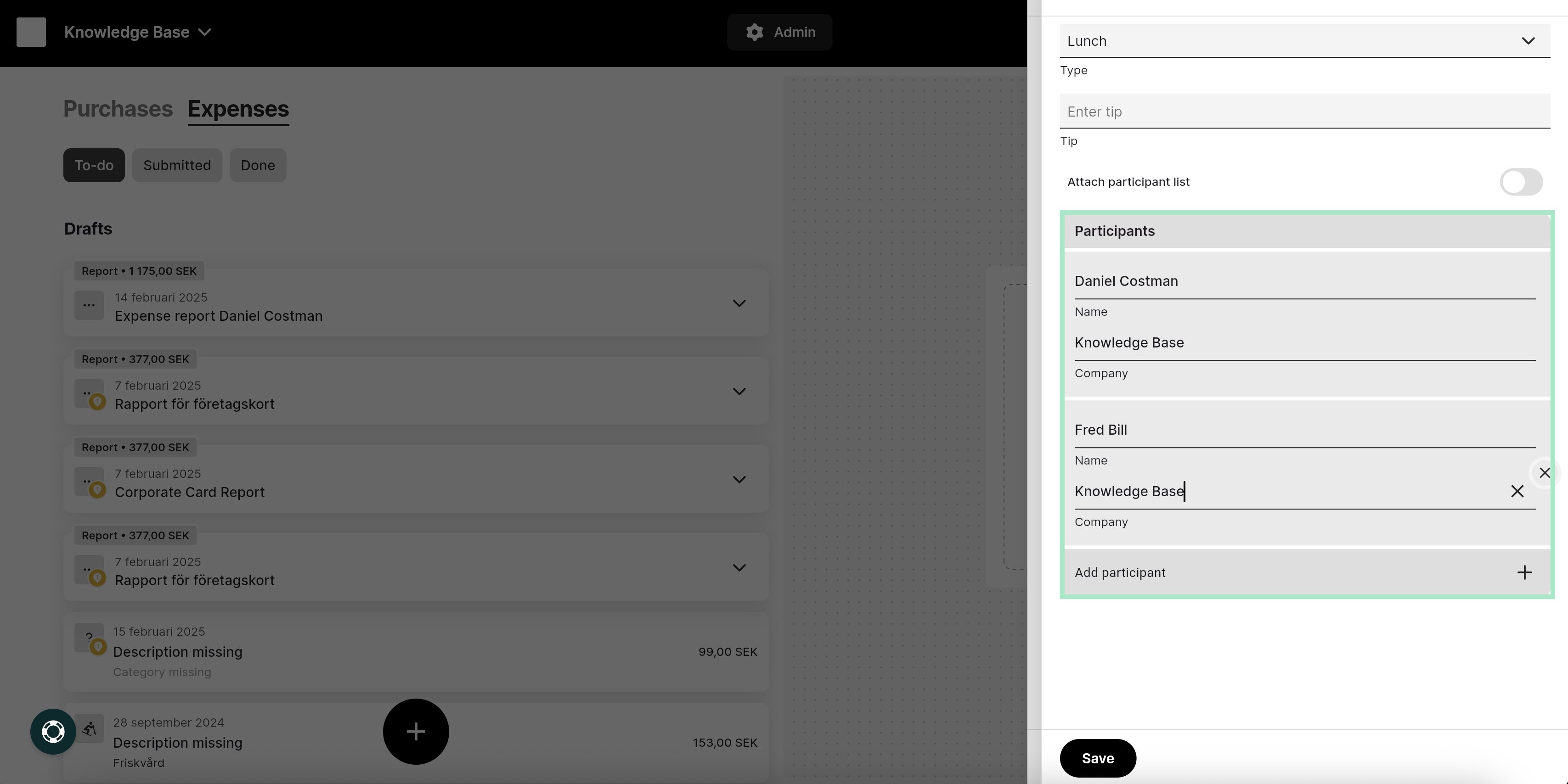
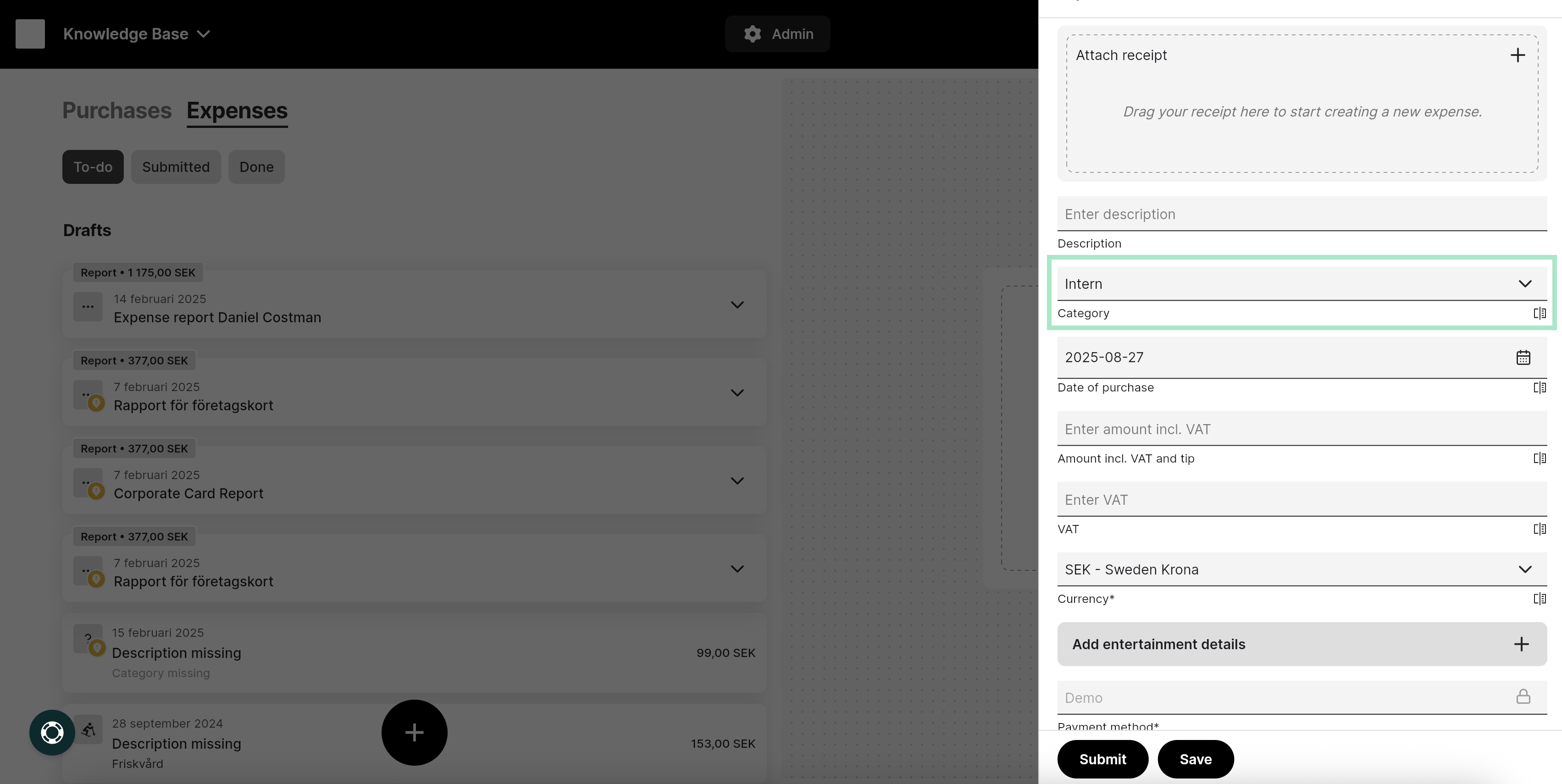 2. It is mandatory to enter who participated in the entertainment. You can either add the participants by clicking on the row **Add entertainment details**, which you will find further down in the view, and then enter the participants’ names manually.

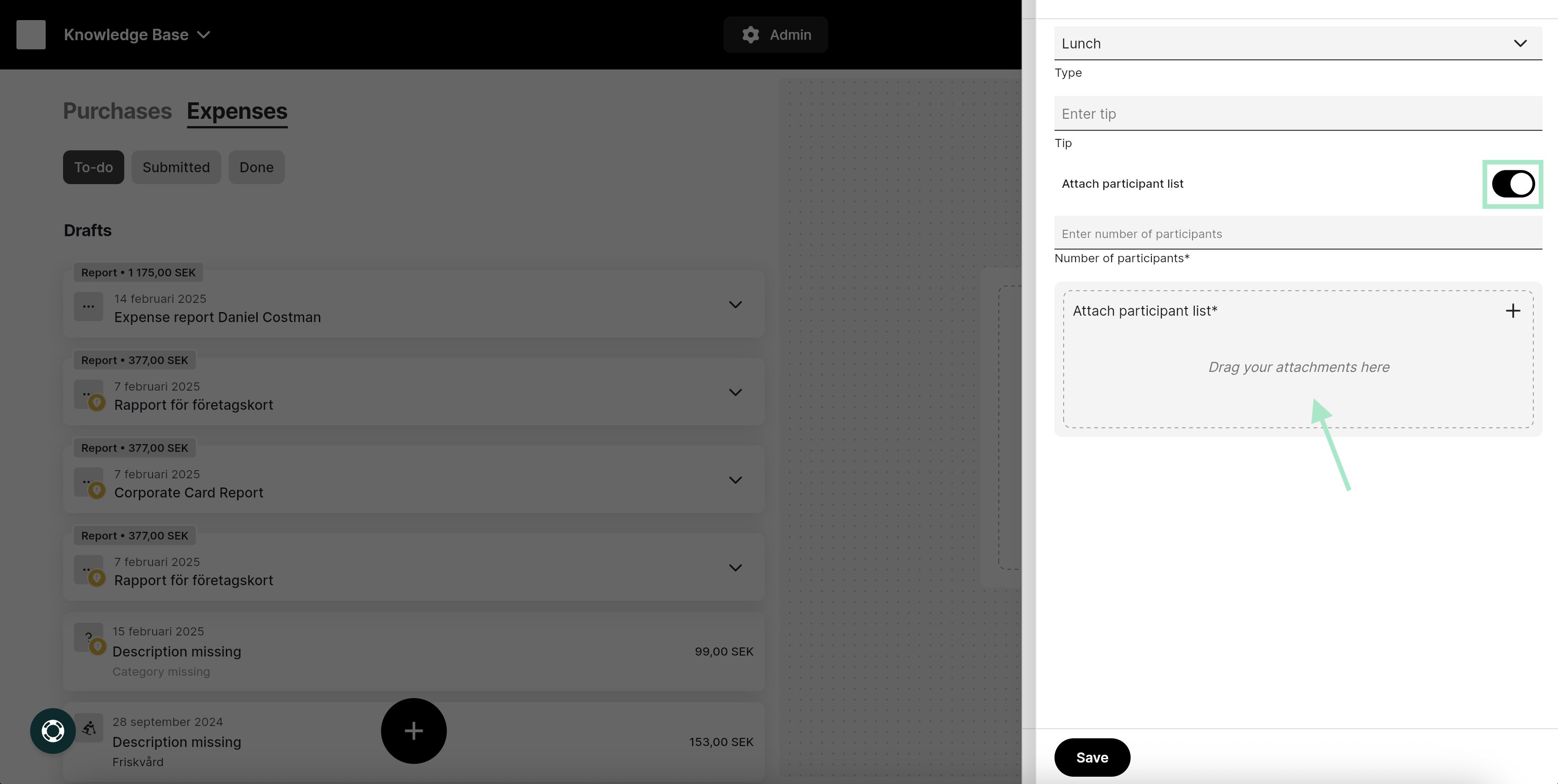
 Alternatively, you can click the button next to **Attach participant list** to instead attach a list of the participants.
Enter the **Number of participants** and then attach the list by dragging your file into the box as shown in the image, or click in the box to select and upload your saved file.
Also, select the **Type of entertainment** it was. In the example below, we have selected that it was a lunch.
Alternatively, you can click the button next to **Attach participant list** to instead attach a list of the participants.
Enter the **Number of participants** and then attach the list by dragging your file into the box as shown in the image, or click in the box to select and upload your saved file.
Also, select the **Type of entertainment** it was. In the example below, we have selected that it was a lunch.
 3. Finish by saving by clicking the **Save** button at the bottom of the screen.
## Related articles
* [How do I add an expense?](/en/expense-and-reports-users/how-do-i-add-an-expense)
* [I made a mistake in my expense report, how can I get my report back so I can make the changes?](/en/expense-and-reports-users/i-made-a-mistake-in-my-expense-report-how-can-i-get-my-report-back-so-i-can-make-the-changes)
* [I have registered my receipt in the wrong organisation, can I move that to another organisation?](/en/expense-and-reports-users/i-have-registered-my-receipt-in-the-wrong-organisation-can-i-move-that-to-another-organisation)
* [Can I email my receipts to the service?](/en/expense-and-reports-users/can-i-email-my-receipts-to-the-service)
* [Can I split an expense into two separate expenses?](/en/expense-and-reports-users/can-i-split-an-expense-into-two-separate-expenses)
3. Finish by saving by clicking the **Save** button at the bottom of the screen.
## Related articles
* [How do I add an expense?](/en/expense-and-reports-users/how-do-i-add-an-expense)
* [I made a mistake in my expense report, how can I get my report back so I can make the changes?](/en/expense-and-reports-users/i-made-a-mistake-in-my-expense-report-how-can-i-get-my-report-back-so-i-can-make-the-changes)
* [I have registered my receipt in the wrong organisation, can I move that to another organisation?](/en/expense-and-reports-users/i-have-registered-my-receipt-in-the-wrong-organisation-can-i-move-that-to-another-organisation)
* [Can I email my receipts to the service?](/en/expense-and-reports-users/can-i-email-my-receipts-to-the-service)
* [Can I split an expense into two separate expenses?](/en/expense-and-reports-users/can-i-split-an-expense-into-two-separate-expenses)