> ## Documentation Index
> Fetch the complete documentation index at: https://help.findity.com/llms.txt
> Use this file to discover all available pages before exploring further.
# How do we upgrade the integration to real time with AirPlus and SEB corporate cards?
**This article applies to the following countries**
* Sweden
* Norway
* Finland
* Denmark
We now offer customers using file-based transaction solutions for SEB Corporate and AirPlus the opportunity to upgrade to a modern real-time integration. With real-time transactions and automatically added digital receipts, expense and travel report management is simplified, while both visibility and efficiency are improved for employees.
To upgrade your organisation’s card integration to the real-time solution, follow the steps below:
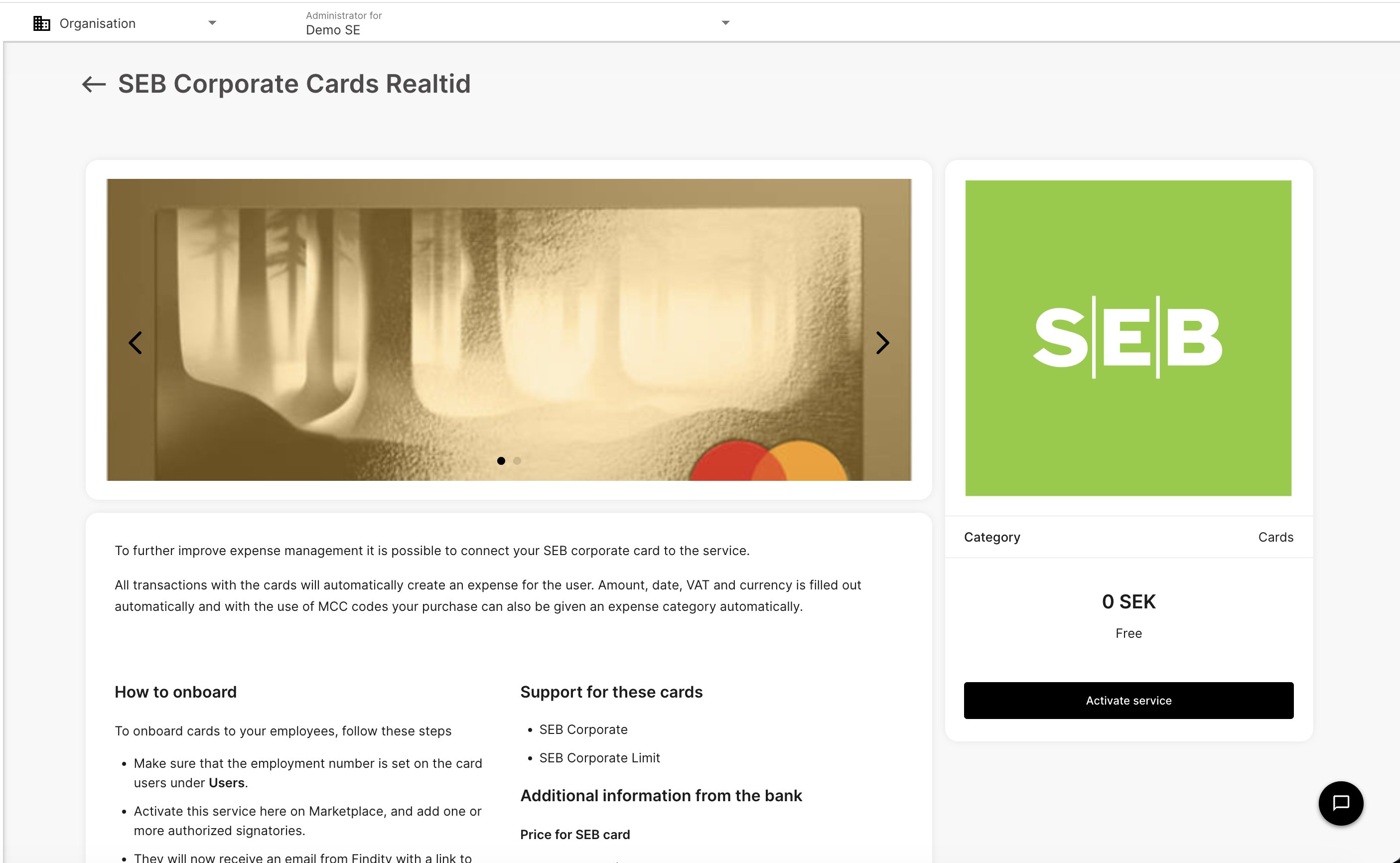
1. Go to Marketplace in the left-hand menu and activate **AirPlus Real time** or **SEB Corporate Cards Real time** by clicking Activate service.
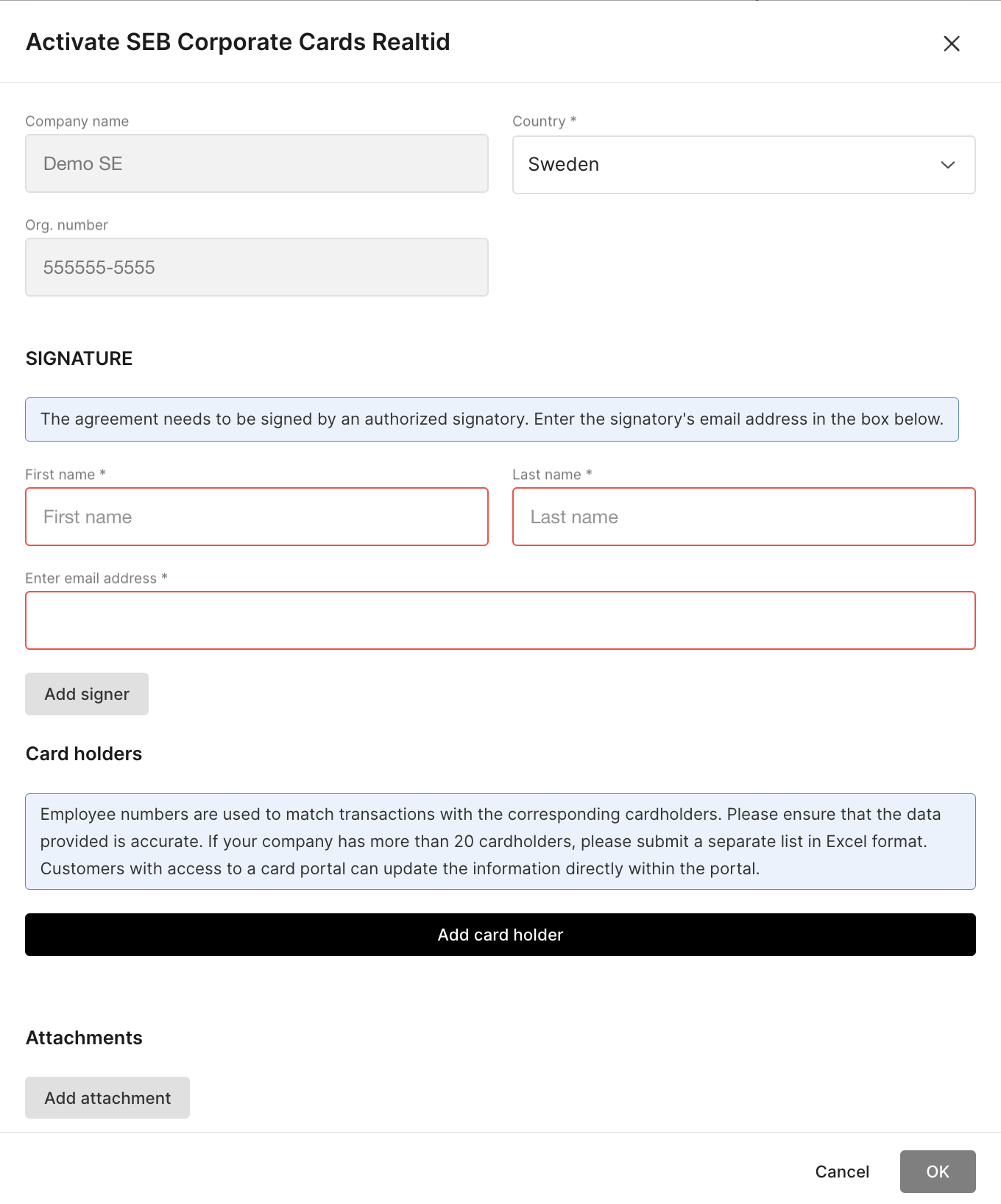
 2. Fill in the form with details of the authorized signatory (name and email) as well as cardholders, including employee numbers. Company details are pre-filled.
 3. The authorized signatory will receive an email with a link to Docuseal, where they can review the order form, sign it, and submit it digitally.
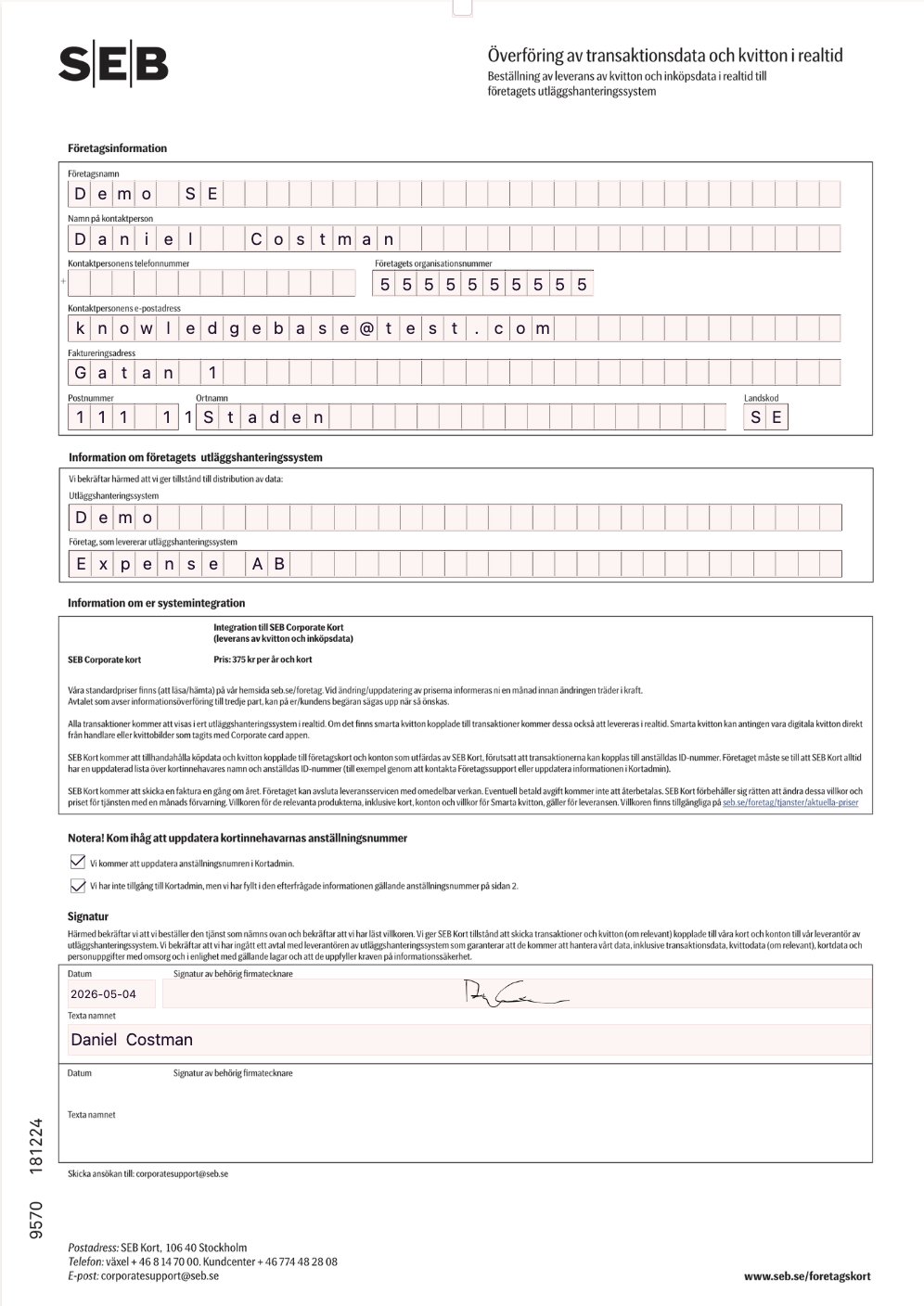
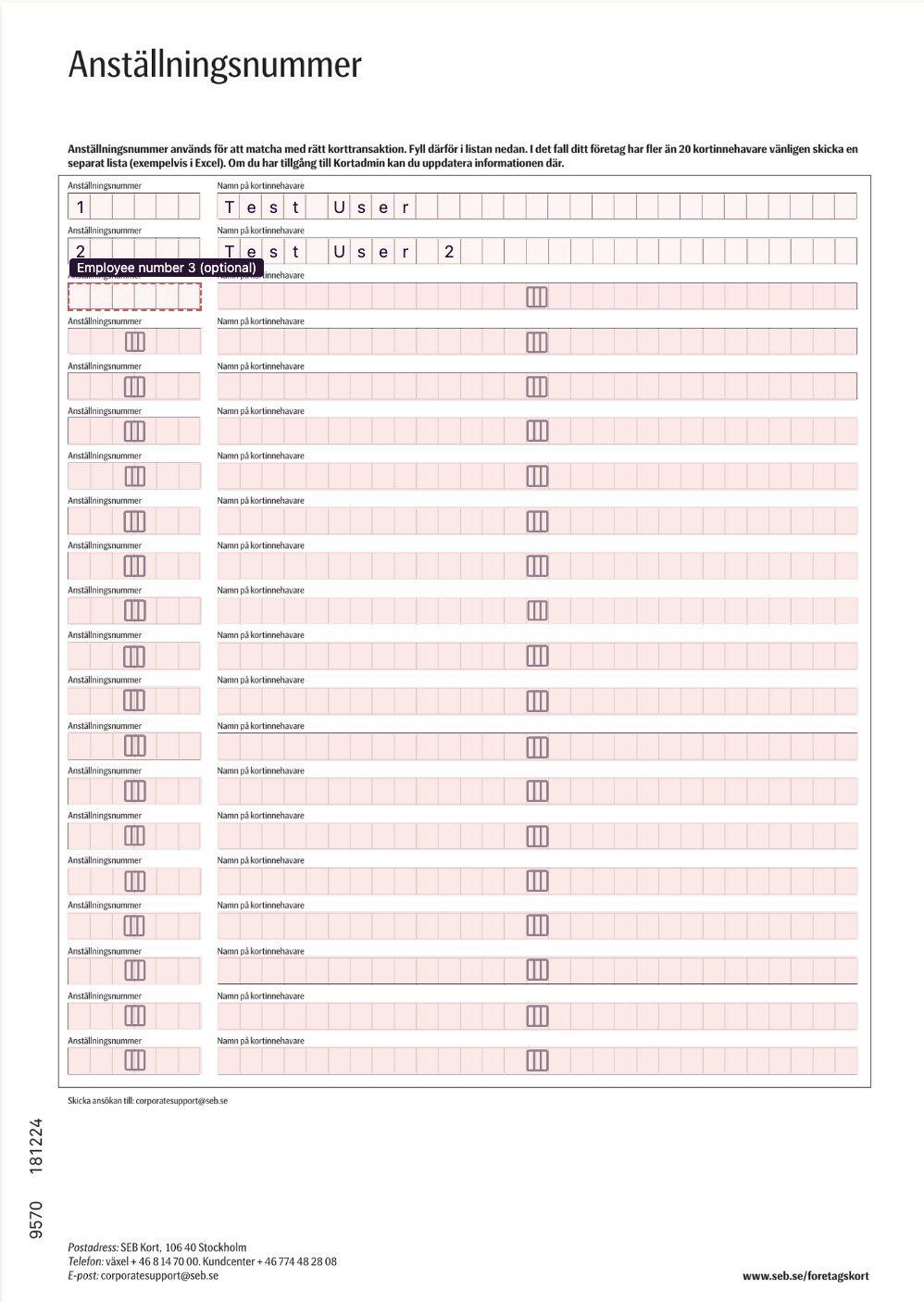 4. In Card Management in the left-hand menu, you can define the default accounts to be used for all cardholders’ accounting settings.You then add all cardholders in the same view. Once this is completed, the bank will process the form and configure and set up the integration.
5. Once the integration has been reviewed and set up by the bank, the cardholder will appear under Card Management with a masked card number and the date of the latest purchase. This indicates that the card has been successfully linked to the user.
New cardholders are created and linked automatically. If a card cannot be automatically matched to a user, a section called “Unverified cards” will be displayed instead. Click the settings (gear) icon and manually link the card to the correct user.
### New employee experience
In the previous solution, a corporate card report was created as soon as the first transaction was made in a new billing period.
To improve and streamline card handling, this process has been changed. Purchases are now recorded as individual expenses and only added to a report when the period is closed and the bank generates the invoice.
The report can be submitted as soon as it has been created, provided that all expenses include the required information and receipts.
**Please note** that we don't charge for this feature. However the bank will charge a fee for connecting the cards. For questions about the cost, please contact the bank directly.
## Related articles
* [How do I cancel the connection to corporate cards on the organisation?](/en/corporate-cards-administrator/how-do-i-cancel-the-connection-to-corporate-cards-on-the-organisation)
* [What does the tab corporate card under reports mean?](/en/corporate-cards-administrator/what-does-the-tab-corporate-card-under-reports-mean)
* [Corporate card reports should only be sent to the accounting recipient. How do I add that setting?](/en/corporate-cards-administrator/corporate-card-reports-should-only-be-sent-to-the-accounting-recipient-how-do-i-add-that-setting)
* [Activate corporate cards on our organisation and add cardholders](/en/corporate-cards-administrator/activate-corporate-cards-on-our-organisation-and-add-cardholders)
* [Activating bank integration (Nordea First Card Real Time)](/en/corporate-cards-administrator/activating-bank-integration-nordea-first-card-real-time)
4. In Card Management in the left-hand menu, you can define the default accounts to be used for all cardholders’ accounting settings.You then add all cardholders in the same view. Once this is completed, the bank will process the form and configure and set up the integration.
5. Once the integration has been reviewed and set up by the bank, the cardholder will appear under Card Management with a masked card number and the date of the latest purchase. This indicates that the card has been successfully linked to the user.
New cardholders are created and linked automatically. If a card cannot be automatically matched to a user, a section called “Unverified cards” will be displayed instead. Click the settings (gear) icon and manually link the card to the correct user.
### New employee experience
In the previous solution, a corporate card report was created as soon as the first transaction was made in a new billing period.
To improve and streamline card handling, this process has been changed. Purchases are now recorded as individual expenses and only added to a report when the period is closed and the bank generates the invoice.
The report can be submitted as soon as it has been created, provided that all expenses include the required information and receipts.
**Please note** that we don't charge for this feature. However the bank will charge a fee for connecting the cards. For questions about the cost, please contact the bank directly.
## Related articles
* [How do I cancel the connection to corporate cards on the organisation?](/en/corporate-cards-administrator/how-do-i-cancel-the-connection-to-corporate-cards-on-the-organisation)
* [What does the tab corporate card under reports mean?](/en/corporate-cards-administrator/what-does-the-tab-corporate-card-under-reports-mean)
* [Corporate card reports should only be sent to the accounting recipient. How do I add that setting?](/en/corporate-cards-administrator/corporate-card-reports-should-only-be-sent-to-the-accounting-recipient-how-do-i-add-that-setting)
* [Activate corporate cards on our organisation and add cardholders](/en/corporate-cards-administrator/activate-corporate-cards-on-our-organisation-and-add-cardholders)
* [Activating bank integration (Nordea First Card Real Time)](/en/corporate-cards-administrator/activating-bank-integration-nordea-first-card-real-time)