> ## Documentation Index
> Fetch the complete documentation index at: https://help.findity.com/llms.txt
> Use this file to discover all available pages before exploring further.
# A user has marked a corporate card transaction as personal, what does this mean?
export const InlineButton = ({href, children}) => {
const isExternal = (/^https?:\/\//).test(href || "");
return
{children}
;
};
**This article applies to the following countries**
* All countries
## Settings:
When you, as a administrator add the settings for corporate cards you will be able to add settings for accounting: *Debit (for personal transactions)*.
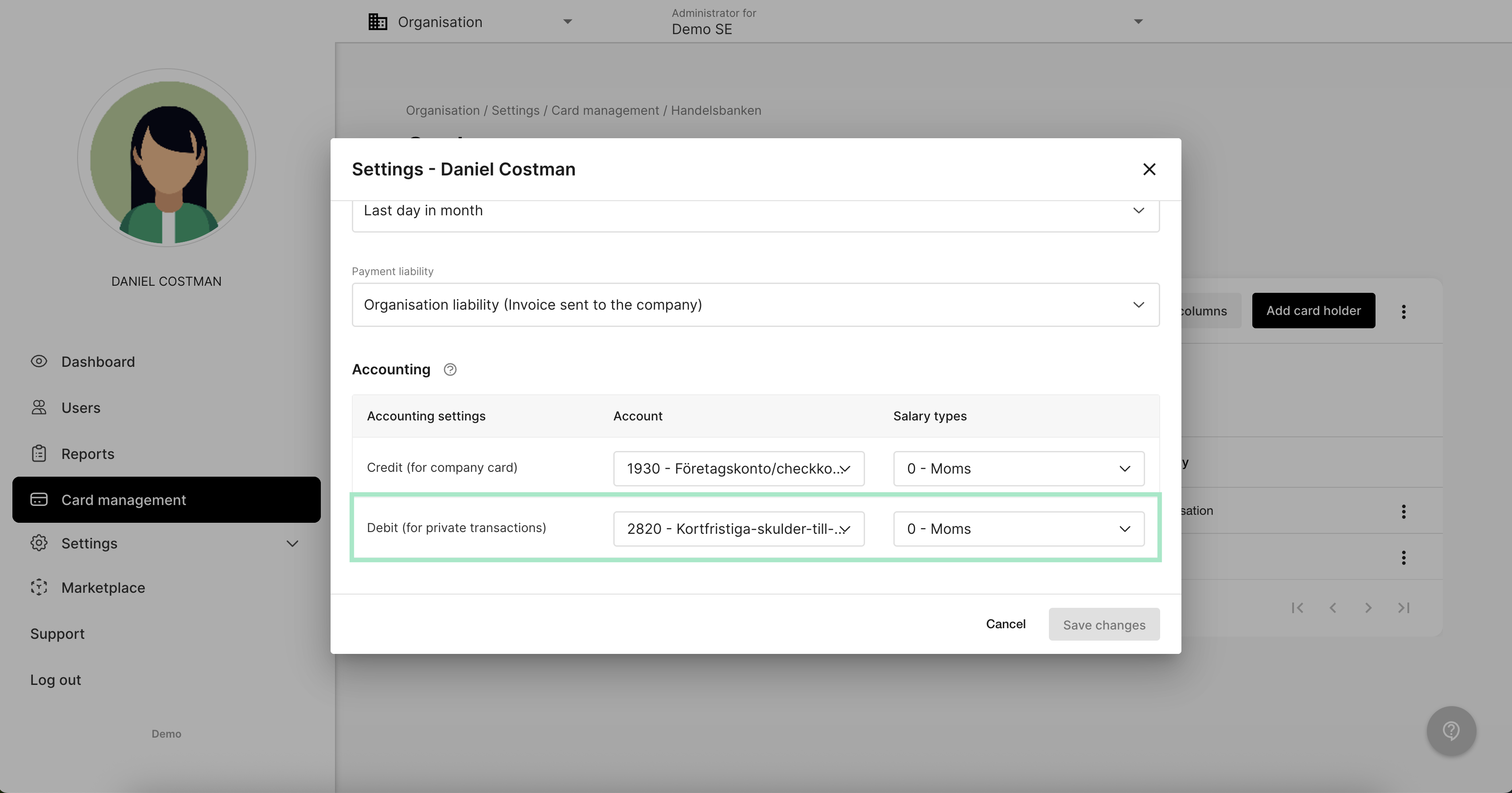 This setting is added on the user if you click on the tab *Card management* and then click on the user.
Read more about how to add a new user to corporate card in the related article here: Here
## The user view:
The user will have the possibility to mark the expense as a personal purchase in the transaction. Read more in this link how the user mark the transaction as a personal purchase: Here
## When the report is submitted:
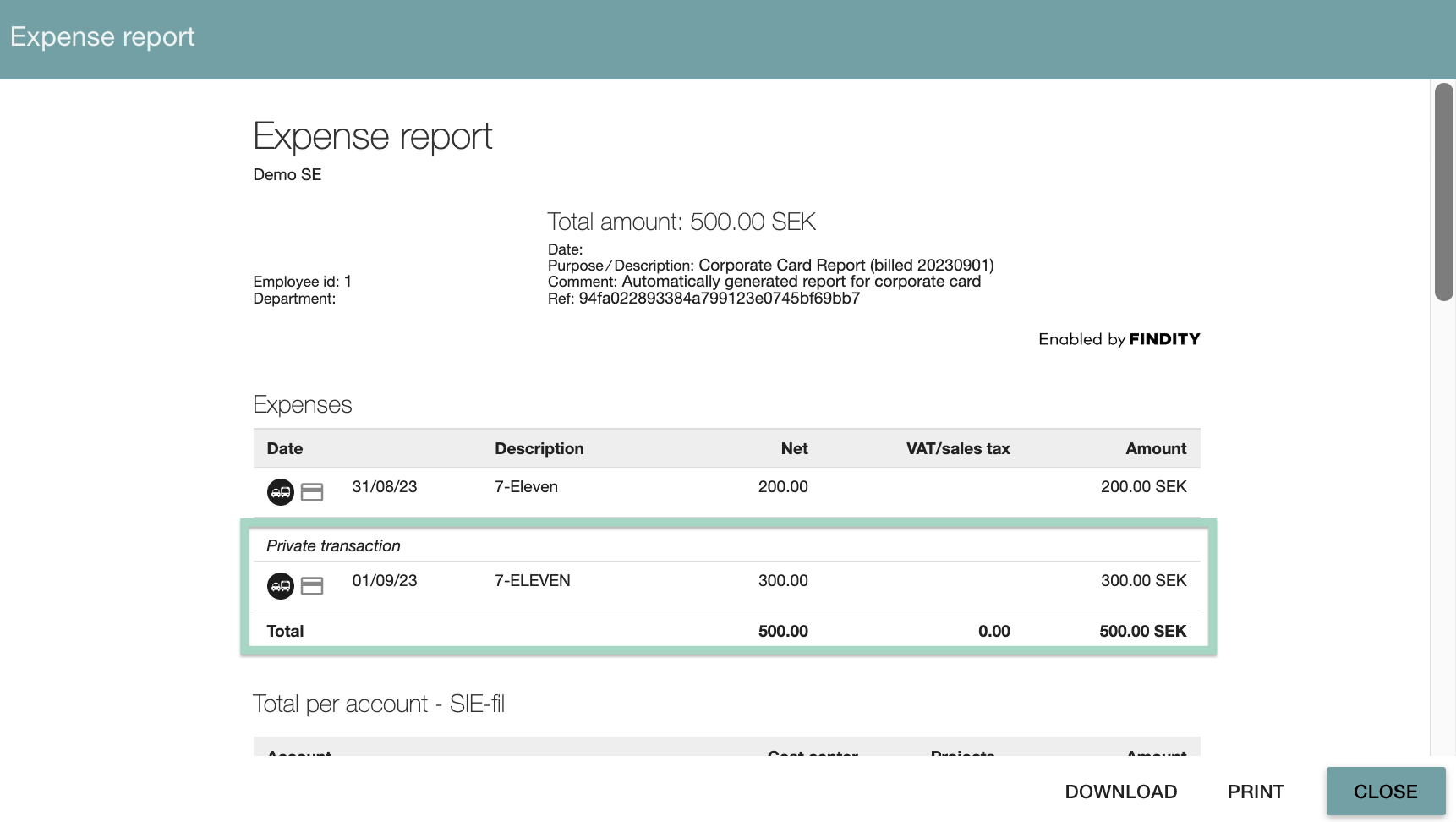
When the user has submitted a report containing a personal purchase you can preview the report to see the accounting. In this example, 300 SEK is marked as a personal transaction.
This setting is added on the user if you click on the tab *Card management* and then click on the user.
Read more about how to add a new user to corporate card in the related article here: Here
## The user view:
The user will have the possibility to mark the expense as a personal purchase in the transaction. Read more in this link how the user mark the transaction as a personal purchase: Here
## When the report is submitted:
When the user has submitted a report containing a personal purchase you can preview the report to see the accounting. In this example, 300 SEK is marked as a personal transaction.
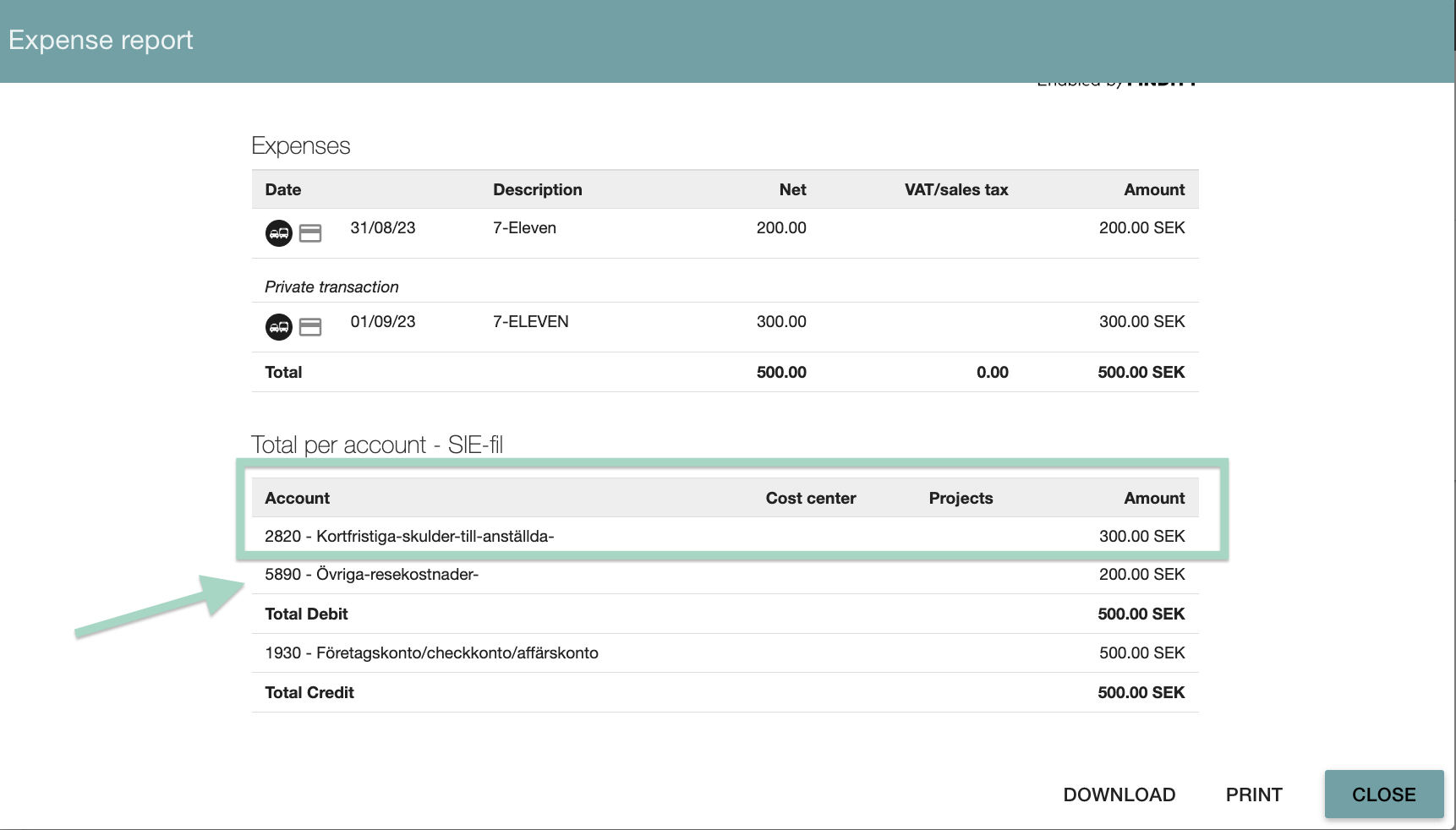
 The accounting in the report 300 SEK is summed up to the account **2820** as we have selected in the settings for debit accounting (see first picture in this article).
The other expense 200 SEK is summed up to the account **5890** which is the Credit (for company card).
The accounting in the report 300 SEK is summed up to the account **2820** as we have selected in the settings for debit accounting (see first picture in this article).
The other expense 200 SEK is summed up to the account **5890** which is the Credit (for company card).
 ## Related articles
* [What does the tab corporate card under reports mean?](/en/corporate-cards-administrator/what-does-the-tab-corporate-card-under-reports-mean)
* [Activate corporate cards on our organisation and add cardholders](/en/corporate-cards-administrator/activate-corporate-cards-on-our-organisation-and-add-cardholders)
* [How do I cancel the connection to corporate cards on the organisation?](/en/corporate-cards-administrator/how-do-i-cancel-the-connection-to-corporate-cards-on-the-organisation)
## Related articles
* [What does the tab corporate card under reports mean?](/en/corporate-cards-administrator/what-does-the-tab-corporate-card-under-reports-mean)
* [Activate corporate cards on our organisation and add cardholders](/en/corporate-cards-administrator/activate-corporate-cards-on-our-organisation-and-add-cardholders)
* [How do I cancel the connection to corporate cards on the organisation?](/en/corporate-cards-administrator/how-do-i-cancel-the-connection-to-corporate-cards-on-the-organisation)