> ## Documentation Index
> Fetch the complete documentation index at: https://help.findity.com/llms.txt
> Use this file to discover all available pages before exploring further.
# How can I remove an consultant from an organisation?
**This article applies to the following countries**
* All countries
### Delete consultant in the system
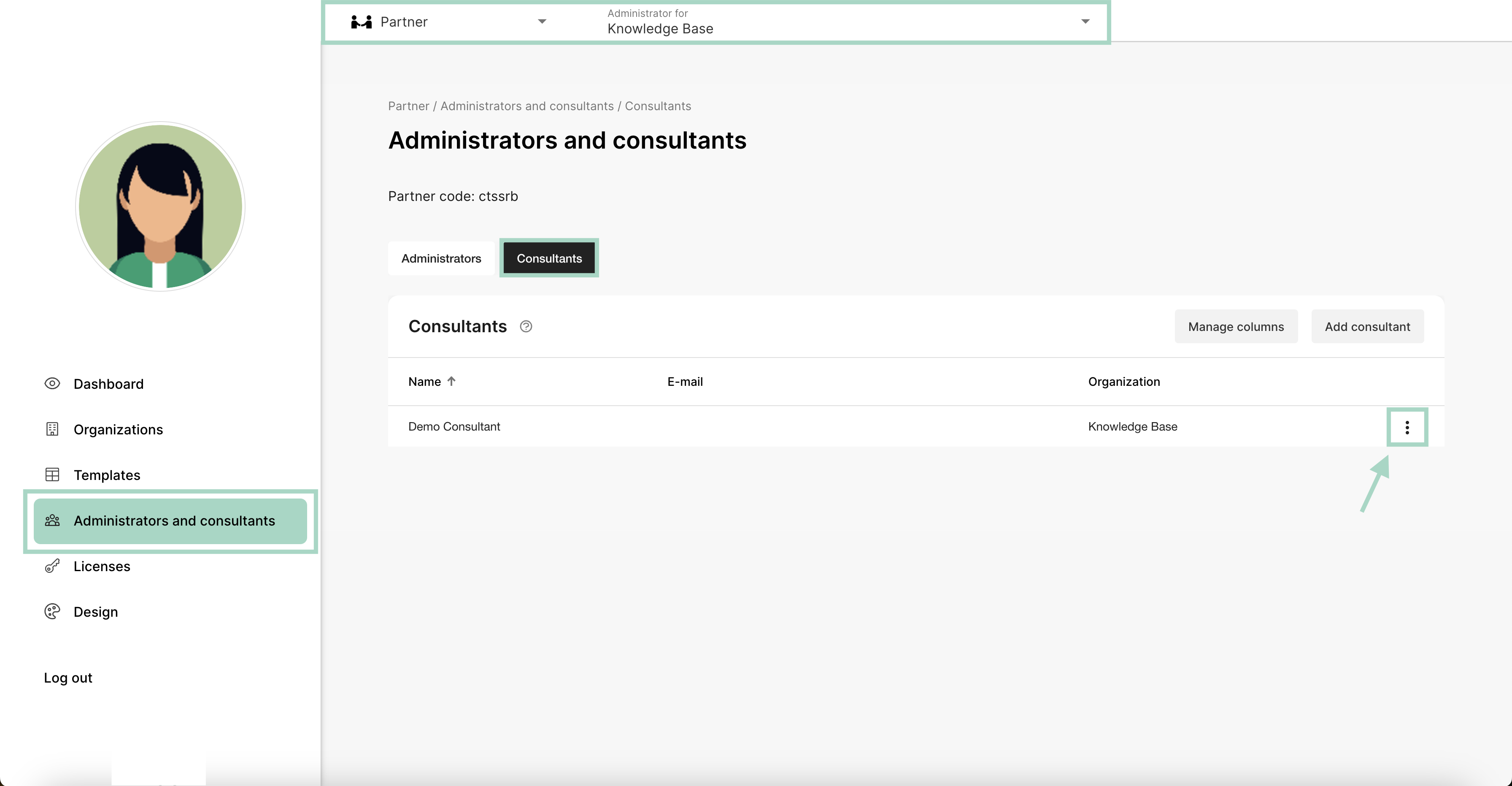
First, you need to change view to the *Partner* *view* at the top of your page.
The next step is to click on the tab *Administrators and consultants*, choose *Consultants* and then click the three dots to the right.
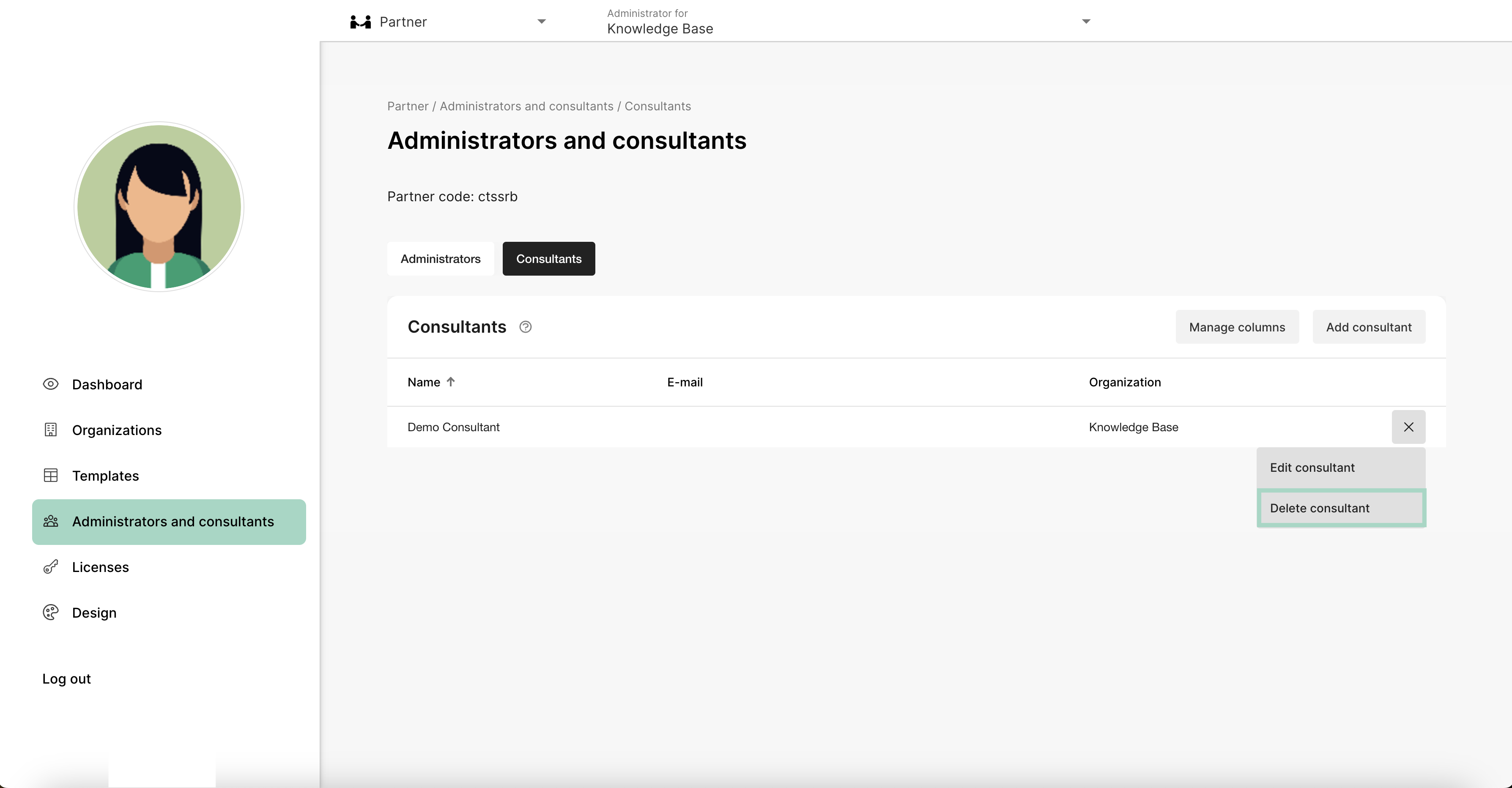
 After clicking the three dots, you get the following choice, there you can choose to *Delete consultant*. The consultant will now be deleted in Findity.
 ### Remove consultant from one organisation
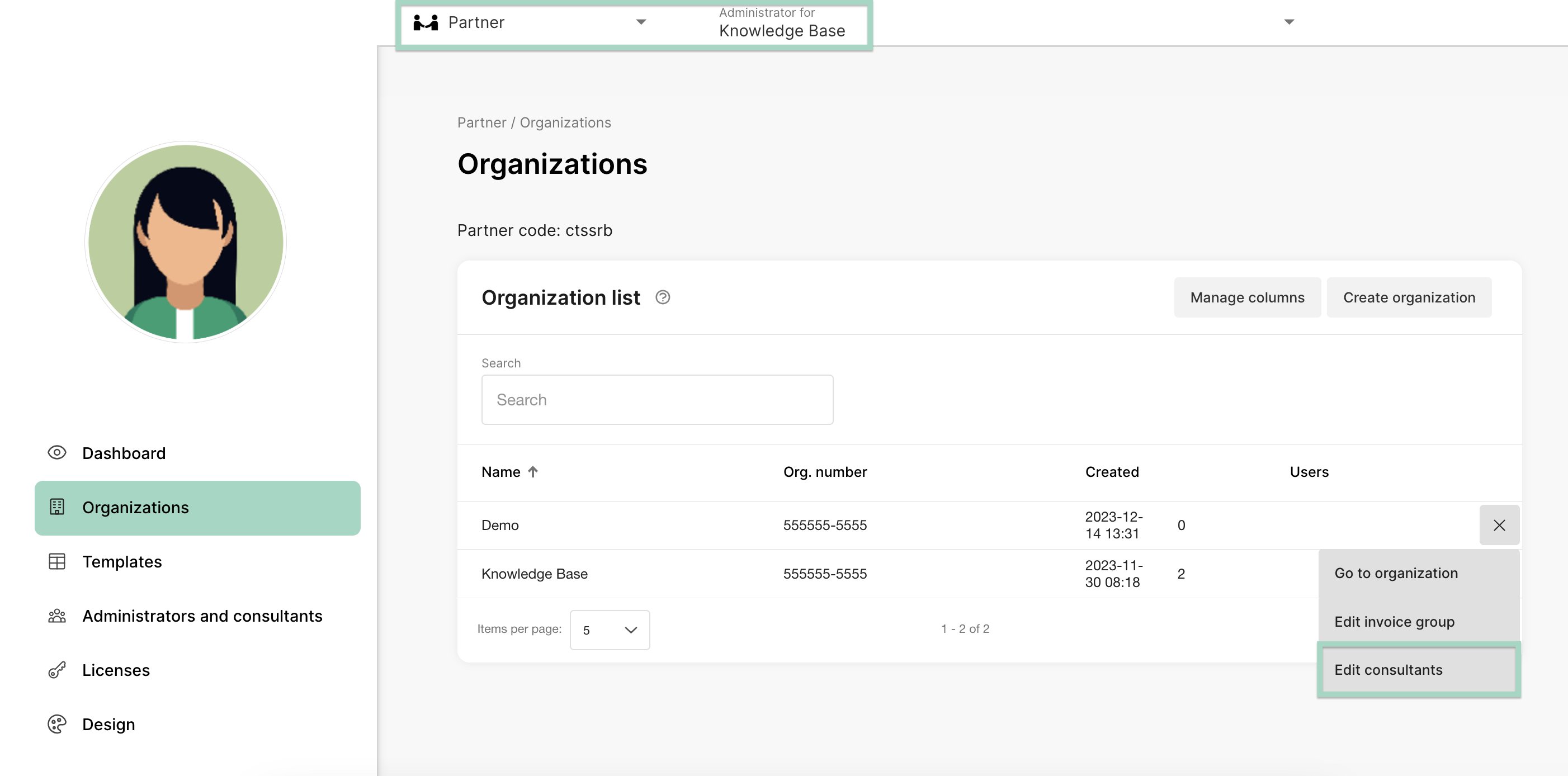
If you want to remove an consultant from just one organisation click on the tab *Organisation* and click on the three dots on the right side of the page. Choose to *Edit consultants.*
### Remove consultant from one organisation
If you want to remove an consultant from just one organisation click on the tab *Organisation* and click on the three dots on the right side of the page. Choose to *Edit consultants.*
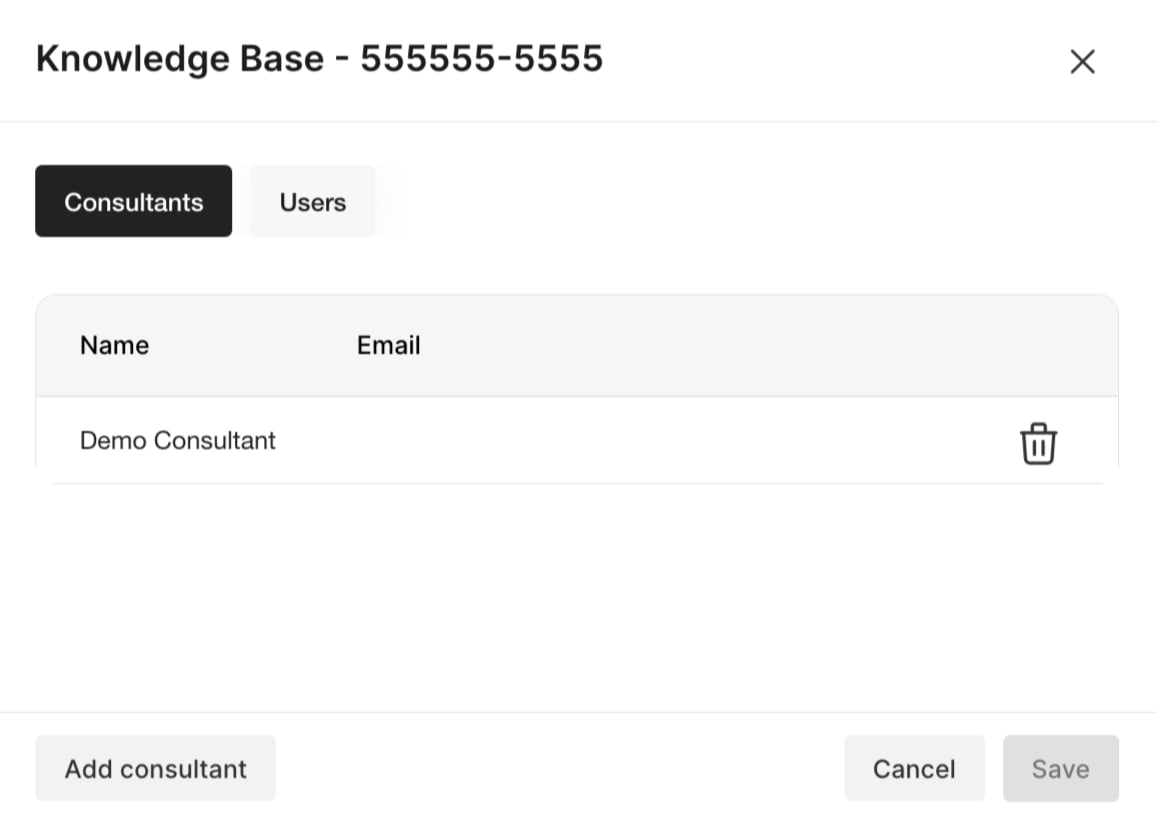
 Click on the trashcan on the consultants you want to remove. Press *Save* when you are done. The consultant will now be removed from this organisation.
 ## Related articles
* [How can I add an consultant to an organisation?](/en/consultant-partners/how-can-i-add-an-consultant-to-an-organisation)
* [How do I add new partner administrators to our partner?](/en/settings-partners/how-do-i-add-new-partner-administrators-to-our-partner)
## Related articles
* [How can I add an consultant to an organisation?](/en/consultant-partners/how-can-i-add-an-consultant-to-an-organisation)
* [How do I add new partner administrators to our partner?](/en/settings-partners/how-do-i-add-new-partner-administrators-to-our-partner)